

Phase 5: Monitoring and ongoing management
Estimated time: Ongoing
Responsible: Project lead, Security lead, department managers
Outcome: Credentials remain secure over time; departing employees are handled consistently; adoption is tracked and improved.
5.1 Security dashboard
The Security Dashboard analyzes all passwords stored in vaults you administer and classifies them by strength, age, and risk.
Navigate to Settings → Security Dashboard and click Analyze to run the analysis.
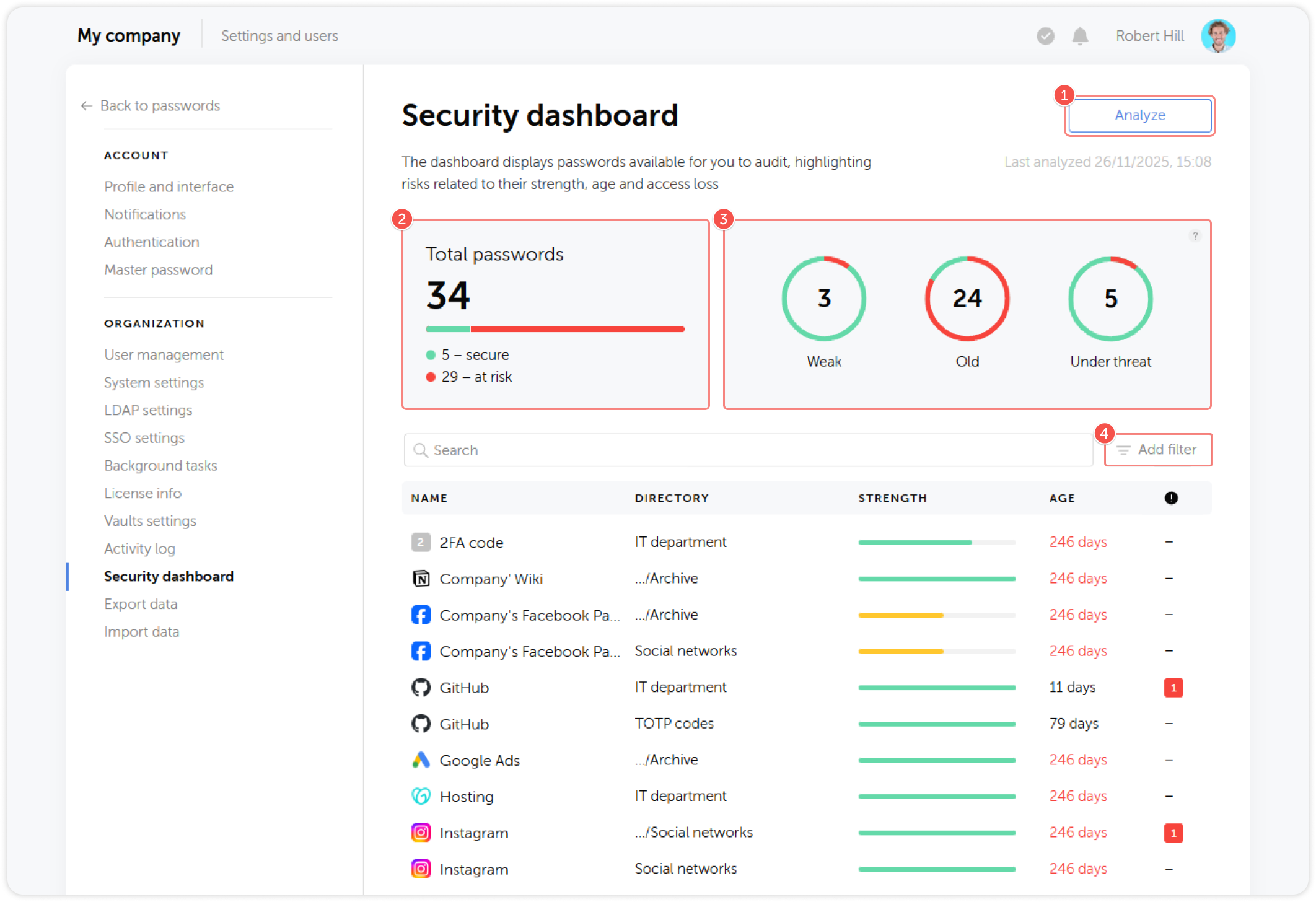
Security metrics
| Metric | Definition | Recommended action |
|---|---|---|
| Weak | Password score below threshold (short, simple, or common patterns) | Require the responsible user or team to update the credential |
| Old | Not updated in more than 180 days | Review and rotate, especially for shared service accounts |
| Compromised | Access was revoked for a user but the password was not changed | Rotate immediately |
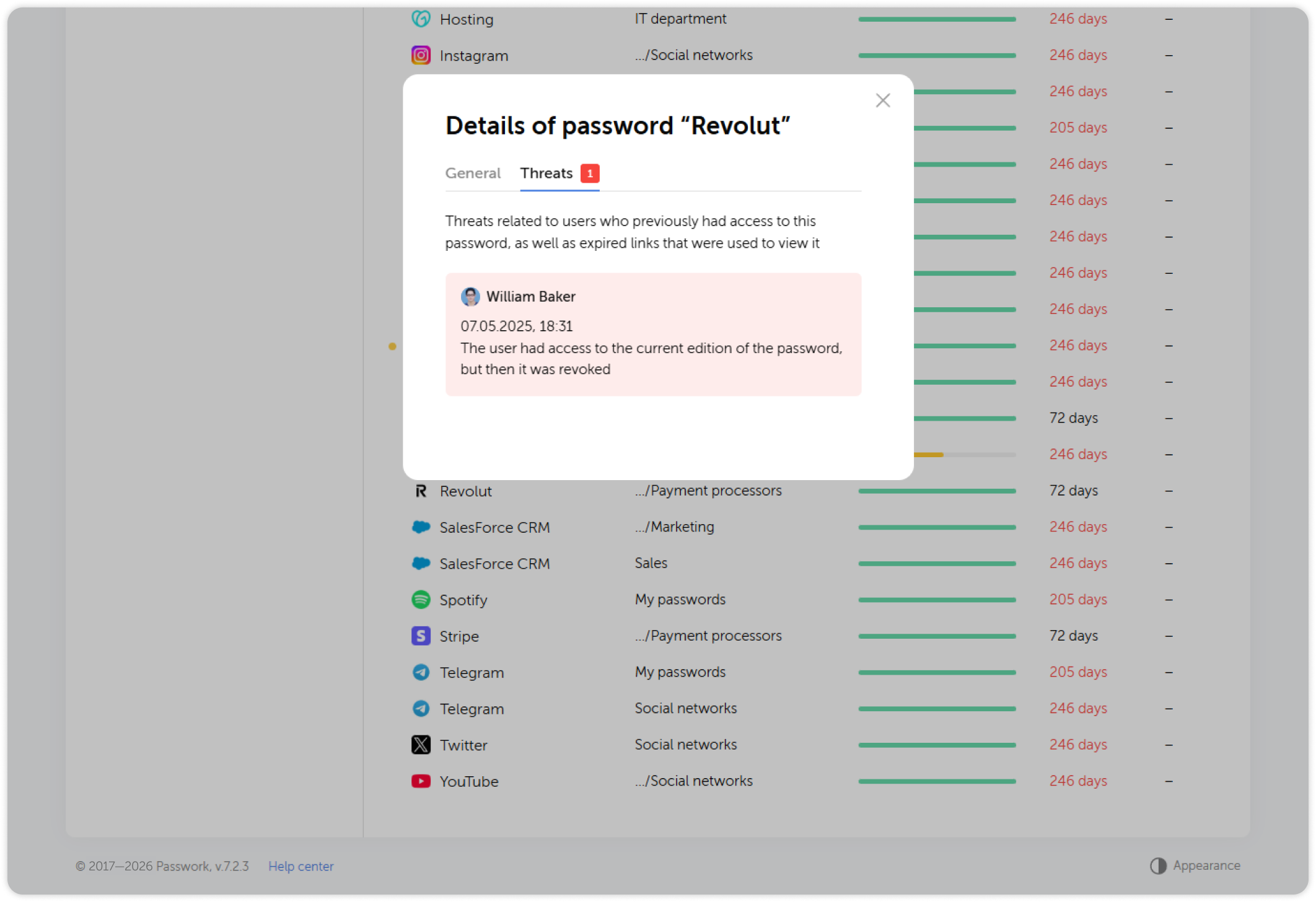
Using filters
Use the filter panel to narrow results by password strength, age, directory, or user:
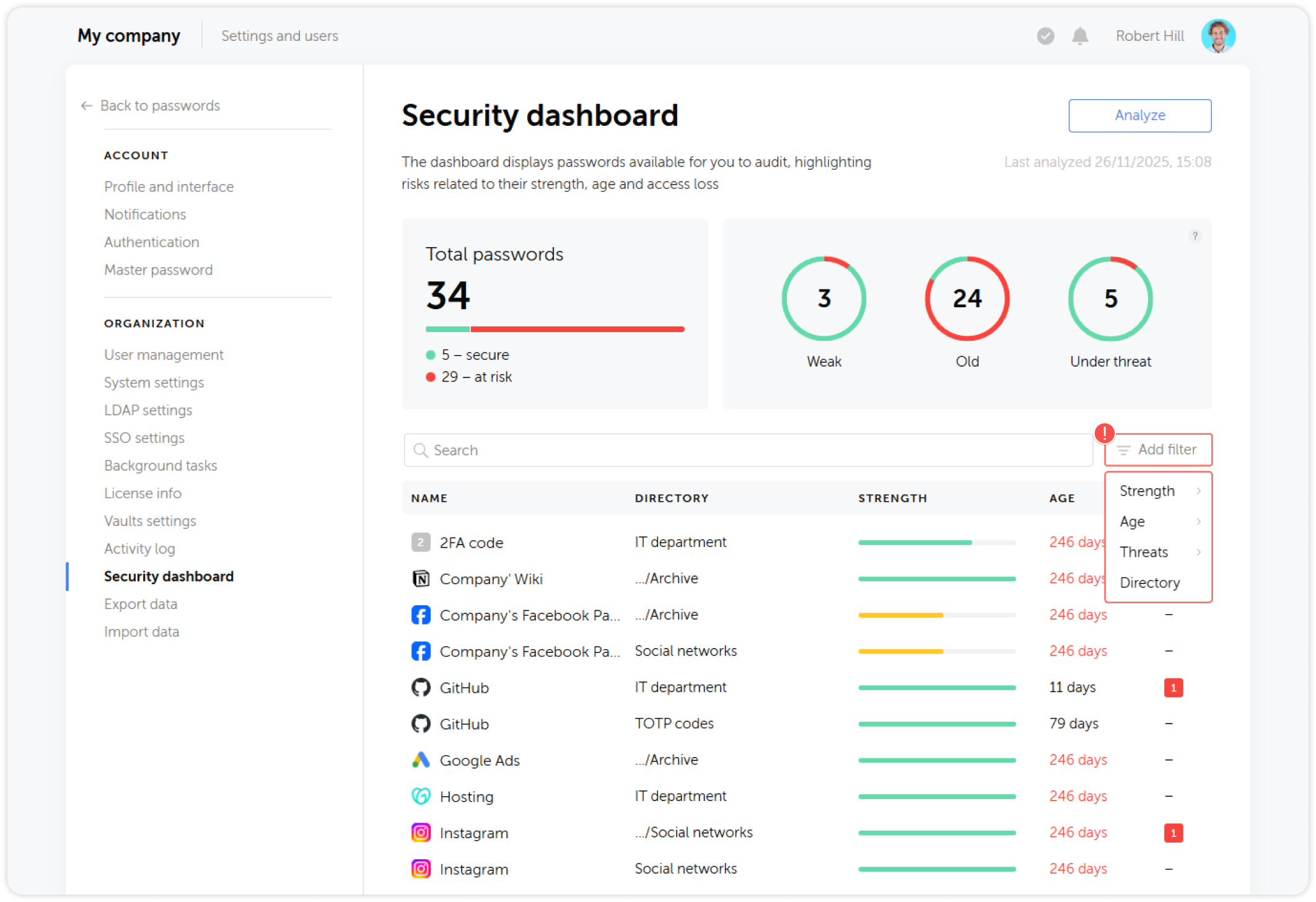
Run the Security Dashboard analysis on a regular schedule — at minimum monthly, and after any significant access change (department reorganization, bulk offboarding).
For full documentation, see Security dashboard.
5.2 Activity log
The Activity log provides a complete audit trail of all actions across the Passwork instance, including sign-ins, password changes, vault access changes, and administrative actions.
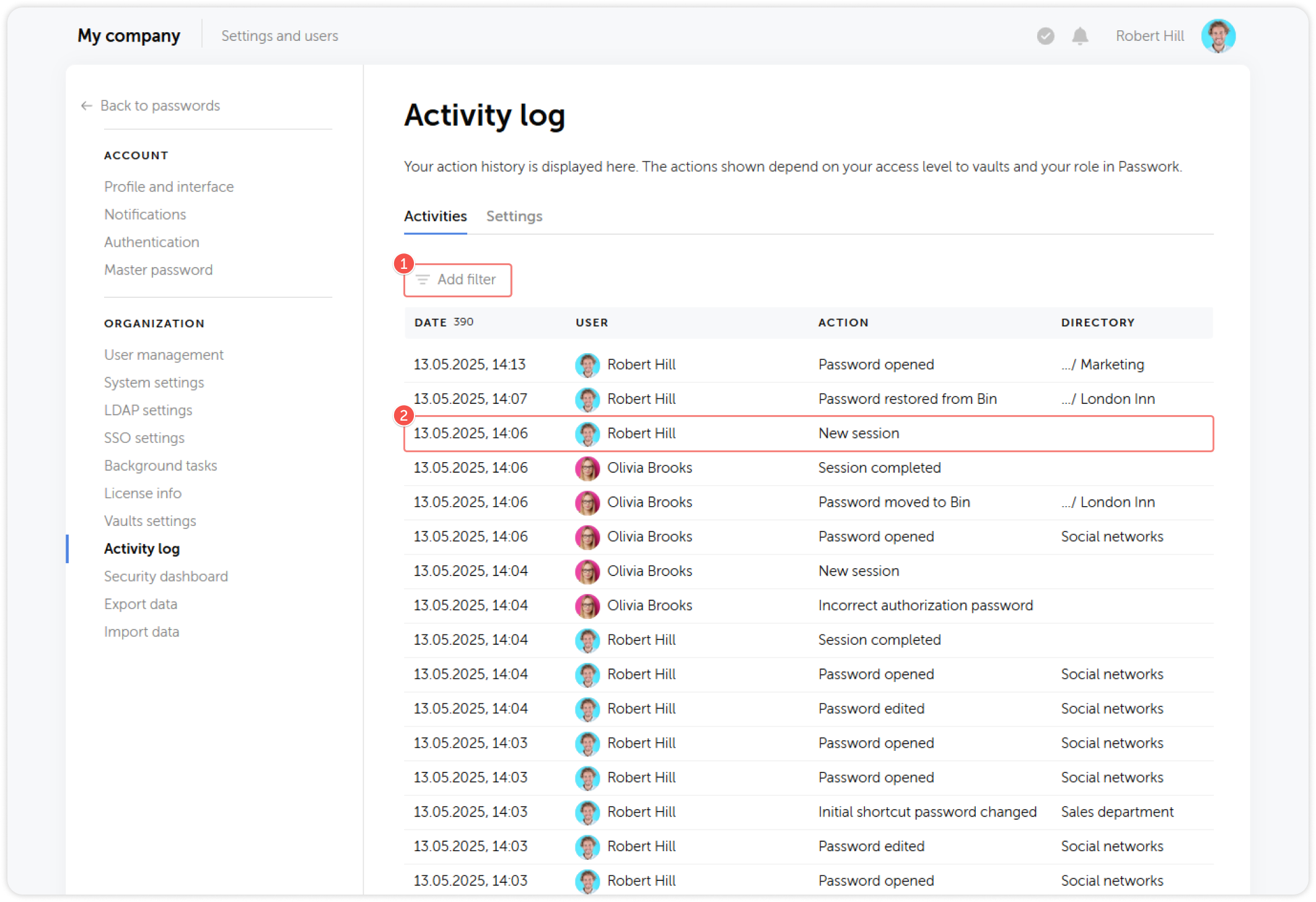
Use the activity log to:
- Investigate suspicious activity (multiple failed sign-in attempts, unusual access patterns)
- Verify that access was revoked after offboarding
- Demonstrate compliance with audit requirements
For export and SIEM integration, see Action history / Syslog and Event Viewer.
5.3 Employee offboarding checklist
Run this checklist for every employee departure, regardless of whether the departure is voluntary or involuntary.
| # | Action | Responsible | Notes |
|---|---|---|---|
| 1 | Block the user in Passwork | IT Admin | Settings → Users → select user → Block. Do this simultaneously with revoking other system access. |
| 2 | Run Security Dashboard analysis | Security Lead | Filter by the departing user to identify all passwords they had access to. |
| 3 | Rotate all credentials the user had access to | Department Managers | Prioritize: privileged accounts, production systems, payment processors, external services. |
| 4 | Revoke all active links created by the user | Department Managers | Open Additional Access dashboard for each vault the user had access to. |
| 5 | Remove user from all vaults and groups | IT Admin | After blocking, remove from all vault and group memberships for a clean audit trail. |
| 6 | Transfer vault ownership | IT Admin | Reassign any vaults the user owned to another administrator or manager. |
| 7 | Verify no active sessions remain | IT Admin | Review session history in the user's profile; terminate any active sessions. |
| 8 | Archive or delete the account | IT Admin | Retain the account if audit records must be preserved. Delete after the retention period. |
A blocked user cannot sign in to Passwork, but they may have memorized or copied credentials before being blocked. Credential rotation is the only effective mitigation. Do not delay it.
5.4 Ongoing maintenance
Regular tasks
| Frequency | Task |
|---|---|
| Weekly | Review pending invitations and follow up with non-activated users |
| Monthly | Run Security Dashboard analysis; review weak and old passwords |
| Quarterly | Audit vault access rights — remove users who no longer need access |
| Quarterly | Review and update the LDAP group-to-vault mapping as the organization changes |
| Annually | Review system settings, session policies, and 2FA enforcement |
LDAP synchronization
If LDAP synchronization is configured, verify that the background task is running on schedule. Check Settings → Background Tasks for task status and last run time.
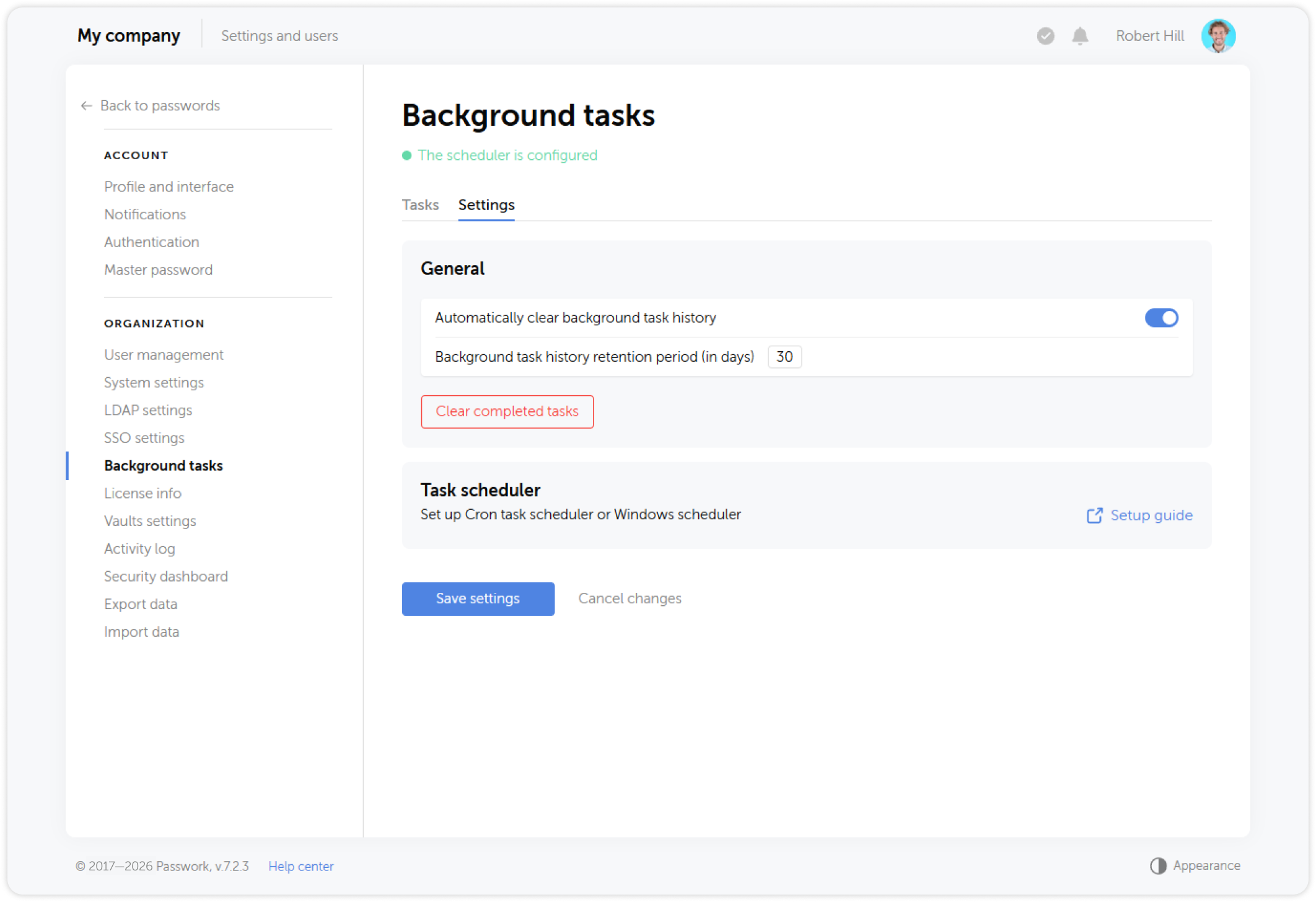
For cron configuration on Linux, see Cron Setup. For Windows Task Scheduler, see Windows Task Scheduler Setup.
Phase 5 completion criteria
- Security Dashboard reviewed and findings addressed after initial rollout
- Activity log reviewed for anomalies after first 30 days
- Offboarding checklist tested with at least one real departure
- Regular maintenance schedule established and assigned to owners
- LDAP sync task verified to be running on schedule
The Admin Rollout Playbook is complete. Your organization's Passwork deployment is live and monitored. For ongoing technical configuration reference, use the Administration section of this documentation.