



Windows Server (PowerShell module)
Online update
Open PowerShell as "Administrator":
Using the Start context menu
- Right-click on the Start icon in the lower-left corner of the screen.
- Select "Windows PowerShell (Administrator)" from the context menu.
Using the Start menu
- Left-click on the Start icon in the lower-left corner of the screen.
- Type
powershell - Open PowerShell as "Administrator" using the shortcut —
Ctrl + Shift + Enter
And run the online Passwork update:
- PowerShell
Update-Passwork -Method online
Actions performed
- Checking for the presence of the
.passwork_componentfile - Using
.passwork_componentto get the current Passwork version - Checking internet availability by querying the client portal
- Requesting the client portal for the available version
- Checking if an update is necessary
- Preparing and downloading the new version
- Verifying the archive using the digital signature
- Processing and copying files to the new version
- Archiving and cleaning the old version
- Installing the new version
Offline update
Go to the Passwork Customer Portal and get the latest available Passwork version with a digital signature:
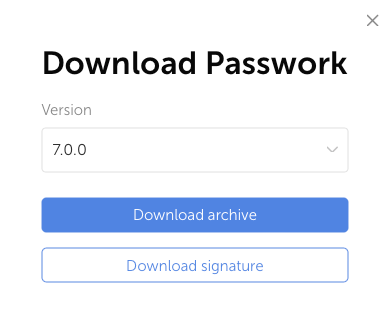
To verify the digital signature, you also need the Passwork's public_key.pem. You can obtain it:
Manually
- Open URL;
- Copy all the contents;
- Paste into a file and save the contents with the name — public-key.pem.
Automatically (PowerShell)
- PowerShell
(New-Object System.Net.WebClient).DownloadFile("https://passwork.pro/public-key", "$PWD\public-key.pem")
Move the obtained files to the Windows Server with Passwork, where the offline update function will be run:
- PowerShell
$PWD\Passwork-xxxxxx.zip
$PWD\xxxxxx.sig
$PWD\public-key.pem
Open PowerShell and run the function:
- PowerShell
Update-Passwork -Method offline
info
By default, the script verifies the archive's digital signature using the provided public key. If the signature is invalid or missing, the update will be aborted.
If you trust the archive source, you can skip the signature verification:
- PowerShell
Update-Passwork -Method offline -ignoreSignatureCheck
Actions performed
- Checking for the presence of the
.passwork_componentfile - Searching for and moving the Passwork archive
- Using
.passwork_componentto get the current Passwork version - Checking if an update is necessary
- Verifying the archive using the digital signature
- Processing and copying files to the new version
- Archiving and cleaning the old version
- Installing the new version