



Windows Server
Download the archive
Open the browser on the server where Passwork is installed and download the latest PHP bundle.
danger
This archive contains the PHP x64 build.
Extract the archive into C:\Program Files\, replacing the existing files:
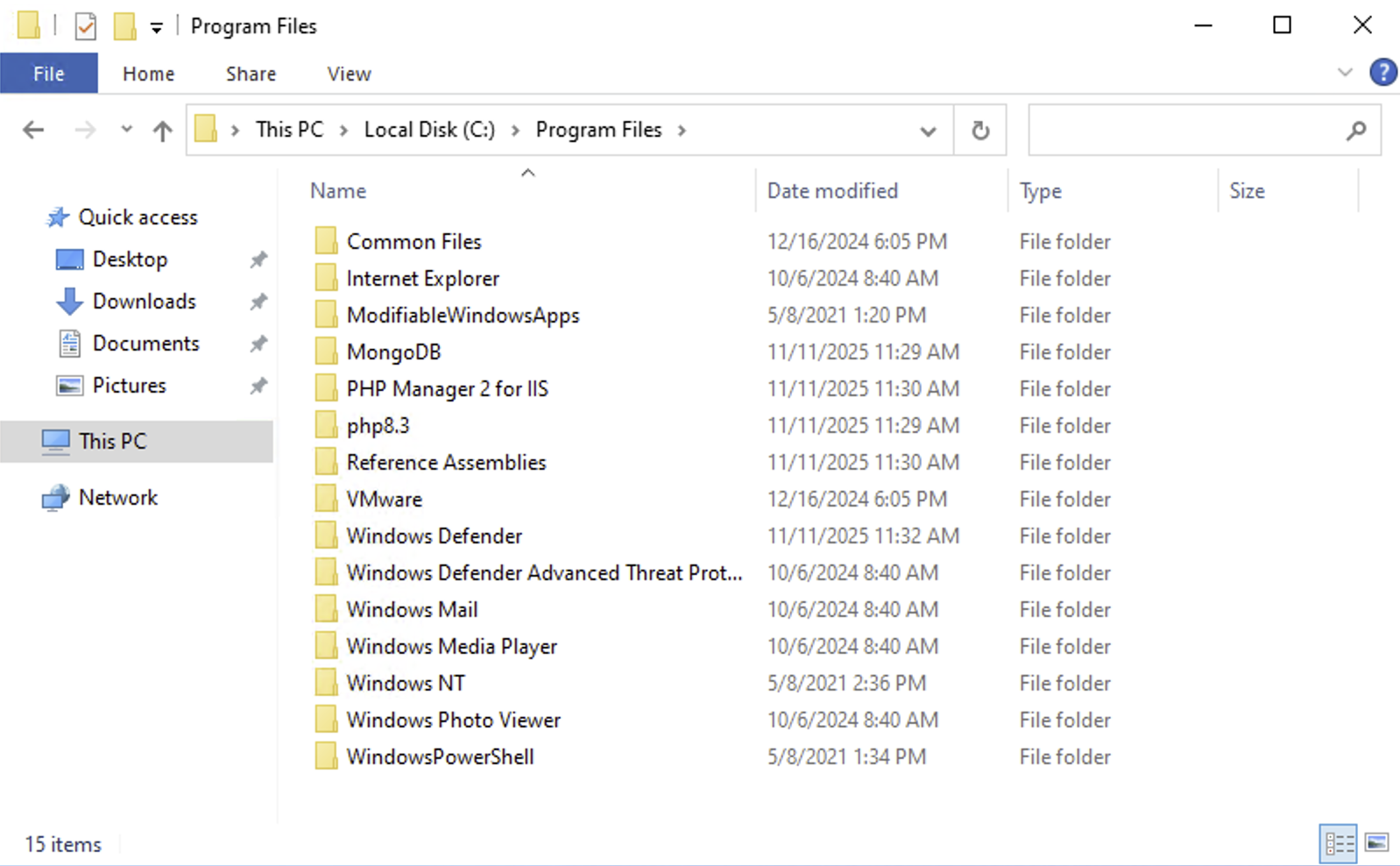
Change the PHP version in IIS
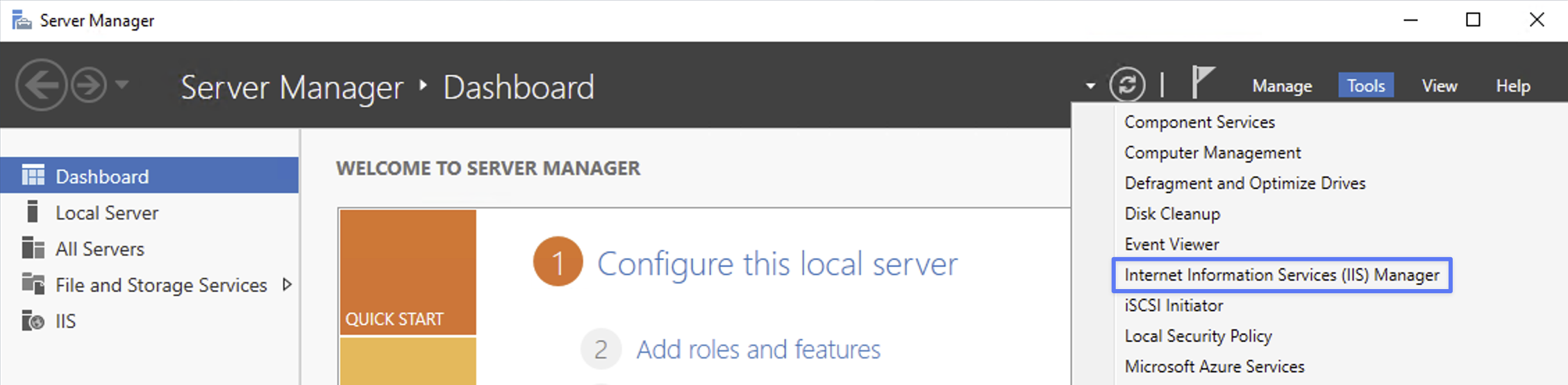
Open Server Manager → Tools → IIS Manager:
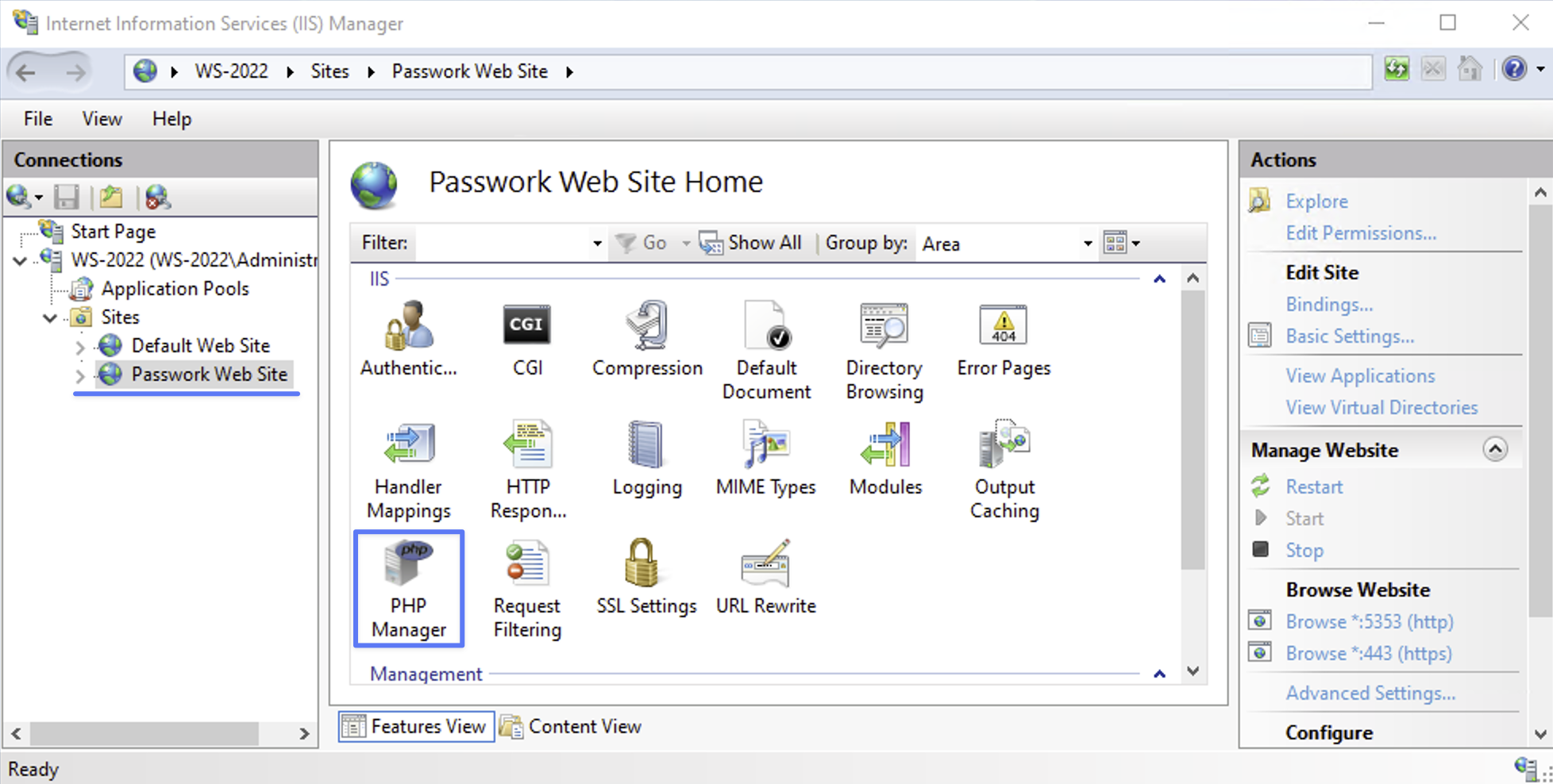
Expand the Passwork site and open PHP Manager:
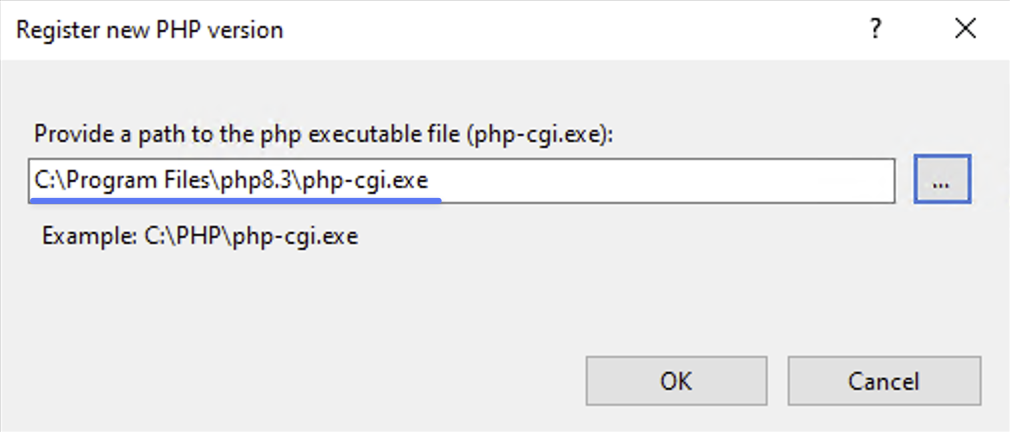
Select Register new PHP version and set the path to C:\Program Files\php8.3\php-cgi.exe:
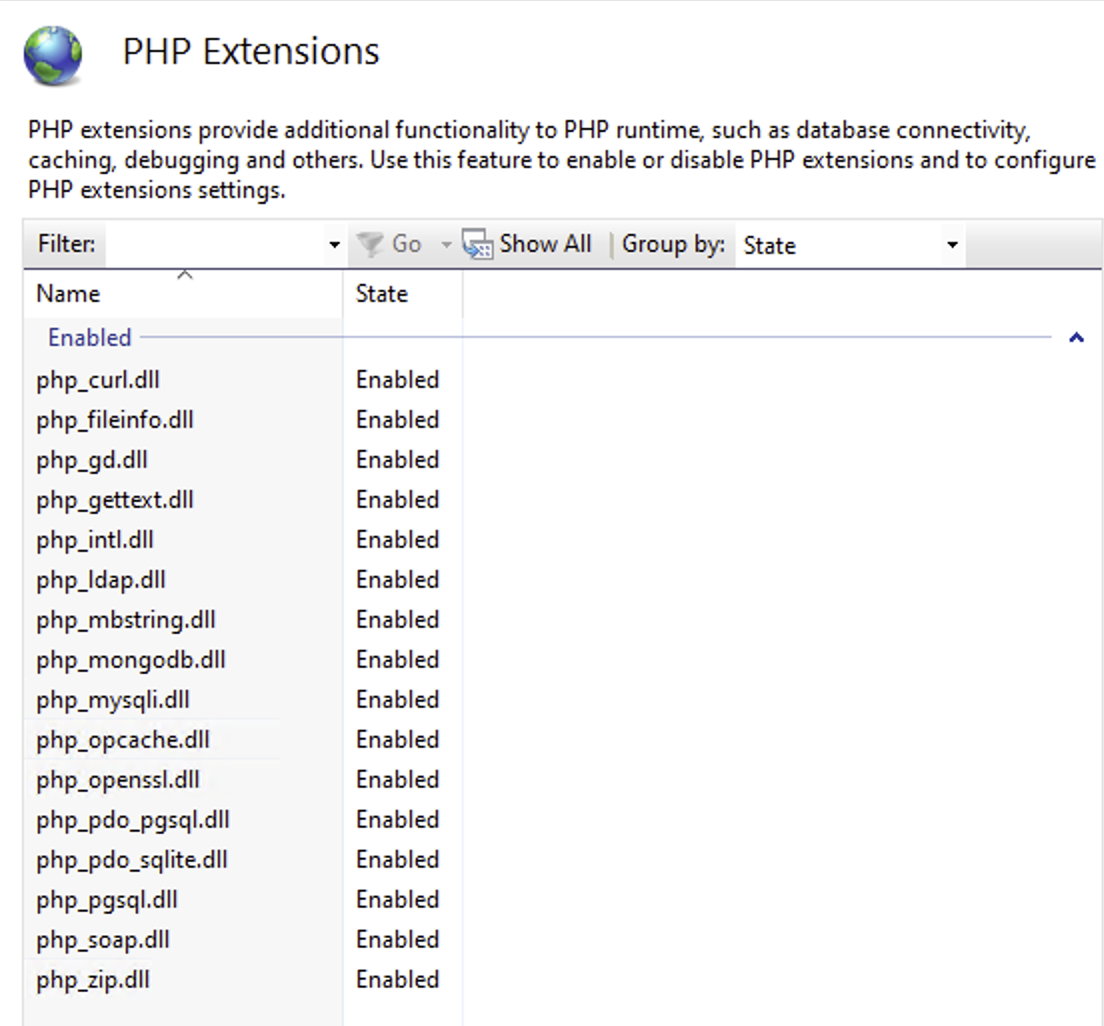
Scroll down to Turn extensions on or off and enable the extensions shown in the screenshot:
Update handler verbs and restart the site
Open PowerShell as "Administrator":
Using the Start Context Menu
- Right-click the Start icon in the lower-left corner of the screen.
- Select "Windows PowerShell (Administrator)" from the context menu.
Using the Start Menu
- Left-click the Start icon in the lower-left corner of the screen.
- Type
powershell - Open PowerShell as "Administrator" by pressing
Ctrl + Shift + Enter
Retrieve the currently registered PHP version:
- PowerShell
$phpVersion = (php -v | Select-String 'PHP\s+(\d+\.\d+\.\d+)').Matches[0].Groups[1].Value
Update the list of HTTP verbs allowed for the PHP handler:
- PowerShell
# Change the path if Passwork is installed in a custom directory
$webConfigPath = "$env:SystemDrive\inetpub\wwwroot\passwork\public\web.config"

if (Test-Path $webConfigPath) {
  [xml]$webConfig = Get-Content $webConfigPath
  $handler = $webConfig.SelectSingleNode("//system.webServer/handlers/add[@name='php-$phpVersion']")
  if ($handler) {
      $handler.verb = "GET,HEAD,POST,PUT,DELETE,OPTIONS,PATCH"
      $webConfig.Save($webConfigPath)
  } else {
      Write-Host "PHP handler in web.config not found" -ForegroundColor Red
  }
}
Restart the Passwork site:
- PowerShell
Import-Module WebAdministration
Stop-WebSite  -Name "Passwork Web Site"
Start-WebSite -Name "Passwork Web Site"