


Installation with a pre-configured replica set
MongoDB replication requires at least three servers.
Overview
An example of configuring a MongoDB replica set when Passwork is not in use yet and fault tolerance has to be set up from the start.
The following host names are used as an example:
- First server (PRIMARY) — example.docker.1
- Second server (SECONDARY) — example.docker.2
- Third server (SECONDARY) — example.docker.3
Preparing the servers
These steps are performed on every server: example.docker.1, example.docker.2, example.docker.3.
Installing Docker
- Download and install Docker. The minimum version is 18.06.0.
Official article: installing Docker. - Install and enable the Docker Compose plugin if required.
Official article: installing Docker Compose (Linux).
We recommend using a Docker installation that was not made through snap.
Installing Passwork
Create a directory for the installation and change into it:
- shell
mkdir /<passwork>/ && cd /<passwork>/
Download the docker-compose build archive and extract it:
- shell
curl -SfL https://repos.passwork.pro/repository/passwork-docker/passwork_compose_last.tar.gz | tar xzvf - 2>&1
rm -f passwork_compose_last.tar.gz
Rename the environment variables configuration file:
- shell
mv ./.env.example ./.env
Edit the .env file:
- shell
vim ./.env
- Put the API key from the Customer Portal into the
PORTAL_KEYline:
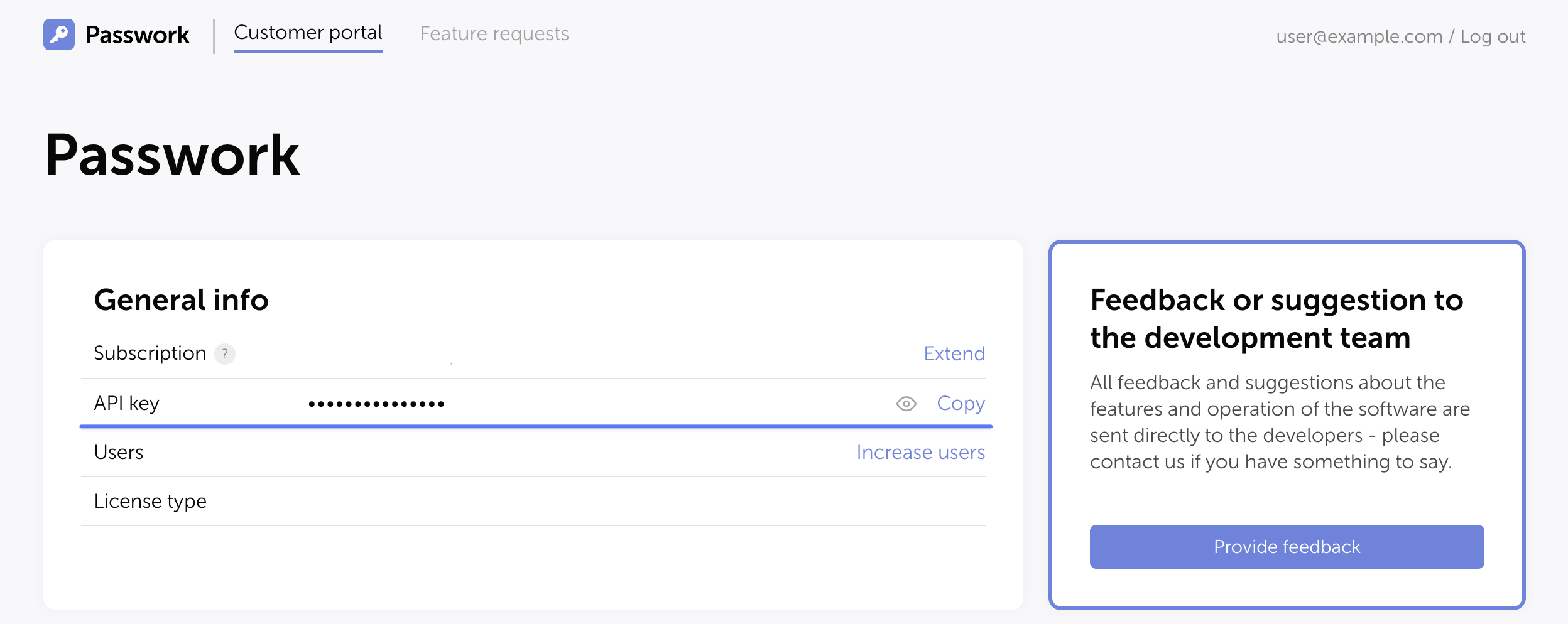
- At the end of the variables file, insert the following lines and specify your own values:
- shell
# Database user name used at initialization.
MONGO_INITDB_ROOT_USERNAME=username
# Database user password used at initialization.
MONGO_INITDB_ROOT_PASSWORD=password
# DNS name or IP address of the host where the database is installed
MONGO_NODE_NAME="example.docker.2(3)"
# Flags the database is started with
DB_RUN_FLAGS="--replSet rs0 --keyFile=/data/keys/keyfile"
Run the script that downloads the Passwork code and places it into the Docker build:
- shell
cd /<passwork>/ && ./update.sh
Preparing the environment
These steps are performed on every server: example.docker.1, example.docker.2, example.docker.3.
Edit the Docker container configuration file /<passwork>/docker-compose.yaml:
- Uncomment the
portsparameter and its value in thedbservice:
ports:
  - 27017:27017
Forwarding the port from the container to the host is required for access and data exchange between the database instances.
Generating and configuring the replica set key
Create the mongo directory on every server:
- shell
mkdir -p /<passwork>/conf/mongo
On example.docker.1, generate the key for the replica set:
- shell
openssl rand -base64 756 > /<passwork>/conf/mongo/keyfile
The key file is used inside the replica set to authorize the nodes. If the file is not specified or its permissions are broader than 0400, the replica set will not assemble correctly.
Copy the key to the secondary servers:
- shell
scp /<passwork>/conf/mongo/keyfile [email protected]:/<passwork>/conf/mongo/
scp /<passwork>/conf/mongo/keyfile [email protected]:/<passwork>/conf/mongo/
Set the permissions on every server:
- shell
chown 1001:1001 /<passwork>/conf/mongo/keyfile
chown 1001:1001 /<passwork>/conf/mongo/
chmod 0700 /<passwork>/conf/mongo/
chmod 0400 /<passwork>/conf/mongo/keyfile
Configuring the replica set
Starting the containers
If DNS is not configured, add the records to /etc/hosts on every node:
- 172.16.X.X example.docker.1
- 172.16.X.X example.docker.2
- 172.16.X.X example.docker.3
Start the Docker containers on every server:
- shell
cd /<passwork>/
docker compose up -d
Connect to the MongoDB shell on example.docker.1:
- shell
docker exec -it passwork_db mongosh -u username -p password
Switch to the admin database:
- shell
use admin
Initialize the replica set named rs0:
- shell
rs.initiate( {
   _id : "rs0",
   members: [
      { _id: 0, host: "example.docker.1:27017" },
      { _id: 1, host: "example.docker.2:27017" },
      { _id: 2, host: "example.docker.3:27017" }
   ]
})
Check the status:
- shell
rs.status()
Configuring Passwork to connect to the replica set
Configuring the primary server
Connect to the Passwork web interface on the first node. At step 3 of the checklist, specify the connection to the PRIMARY node — example.docker.1:
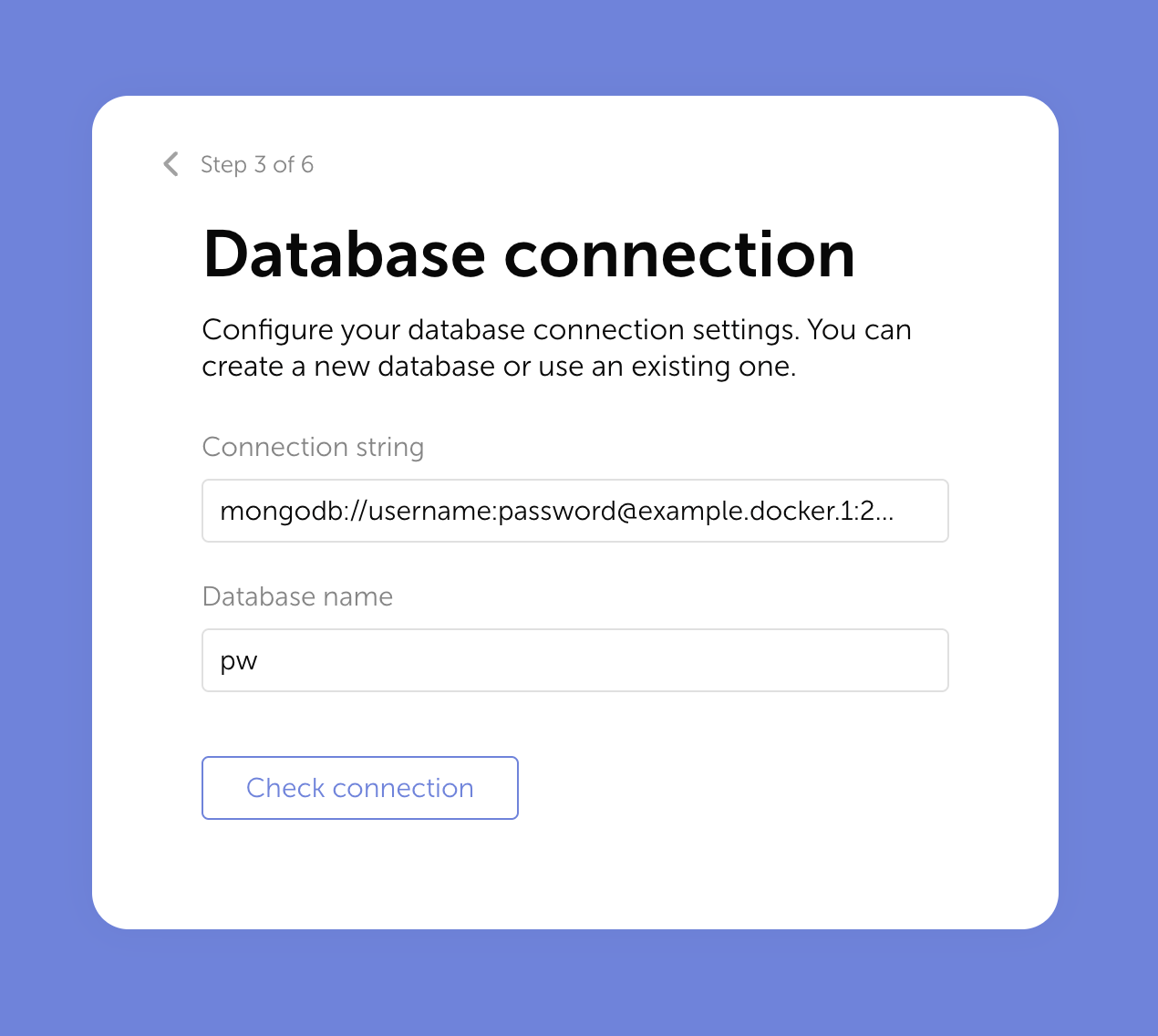
Specify the connection string:
mongodb://username:[email protected]:27017
Click Next and complete the Passwork installation. The /<passwork>/conf/keys/config.env configuration file will be generated. Edit it and specify the replica set connection:
- shell
MONGODB_URL=mongodb://example.docker.1:27017,example.docker.2:27017,example.docker.3:27017/?replicaSet=rs0
MONGODB_DB=pw
MONGODB_USERNAME=username
MONGODB_PASSWORD=password
Configuring the secondary servers
Copy the generated configuration file config.env and the encryption_key from example.docker.1 to the secondary servers:
- shell
scp /<passwork>/conf/keys/config.env [email protected]:/<passwork>/conf/keys/
scp /<passwork>/conf/keys/config.env [email protected]:/<passwork>/conf/keys/
scp /<passwork>/conf/keys/encryption_key [email protected]:/<passwork>/conf/keys/
scp /<passwork>/conf/keys/encryption_key [email protected]:/<passwork>/conf/keys/
On all three nodes, edit the APP_URL parameter in the configuration and specify the DNS name or IP address of the server.