



Linux
Obtaining current version of Passwork
- Open a web browser and go to the Customer Portal.
- Log in to the Customer Portal by entering the user's email;
- In the Download Center — Select version to get the current version of Passwork in .zip format:
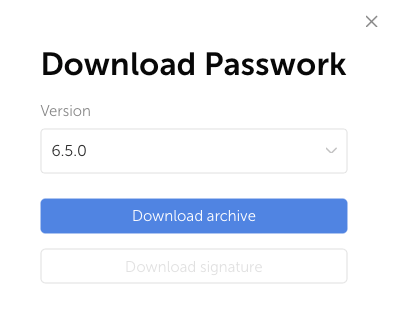
- Move the .zip archive to the server with Passwork.
Creating backup and configuration file
Creating backup
To create a MongoDB backup, you can use the following guide — Examples of creating and restoring backups
If Passwork is installed on a virtual or cloud OS, we recommend creating a snapshot of the operating system state to quickly restore Passwork functionality in case of errors.
Creating configuration file copy
The main Passwork parameters are specified in the config.ini configuration file. You need to create a copy of the file and save it in a separate or user's root directory:
cp /var/www/app/config/config.ini ./
Updating Passwork code and creating archive of the old version
Updating code
Rename the root directory of the Passwork code:
mv /var/www /var/copy_www
Create the www directory:
mkdir /var/www
Unzip the current version of the Passwork code into /var/www/:
unzip ./Passwork-xxxxxx.zip -d /var/www/
To check, display the version from the Passwork file:
cat /var/www/version
Move the config.ini configuration file and license key from the old version:
mv /var/copy_www/app/config/config.ini /var/www/app/config/
mv /var/copy_www/app/keys/passwork* /var/www/app/keys/
Creating archive of old version
Create an archive of Passwork with the version name in the /opt/ directory:
version=$(cat /var/copy_www/version) && zip -r /opt/${version}.zip /var/copy_www/
Delete the renamed directory with the old version of Passwork:
rm -rf /var/copy_www
Assign owner and set permissions
After creating the /var/www/ directory, you need to change the owner and set permissions.
- DEB
- RPM
find /var/www/ -type d -exec chmod 755 {} \;
find /var/www/ -type f -exec chmod 644 {} \;
chown -R www-data:www-data /var/www/
find /var/www/ -type d -exec chmod 755 {} \;
find /var/www/ -type f -exec chmod 644 {} \;
chown -R apache:apache /var/www/