Global settings
System settings offer a wide range of options for managing and configuring Passwork. They are designed to provide the best possible user experience and improve security while using Passwork.
The Global tab contains settings that cannot be overridden for individual users or roles.
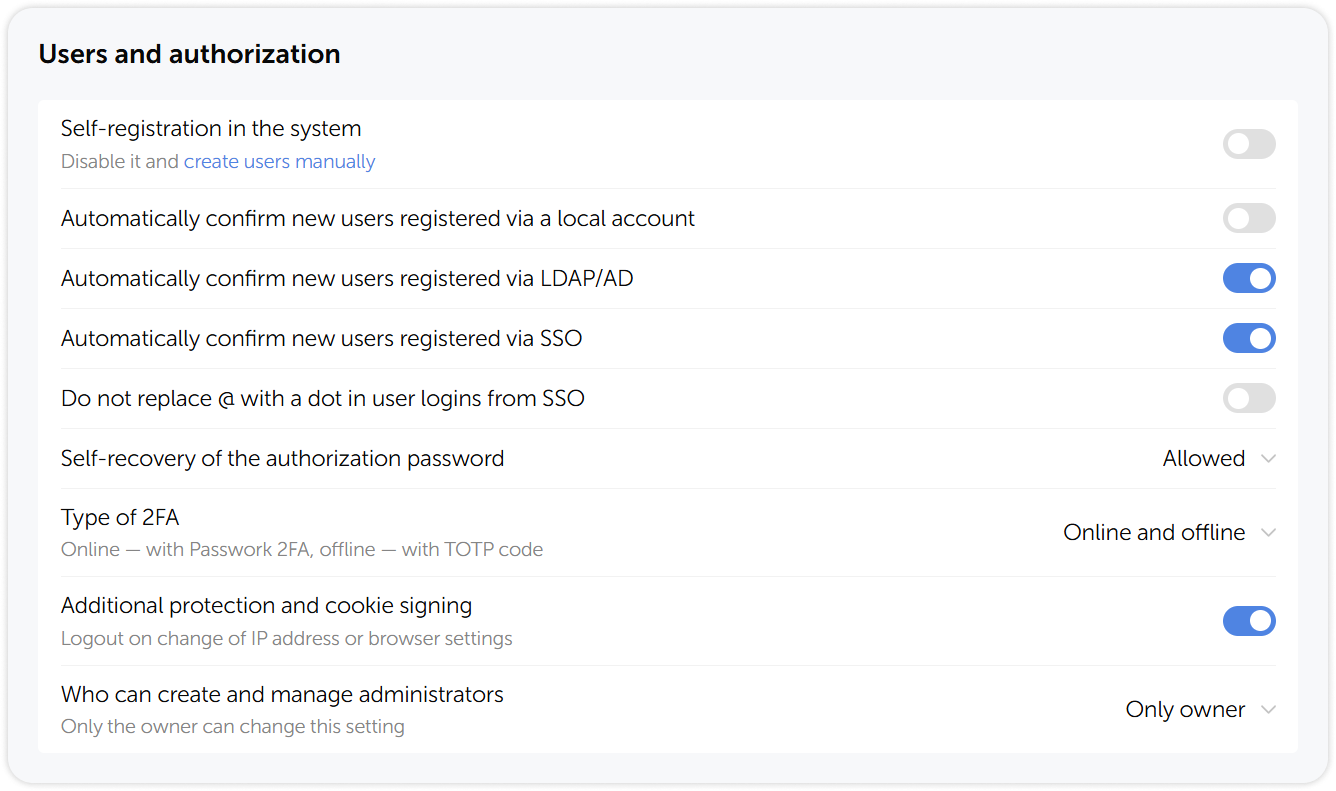
Users and authorization
The Users and authorization section contains settings for user self-registration, automatic confirmation of new users, two-factor authentication, and administrator-role management.
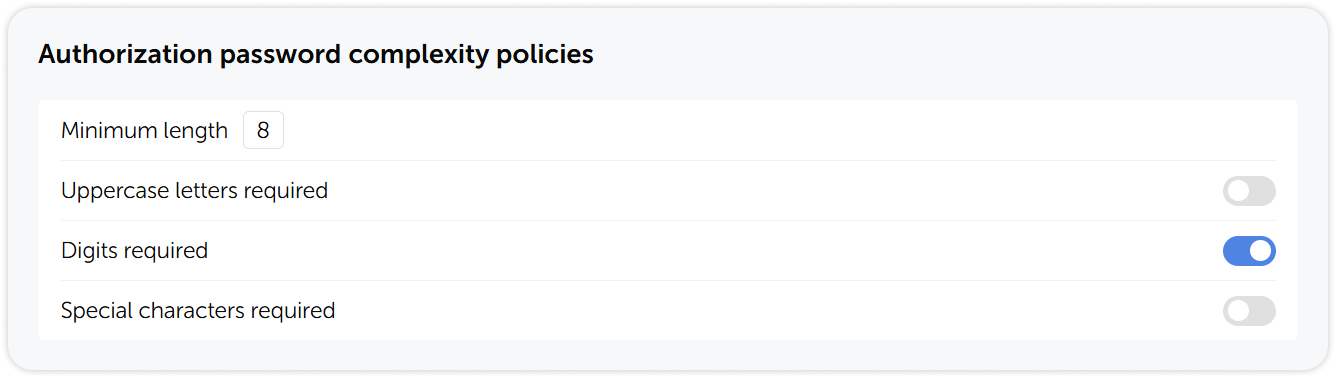
Authorization password complexity policies
Authorization password complexity policies allow you to set the minimum requirements for passwords used to sign in into Passwork.
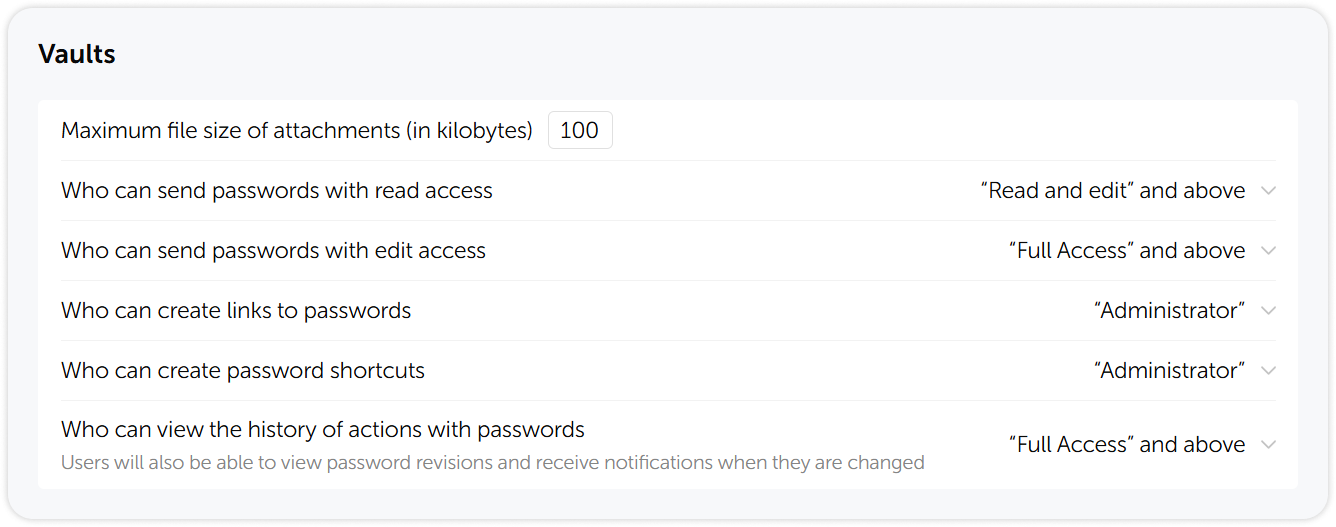
Vaults settings
In the Vaults section you can configure the maximum size of attached files, set permissions for sharing passwords and viewing the history of actions.
API, extension and mobile app
In the API, extension and mobile app section, you can enable nonstrict search by URL subdomains in browser extensions, set API key rotation period and the lifetime of API tokens.
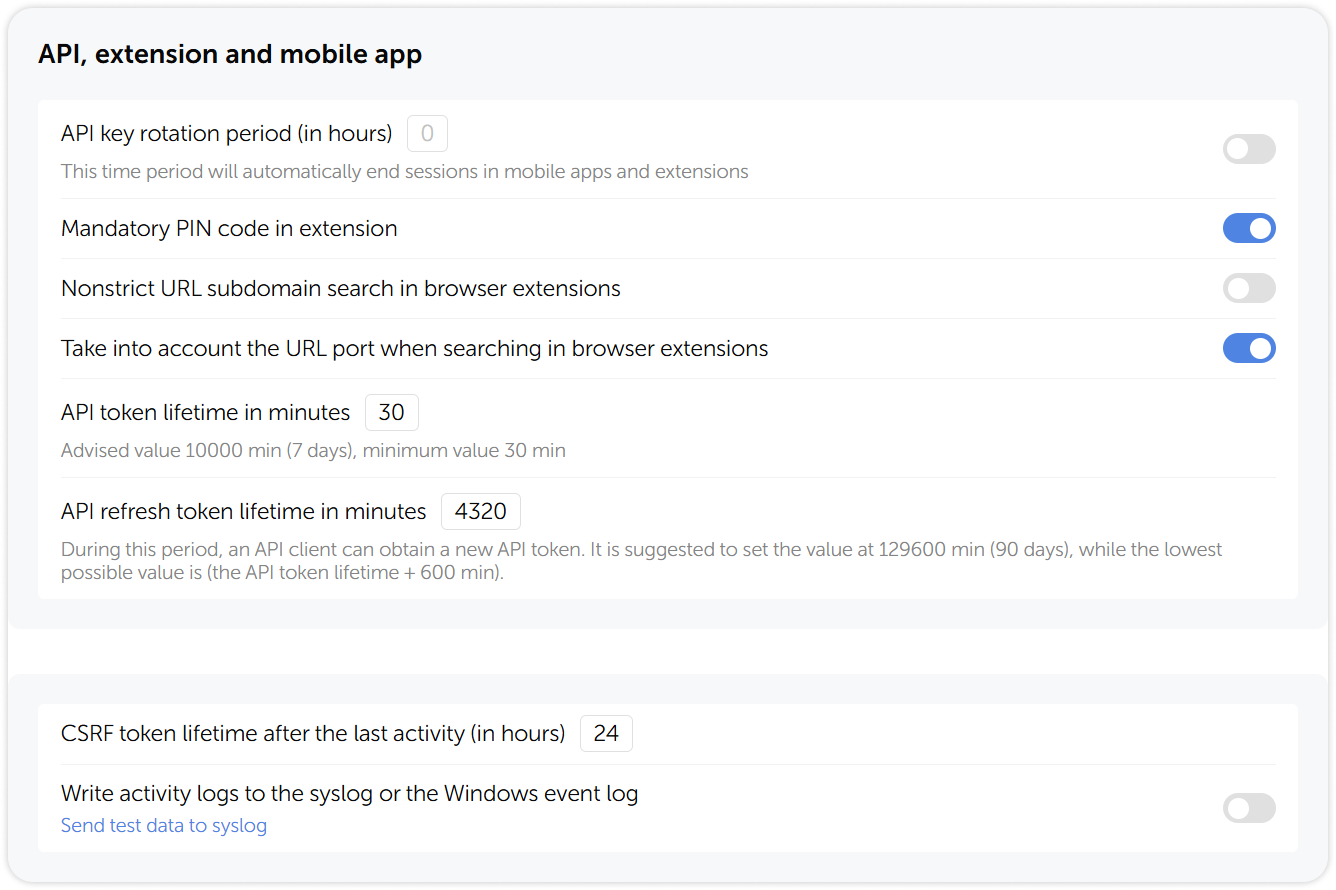
In Passwork version 6.4 and later, administrators can set a mandatory browser extension PIN for all users, reducing the risk of unauthorized access. Once enabled, users who have not yet set a PIN code will be prompted to do so upon their next login to the extension.
Search settings
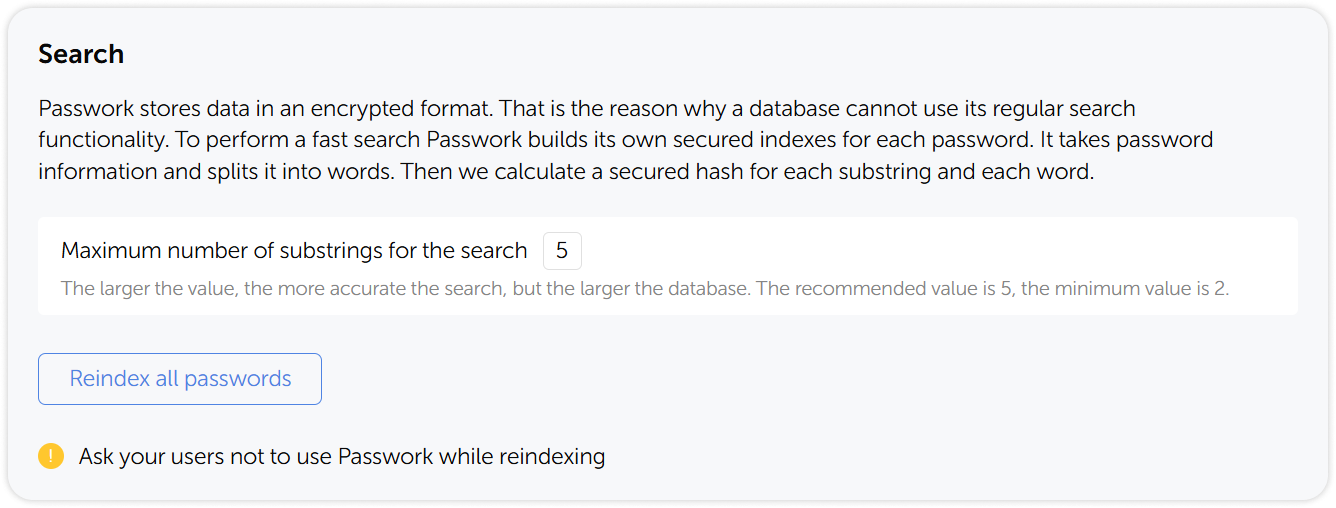
In the Search section, you can set the maximum number of substrings for the search and reindex all passwords. For a detailed description of how the search works in Passwork, see the Configure search page.
Email service settings
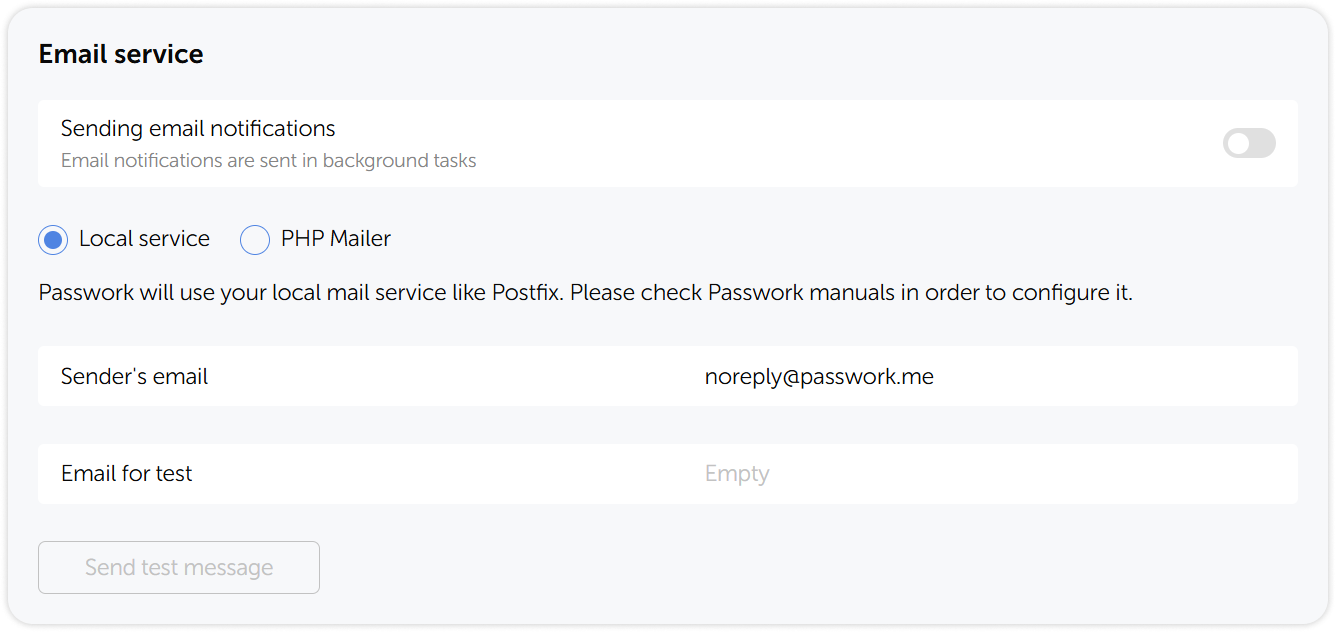
In the Email service settings you can configure the email service, enable and test email notifications.
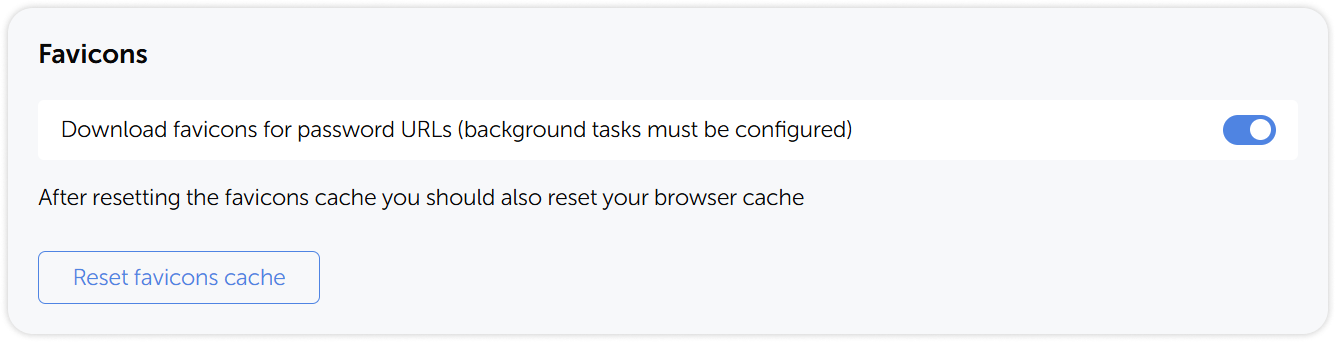
Favicons
In the Favicons section you can enable favicon downloads and reset their cache.