Remove from roles
Passwork administrators and users with additional administrative rights can quickly remove users from roles.
1
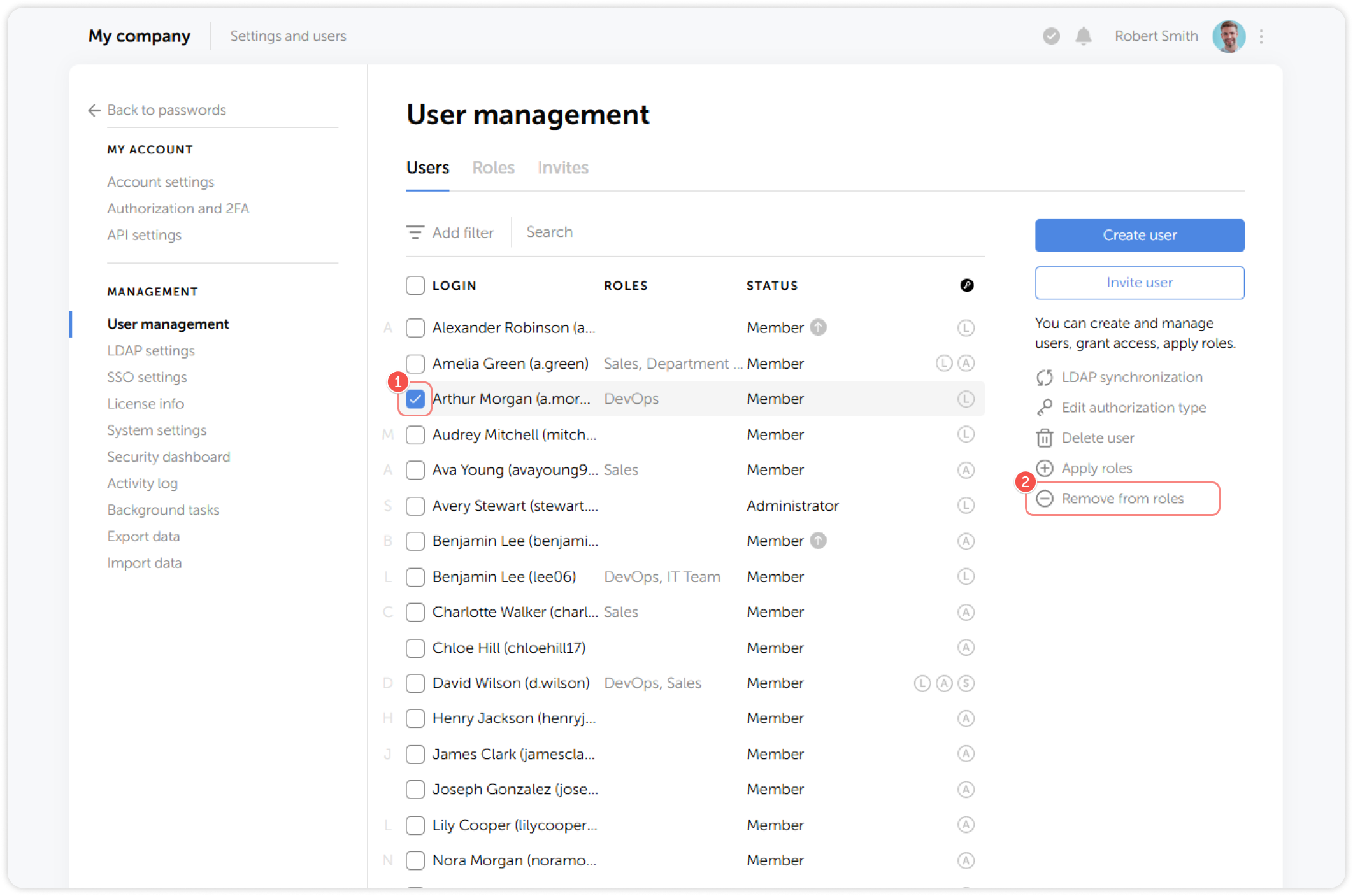
Select one or multiple users and click Remove from roles on the right:
2
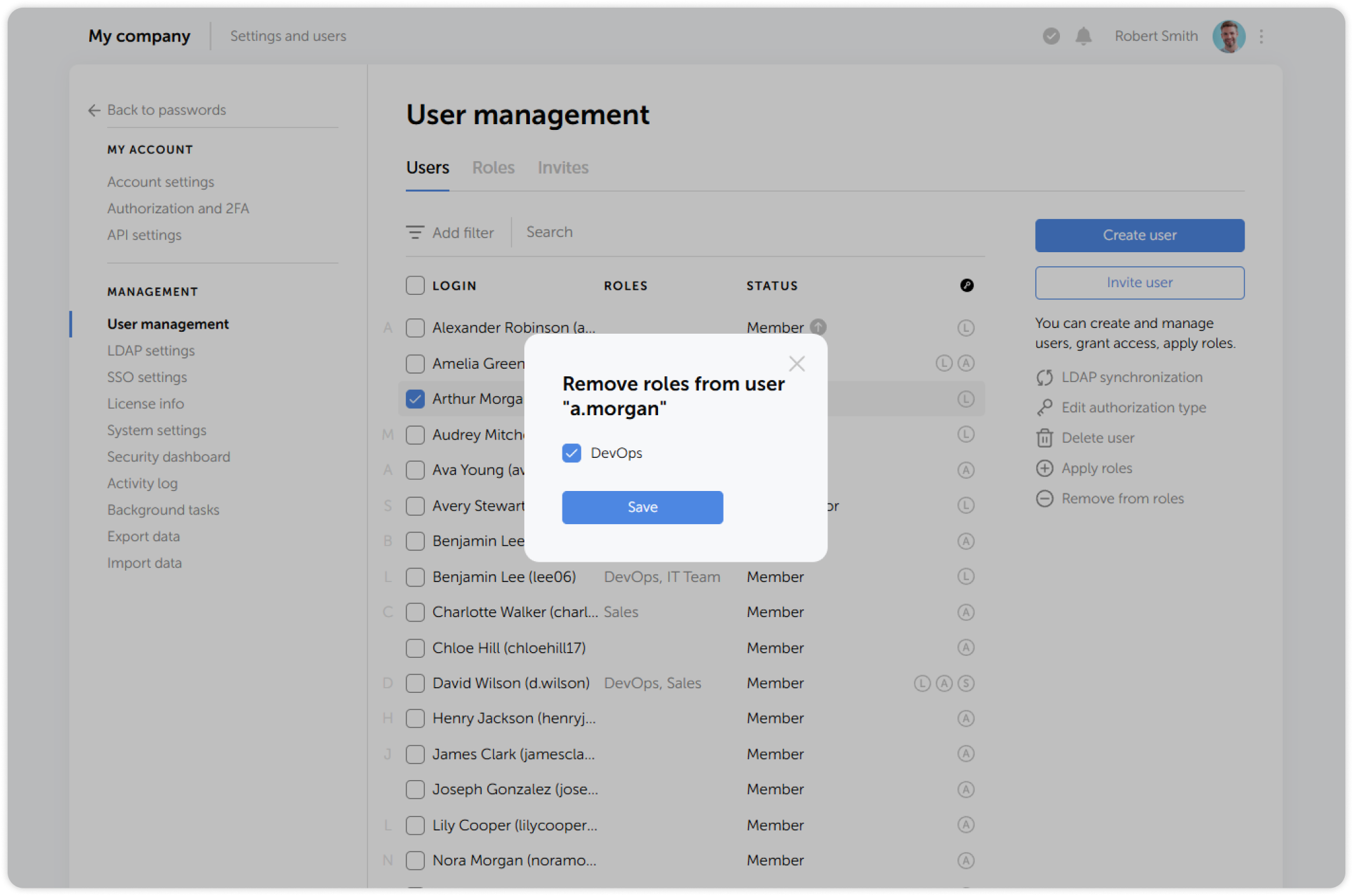
Select the necessary roles in the pop-up window and save the changes: