

Delete folder
When you delete a folder, it will be moved along with all its contents to the Bin.
1
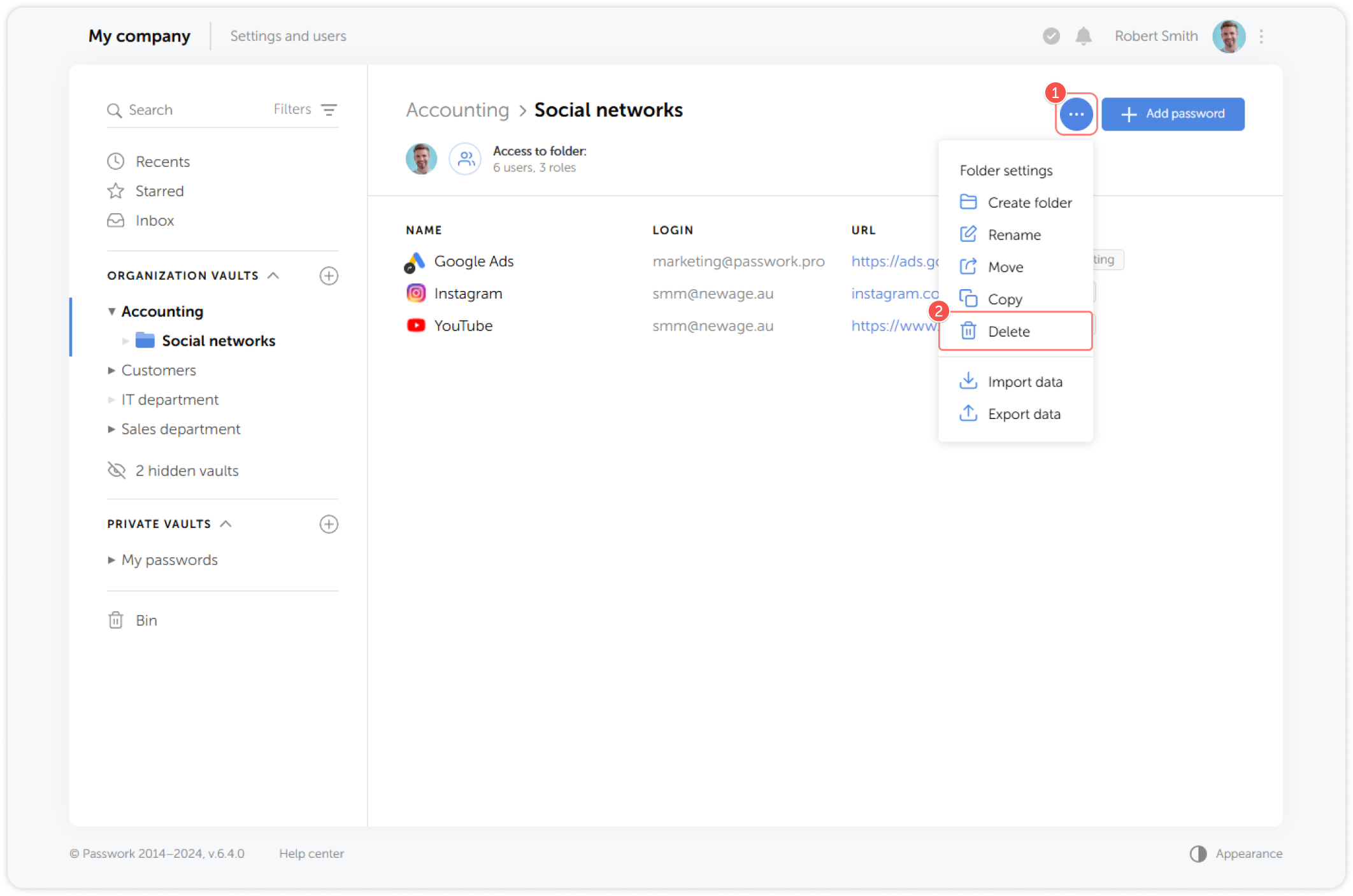
Go to the Folder settings dropdown menu and click Delete:
2
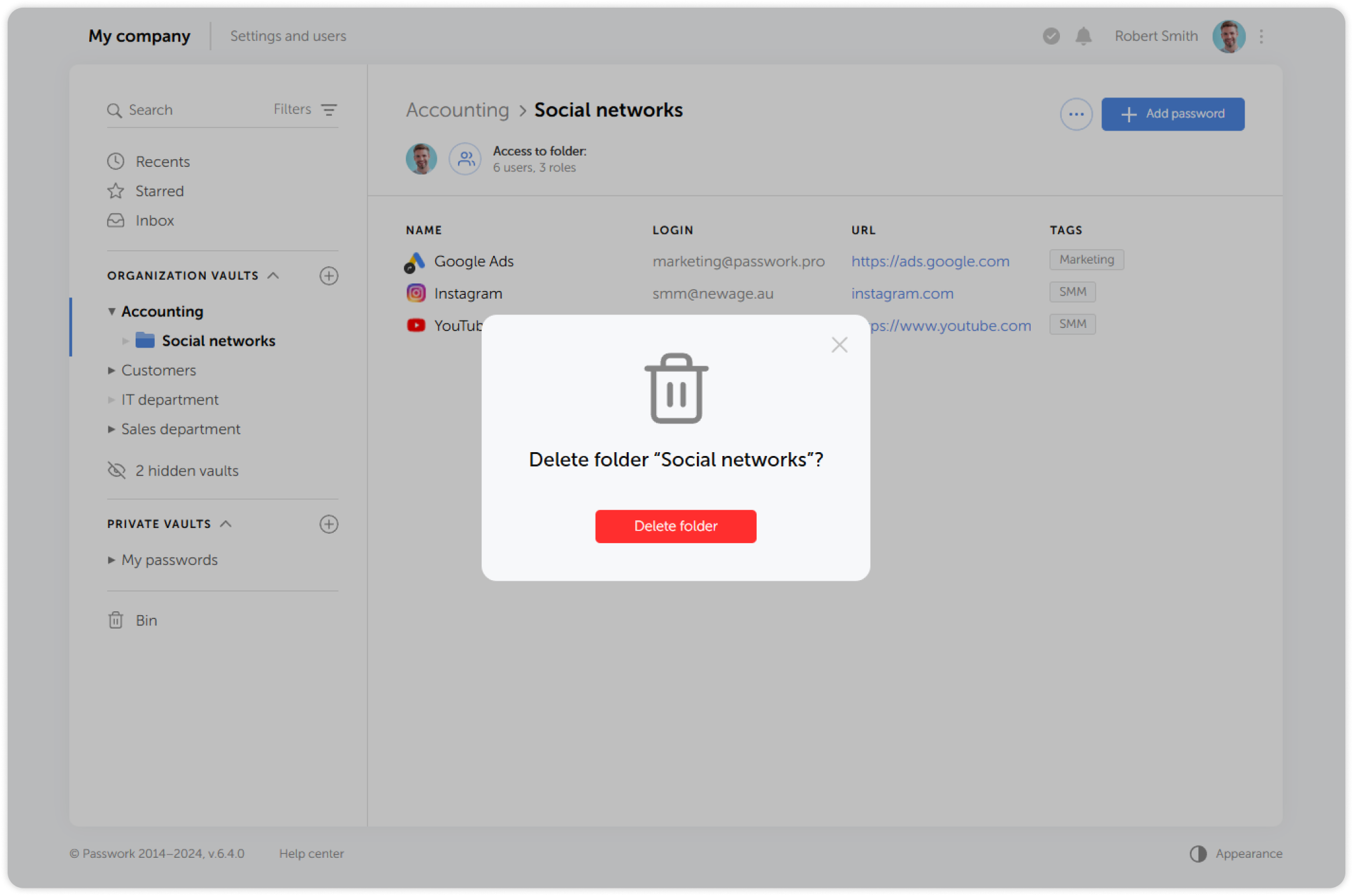
In the pop-up window, confirm the deletion:


When you delete a folder, it will be moved along with all its contents to the Bin.
Go to the Folder settings dropdown menu and click Delete:
In the pop-up window, confirm the deletion: