



Export data
Passwork lets you quickly export passwords into CSV and JSON files. JSON format preserves the entire structure of vaults and folders, while CSV stores raw data as plain text.
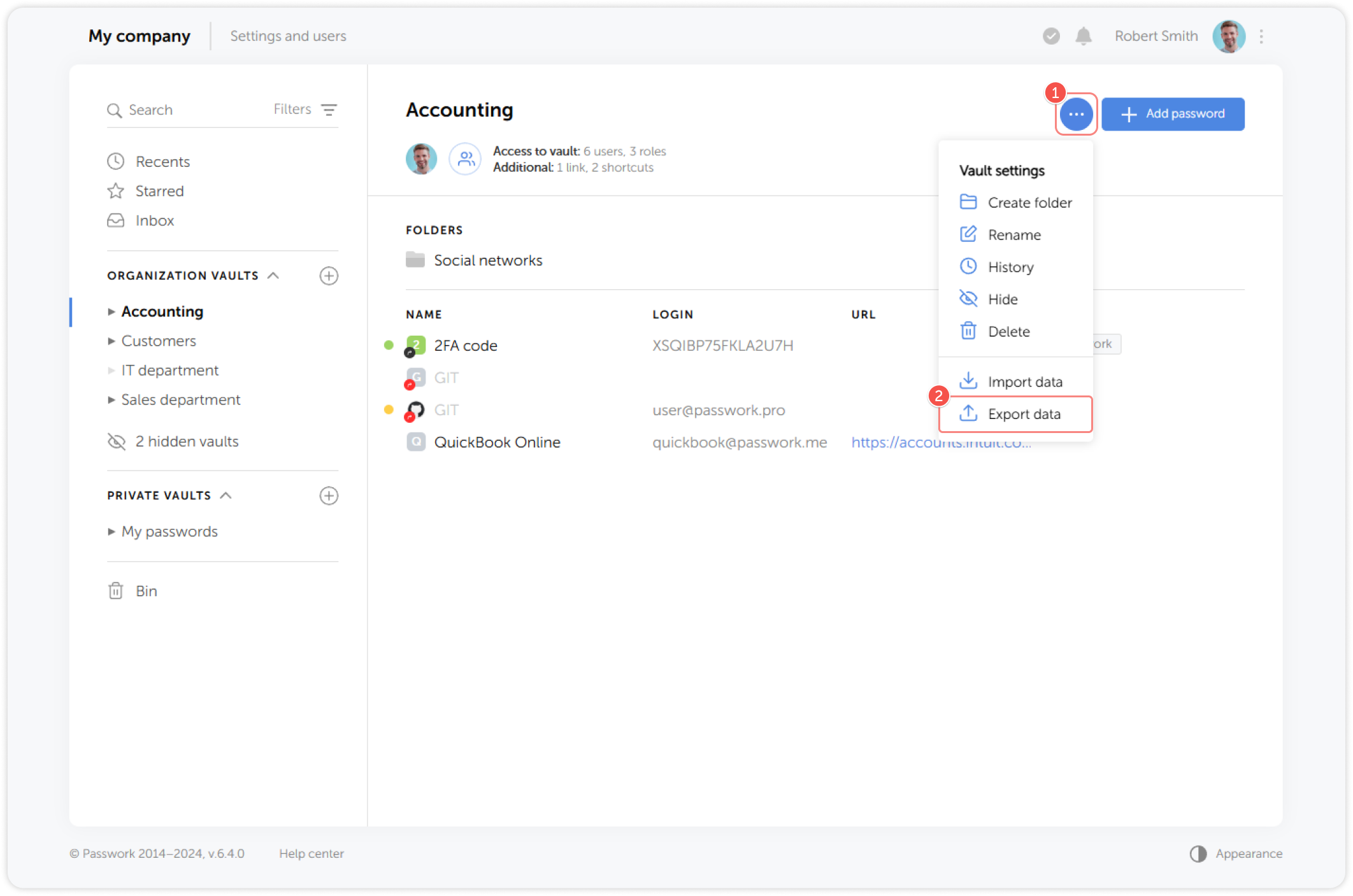
To set up the import, go to the settings menu of the vault or folder, open the Vault settings dropdown menu and click Export data:
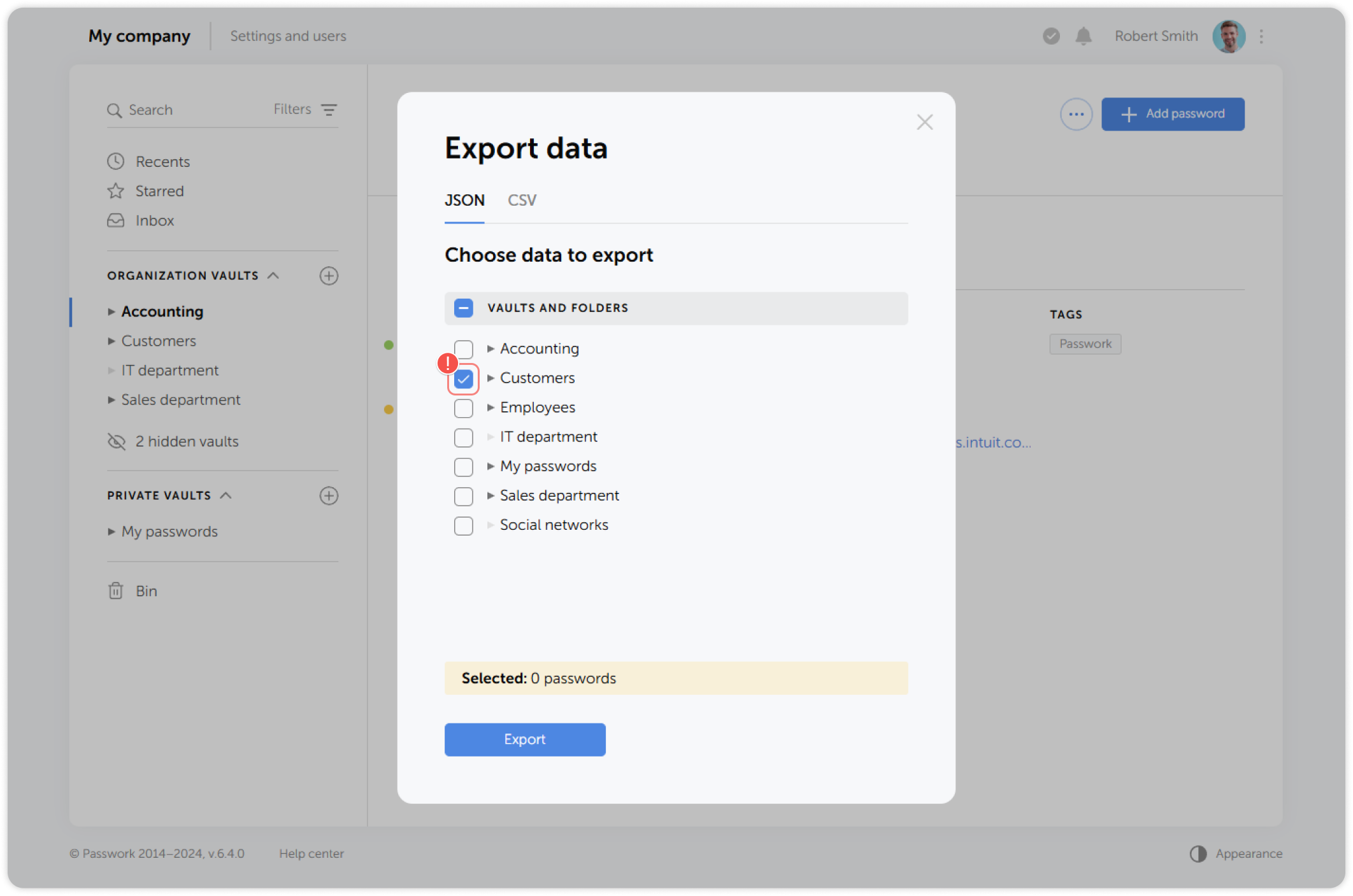
In the pop-up window, select the export format, and choose the vaults and folders you want to export:
warning
Any file attachments linked to passwords won't be included in the exported data