



Move folder
Moving a folder transfers it to another vault or folder with all its contents.
1
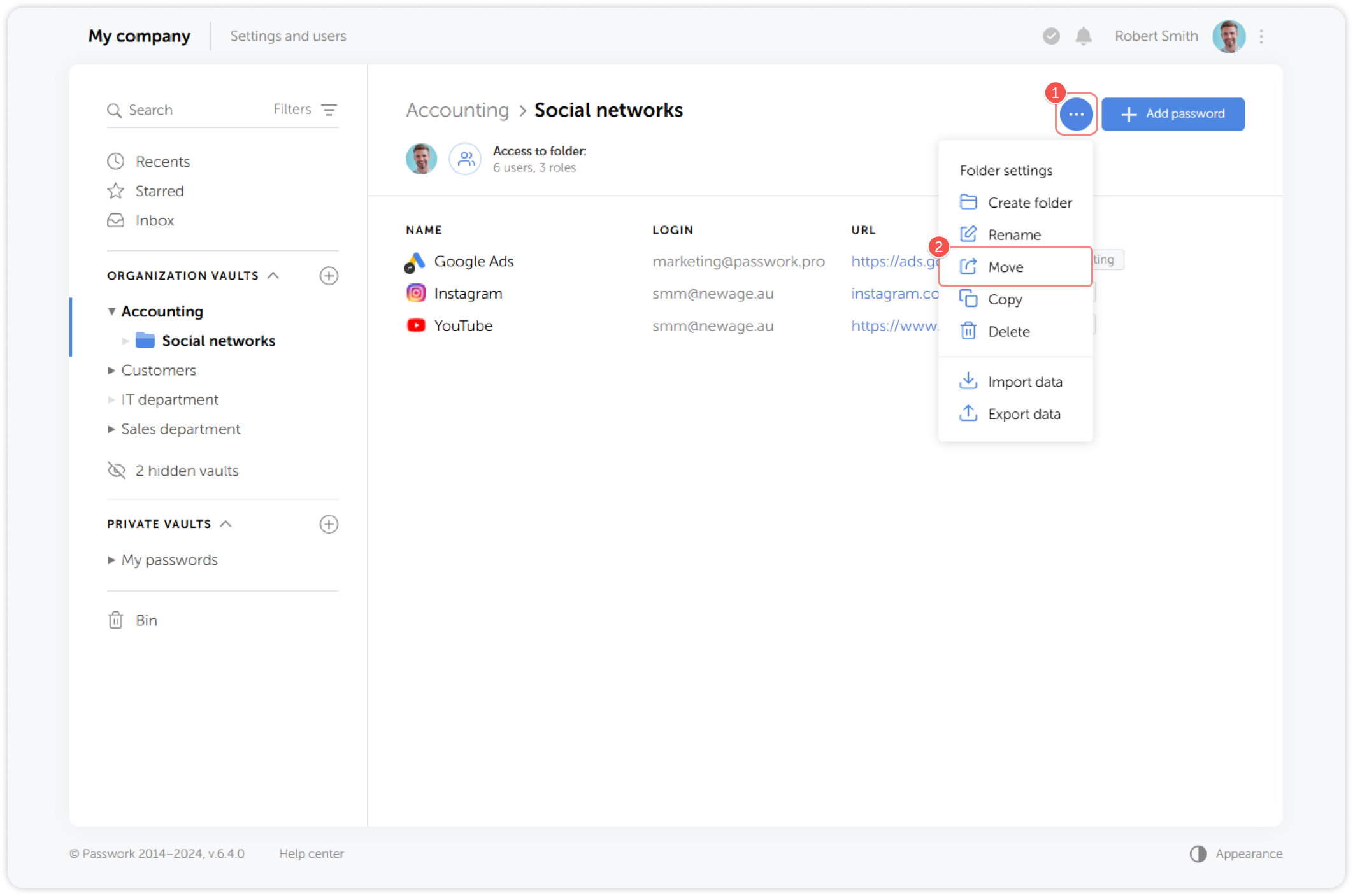
Select a folder you want to move, then go to the Folder settings dropdown menu and click Move:
2
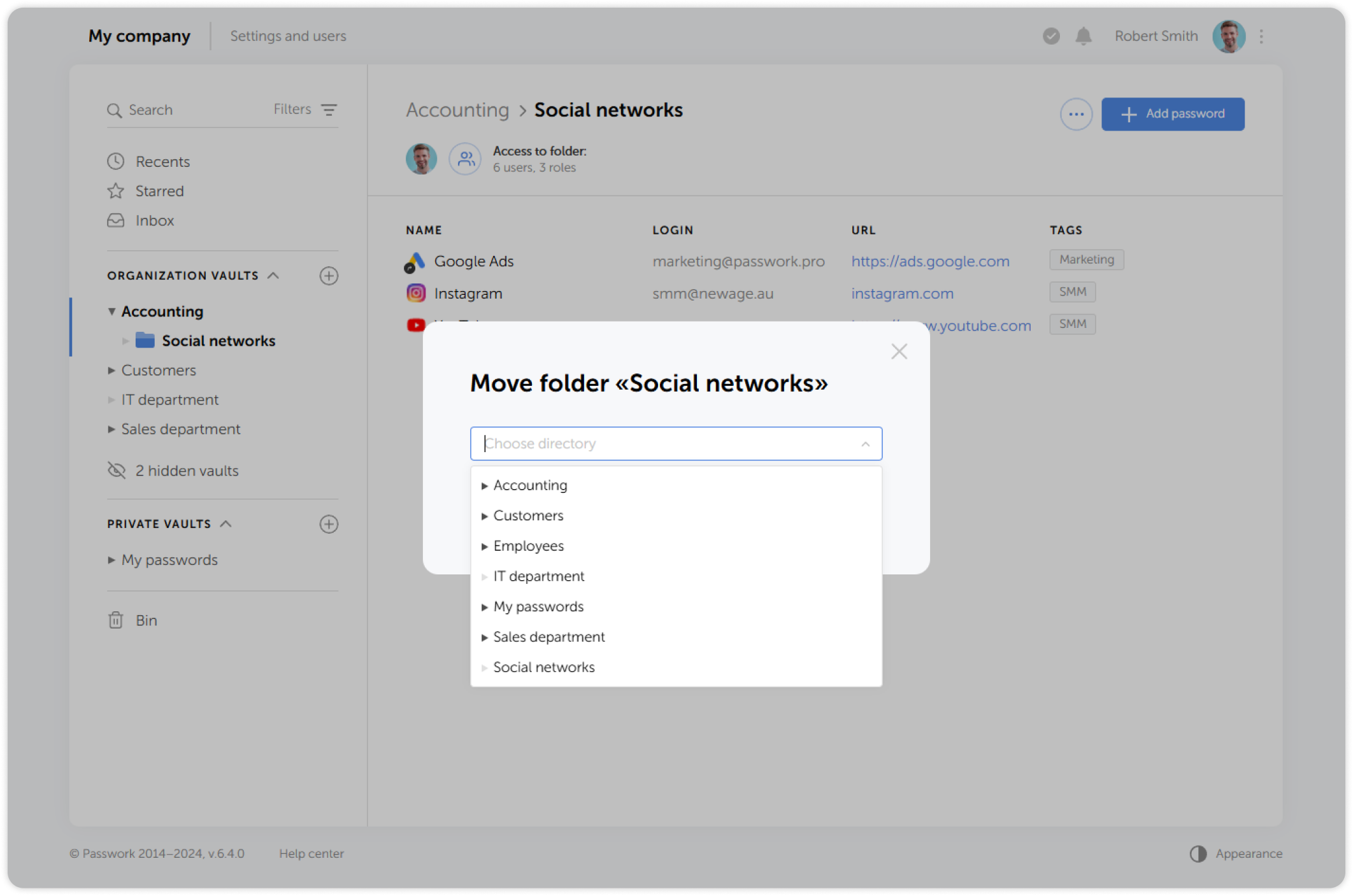
Choose a new destination for the selected folder from the list:
3
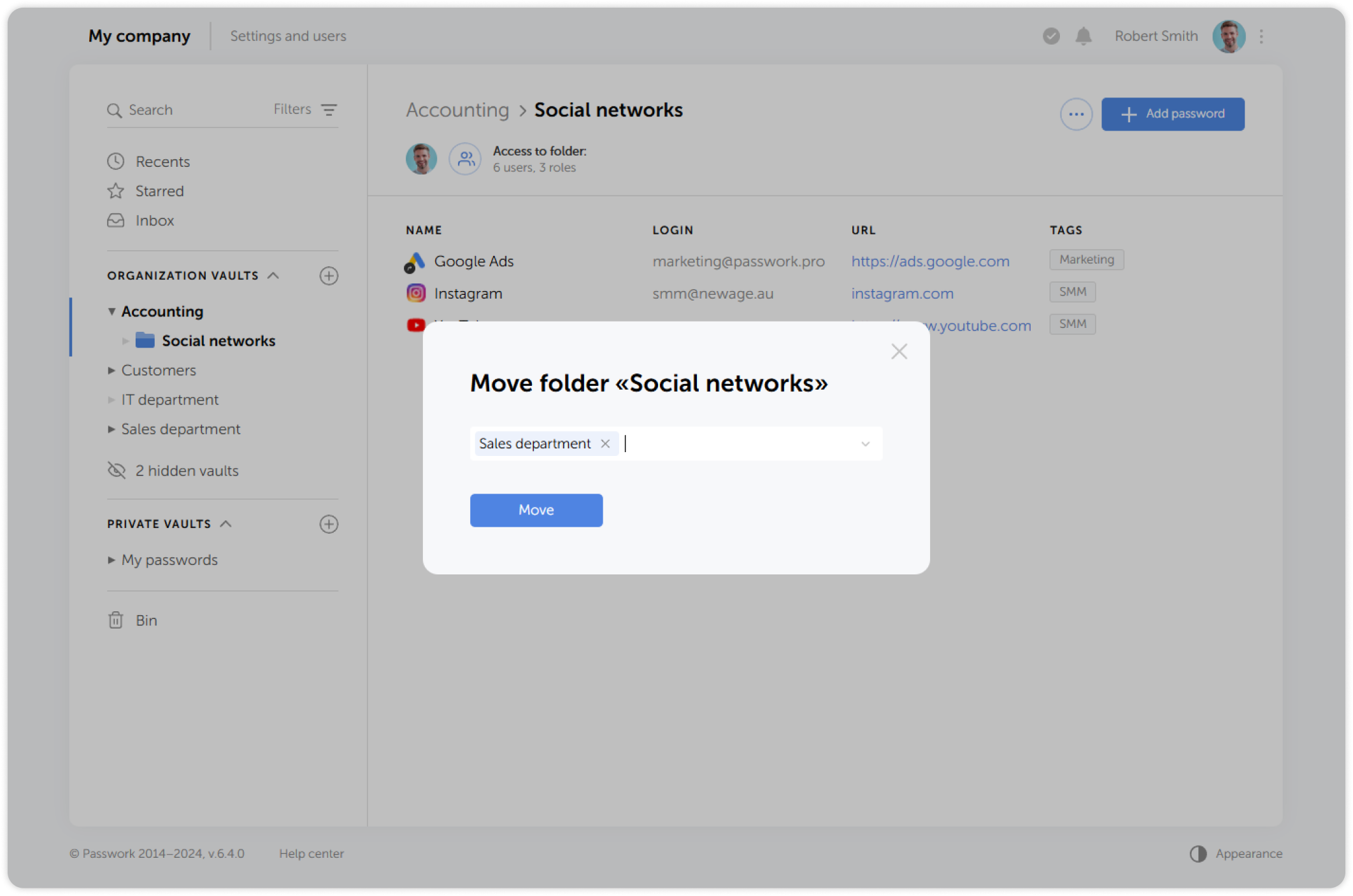
Check the destination and confirm the action:
info
You can move a folder by hovering over the folder icon on the Content pane and dragging it to another location. It's also possible to select multiple folders or passwords by holding down Ctrl and clicking on each one.