

Rename folder
info
Only administrators and users with granted administrative rights can rename a folder
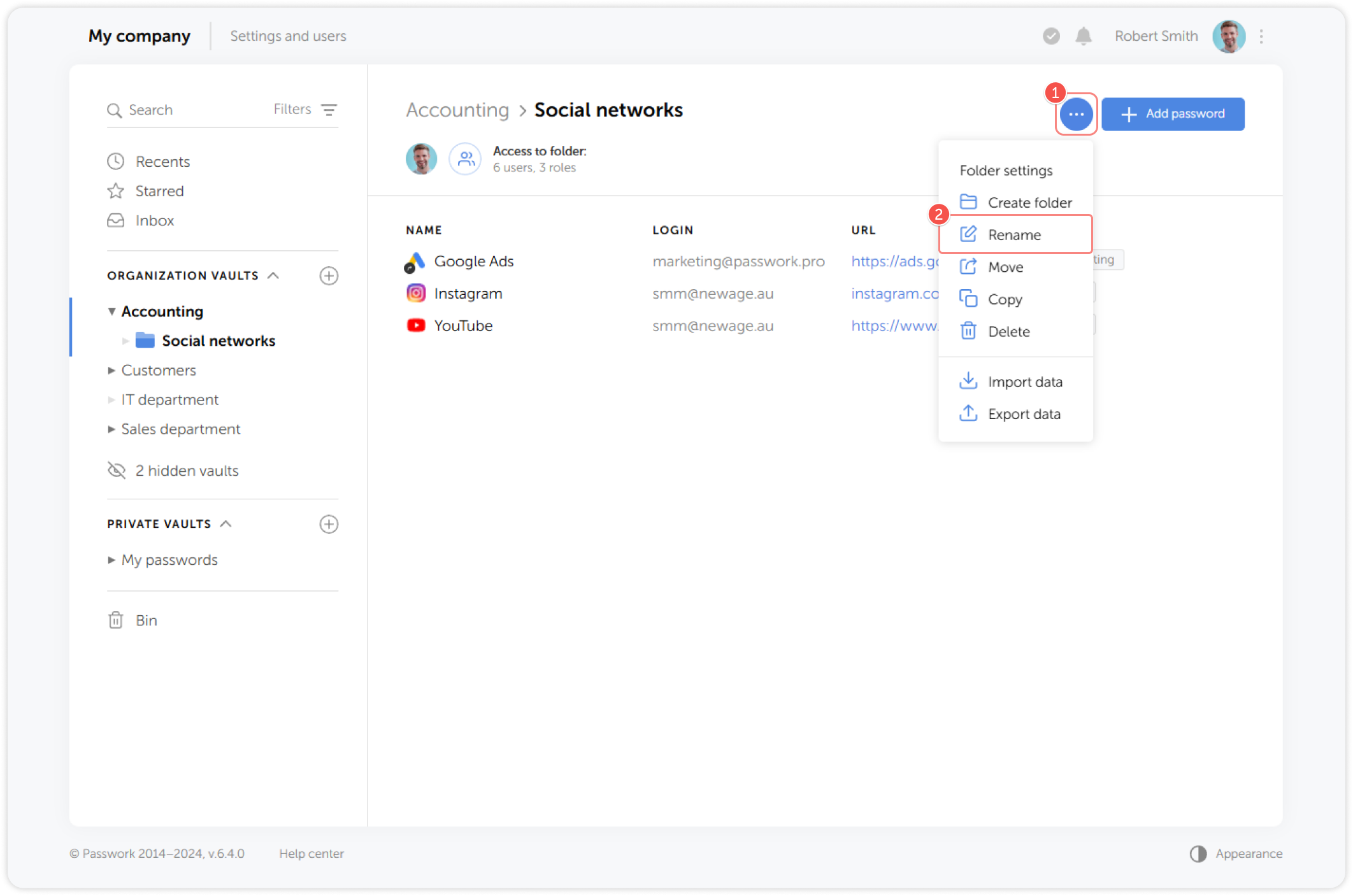
Steps to rename a folder
- Go to the Folder settings dropdown menu and click Rename:
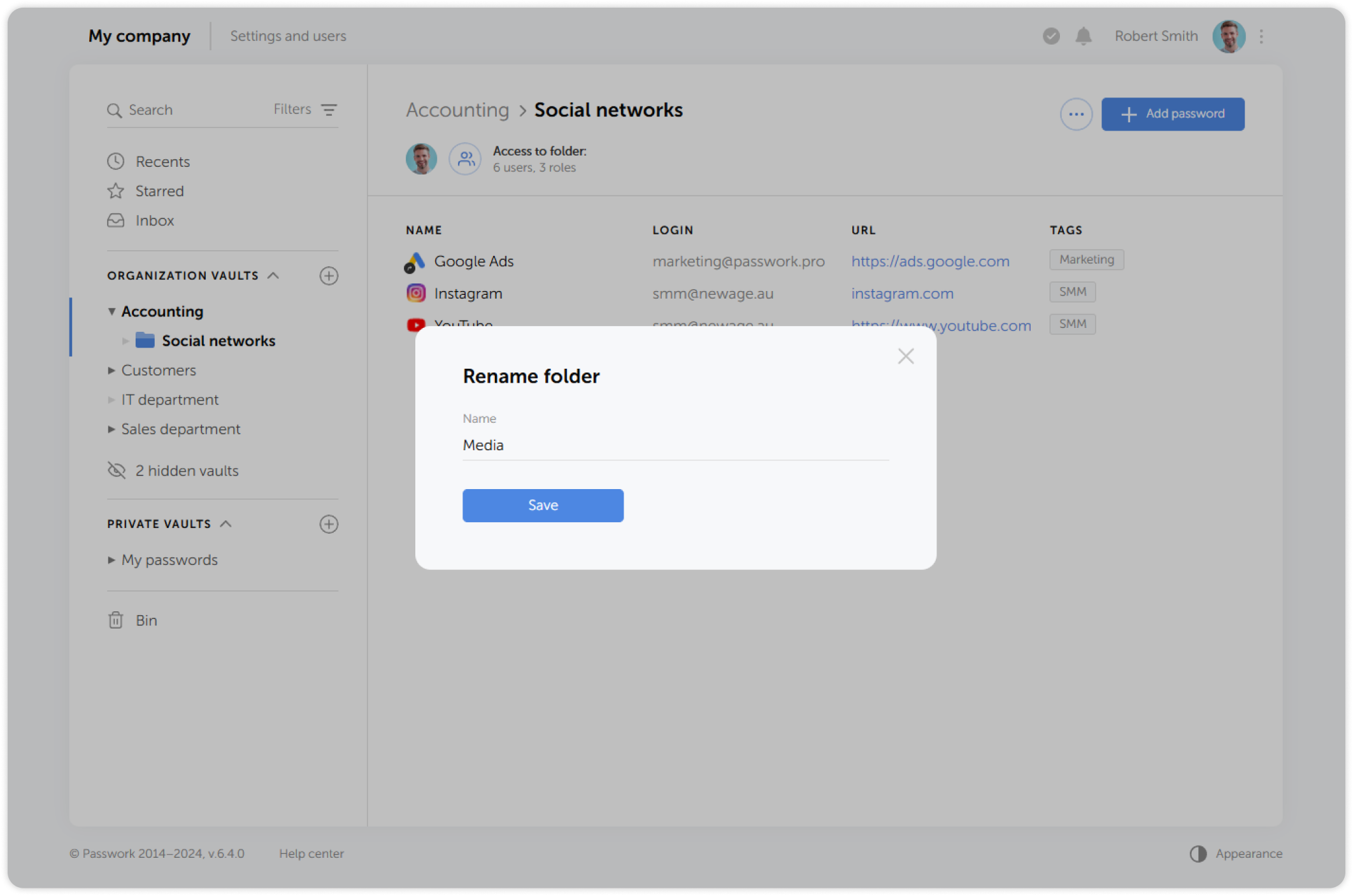
- Enter a new name for the folder and save the changes:


Only administrators and users with granted administrative rights can rename a folder