Authorization settings
With Authorization and 2FA settings you can configure two-factor authentication, change authorization details, view active sessions, sign-in history and set up automatic logout from Passwork. You can access the Authorization and 2FA page either from the Settings and users menu or by clicking the My account button:
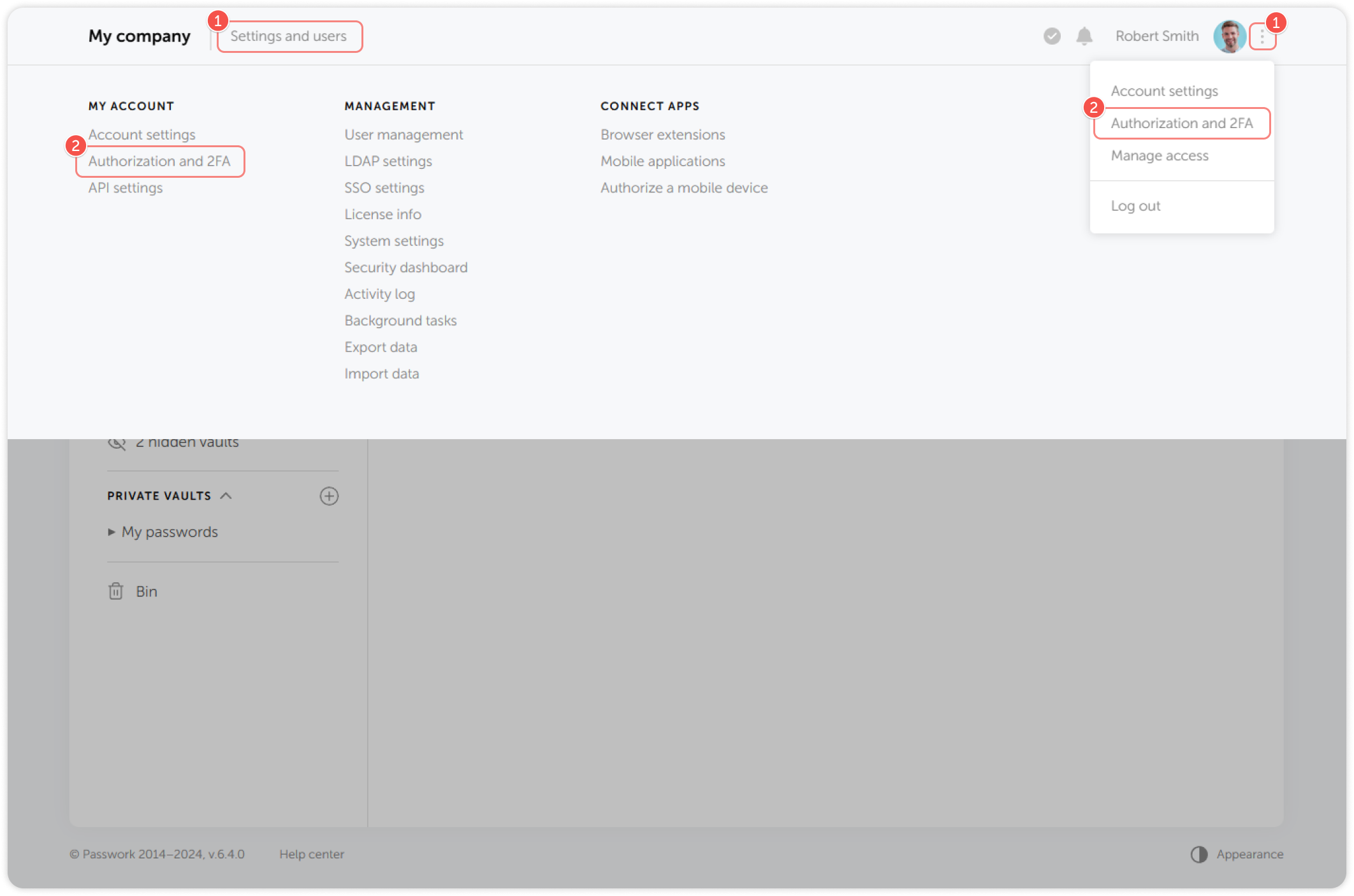
- Click Settings and users or the three dots next to the profile picture
- Select Authorization and 2FA
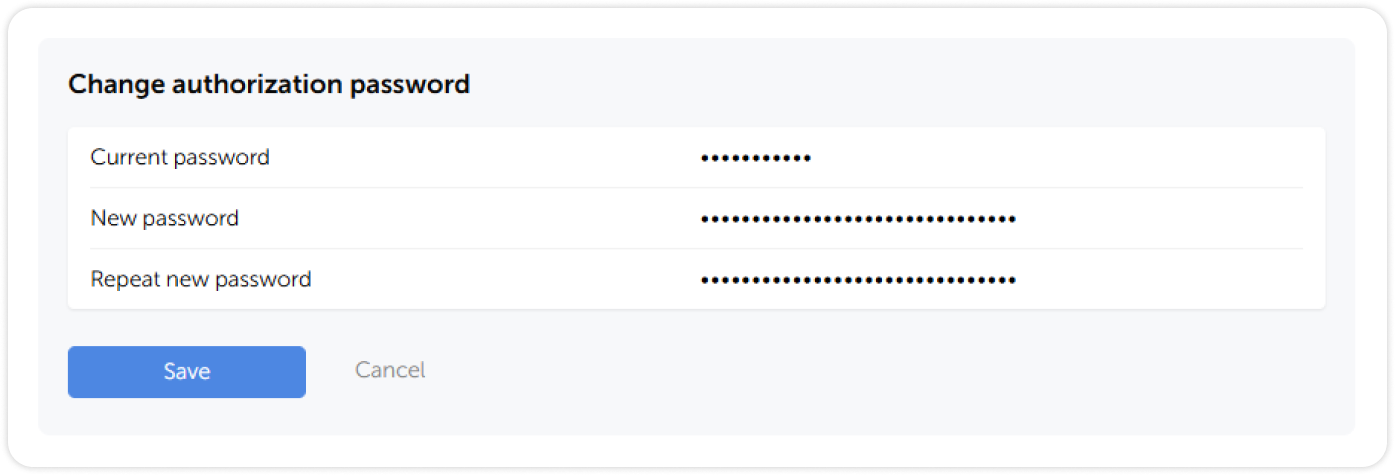
Change authorization password
To change the authorization password you will need to enter your current password. If you forgot your authorization password, please contact your administrator to reset it.
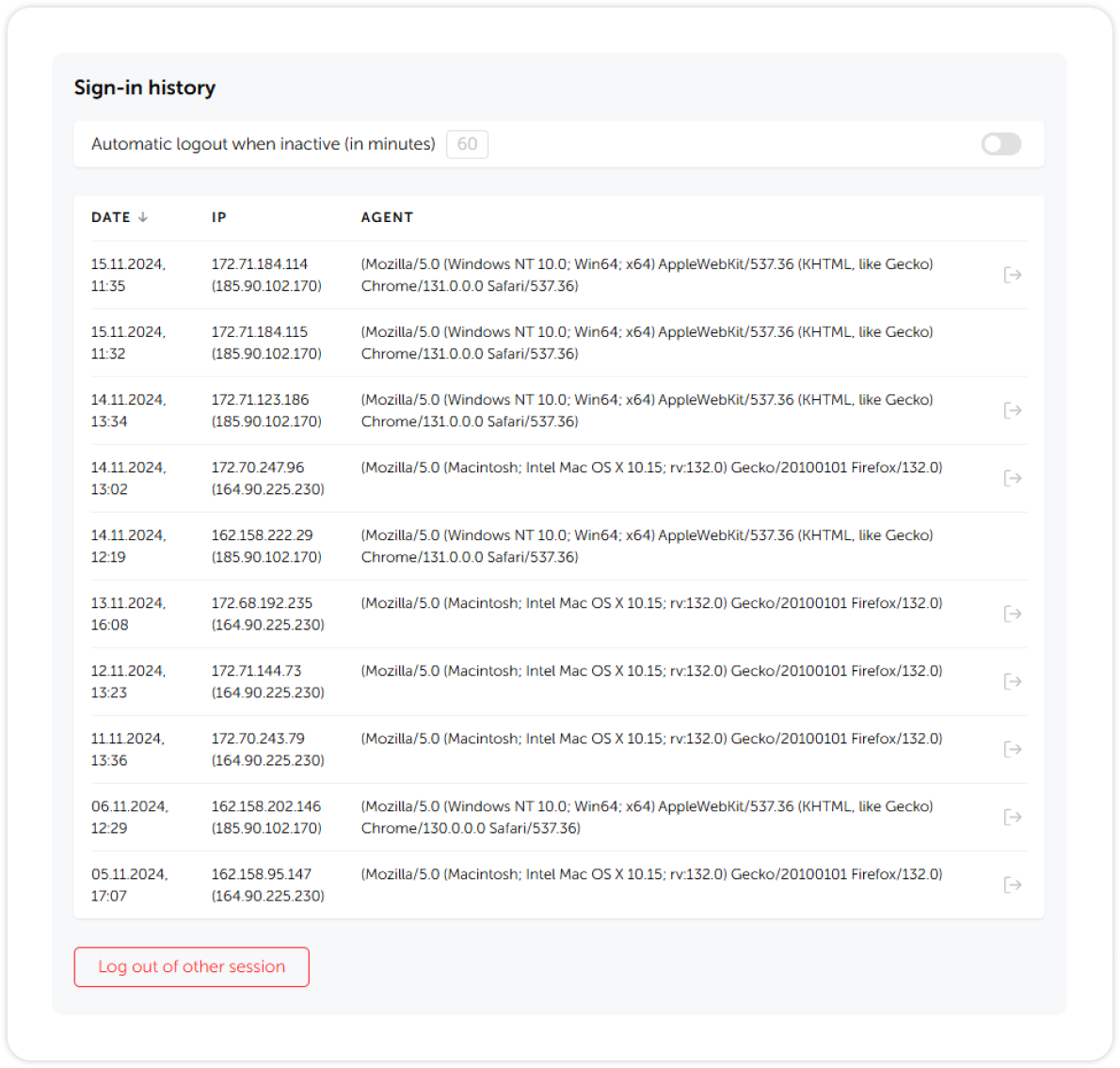
Sign-in history
In the Sign-in history, you can view the date and time of all sign-ins and their respective IP addresses and devices used to access Passwork. Here you can enable automatic inactivity logout, log out of specific sessions or all other sessions except the current one by using the Log out of other sessions button.