


Settings
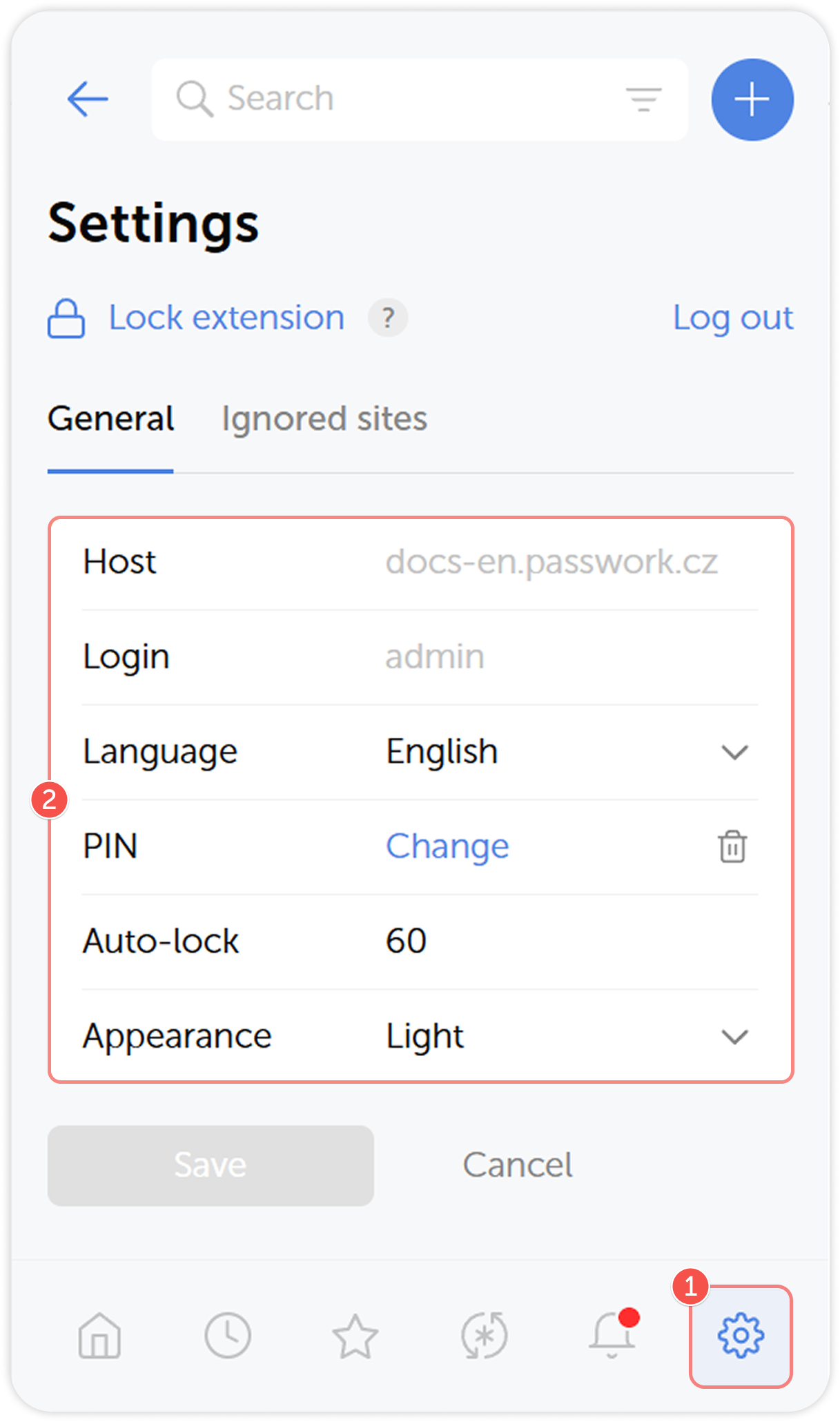
Open the extension settings by clicking the  icon in the Action panel.
General settings
In the General tab of extension settings you can change its language and appearance, and set up the locking feature to improve security.
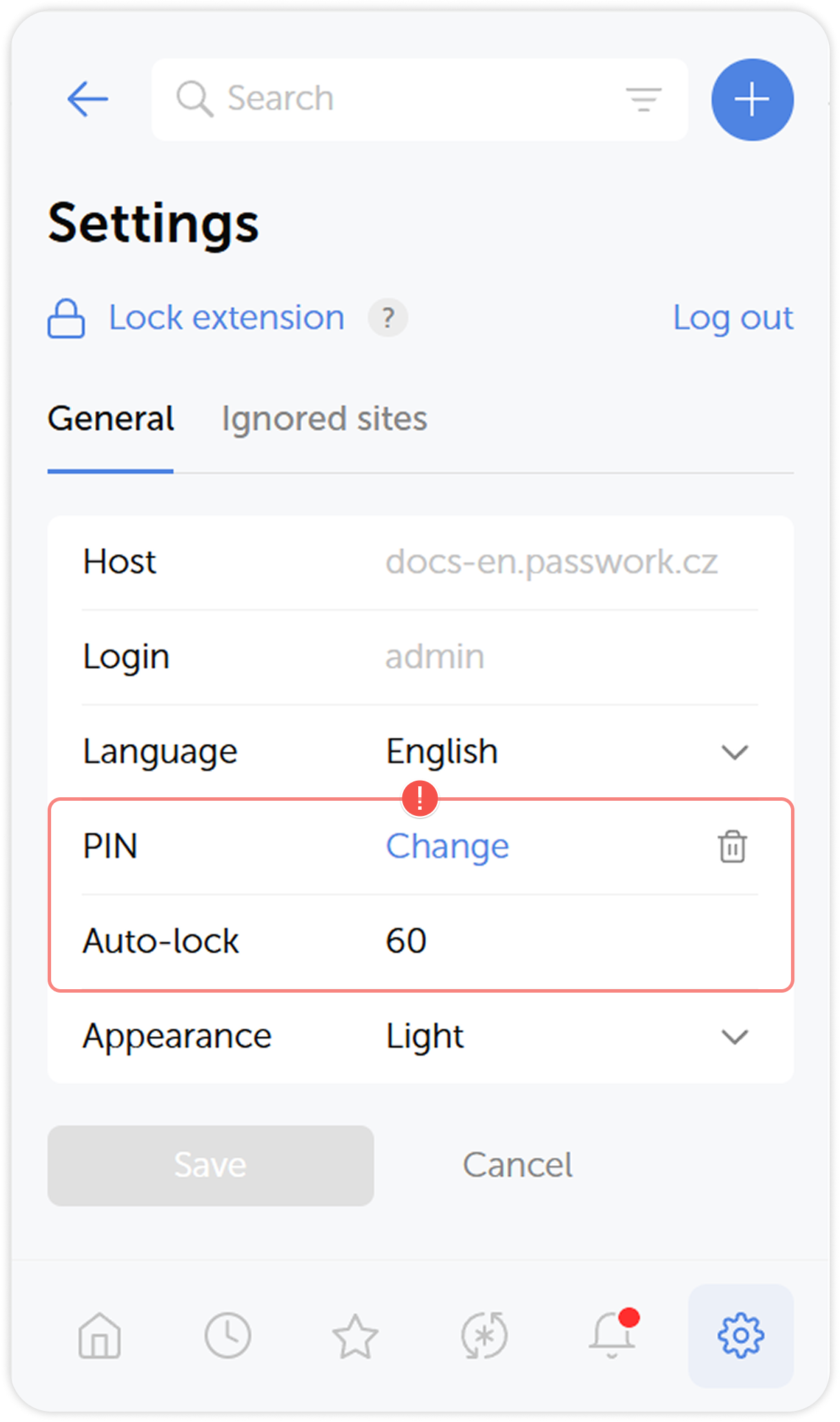
Lock extension
You can lock the Passwork extension behind a PIN code for improved security. Enter a 4-digit PIN to set up the locking feature. Additionally, you can enable an auto-lock after a period of inactivity by choosing one of the available interval options.
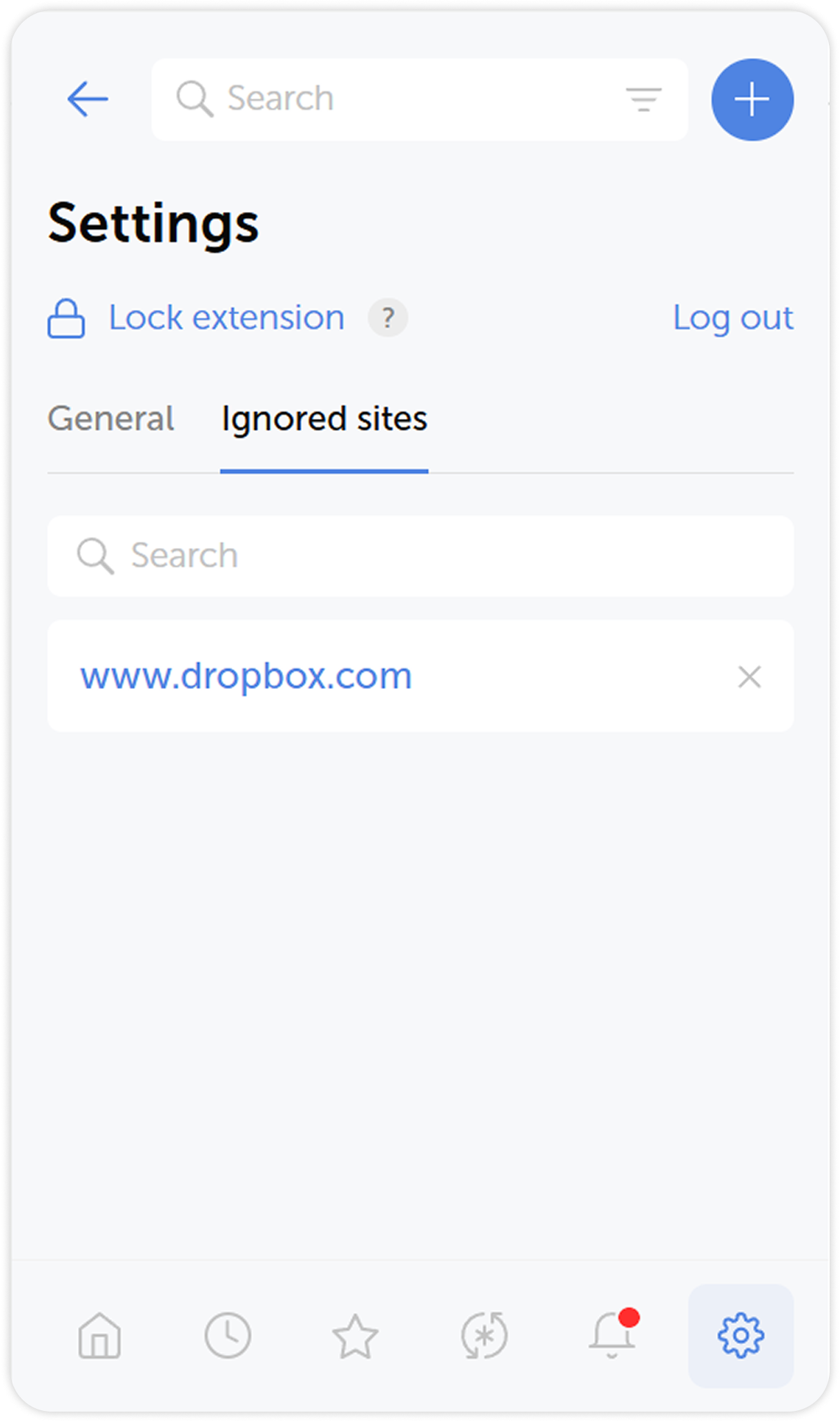
Ignored sites
Ignored sites tab lists all the websites you added to Ignored. Passwork won't save or autofill passwords for sites you add to this list through the Save and use password prompts.