Authentifizierungsart ändern
warnung
Wenn für einen Benutzer nur eine Authentifizierungsart aktiviert ist, kann diese nicht deaktiviert werden. Es muss mindestens eine Authentifizierungsart aktiv bleiben.
Passwork-Administratoren und Benutzer mit ausreichenden Administratorrechten können für jeden Benutzer verschiedene Authentifizierungsarten festlegen.
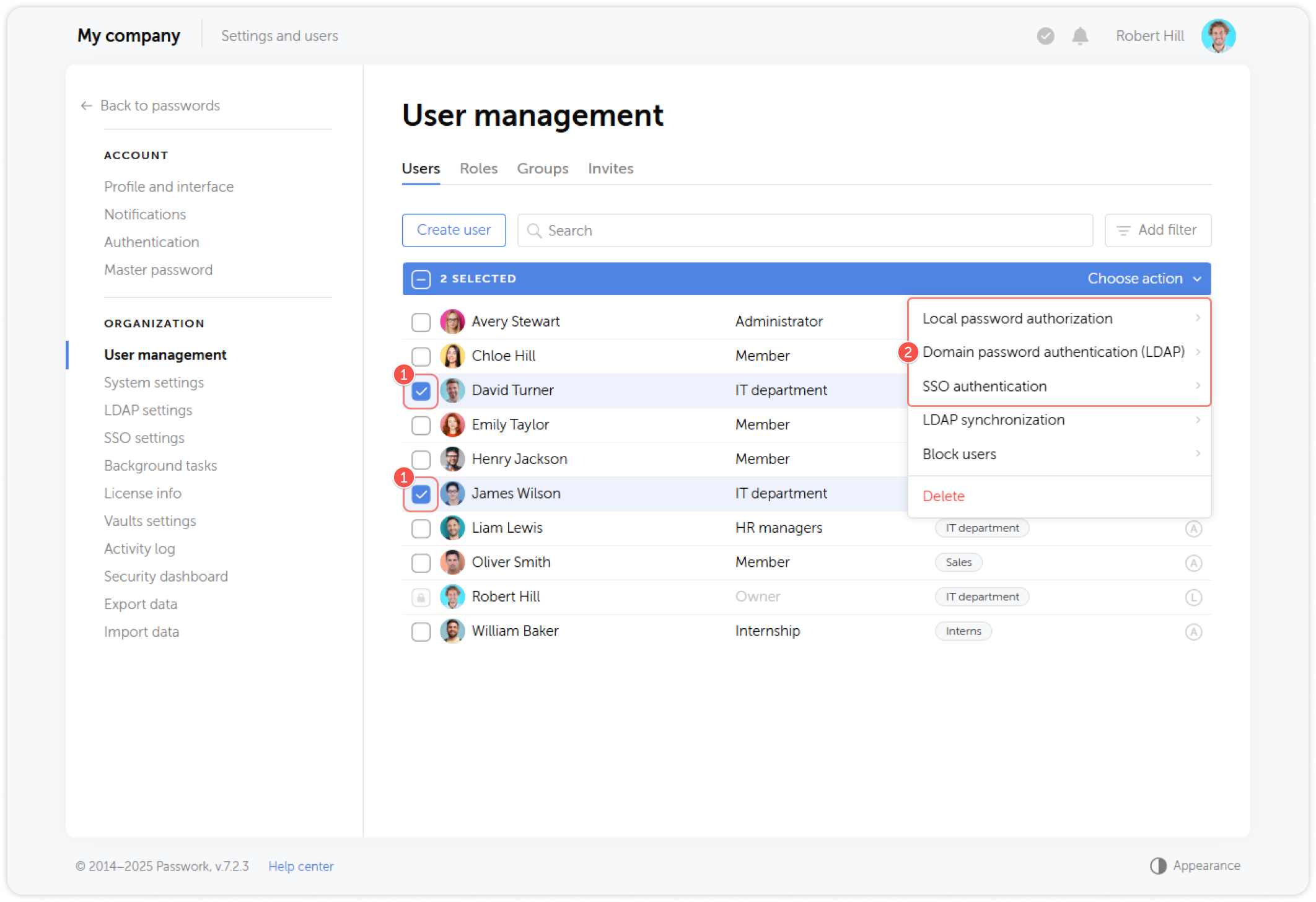
Authentifizierungsarten werden als Symbole rechts neben dem Benutzernamen angezeigt und haben folgende Bedeutungen:
- L — Lokales Passwort
- A — AD/LDAP
- S — SSO
Um die Authentifizierungsart eines oder mehrerer Benutzer zu ändern, wählen Sie diese im Tab Users aus und öffnen Sie das Dropdown-Menü auf der rechten Seite. Wählen Sie dann die Authentifizierungsarten aus, die den angegebenen Benutzern zur Verfügung stehen sollen: