Session history
Passwork administrators and users with sufficient rights can view the session history of other users.
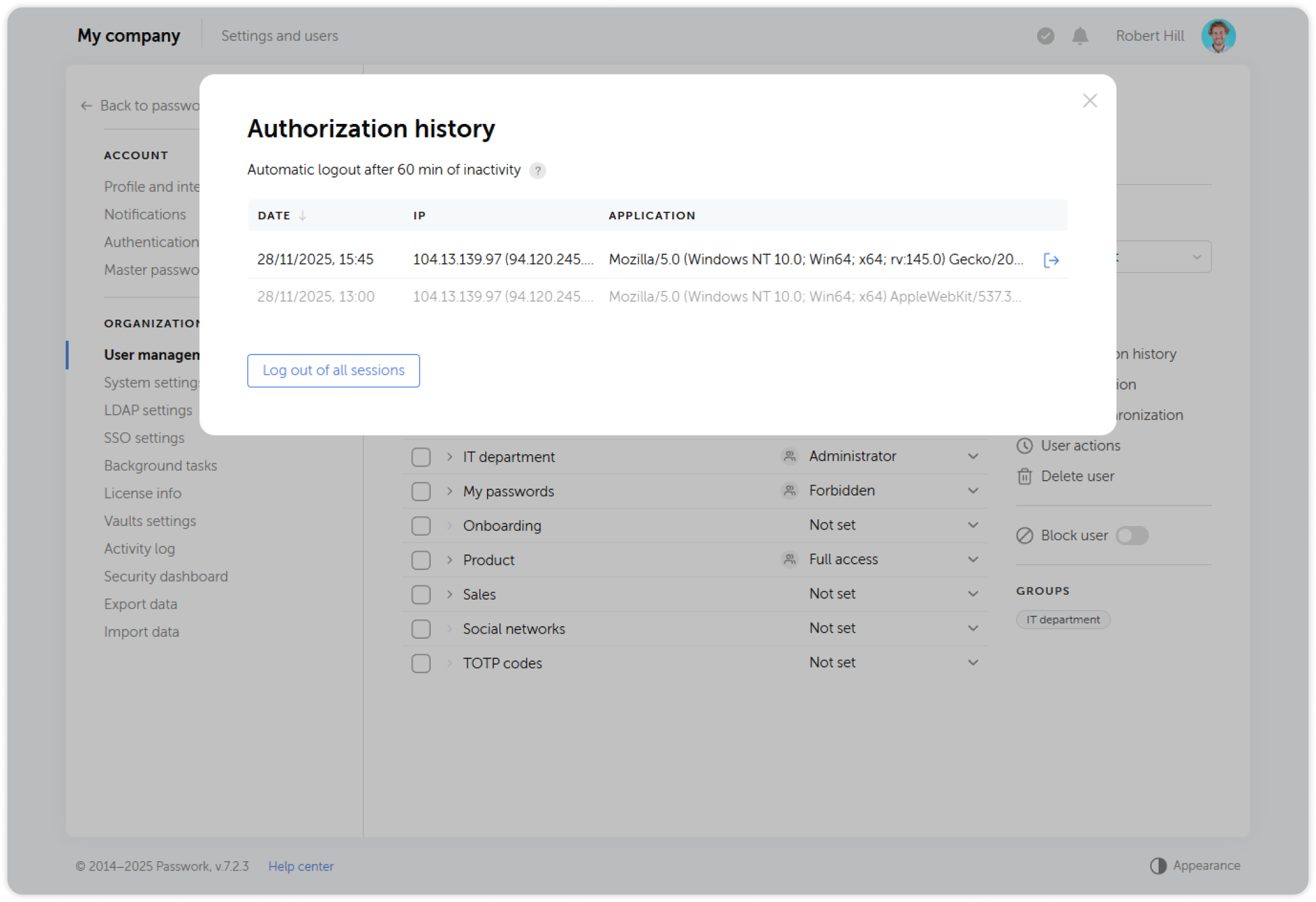
The session history window shows the login date, device identifier and IP address. In addition, all user sessions can be terminated here.
1
To do this, open a user's page and click Session history in the rightside panel.
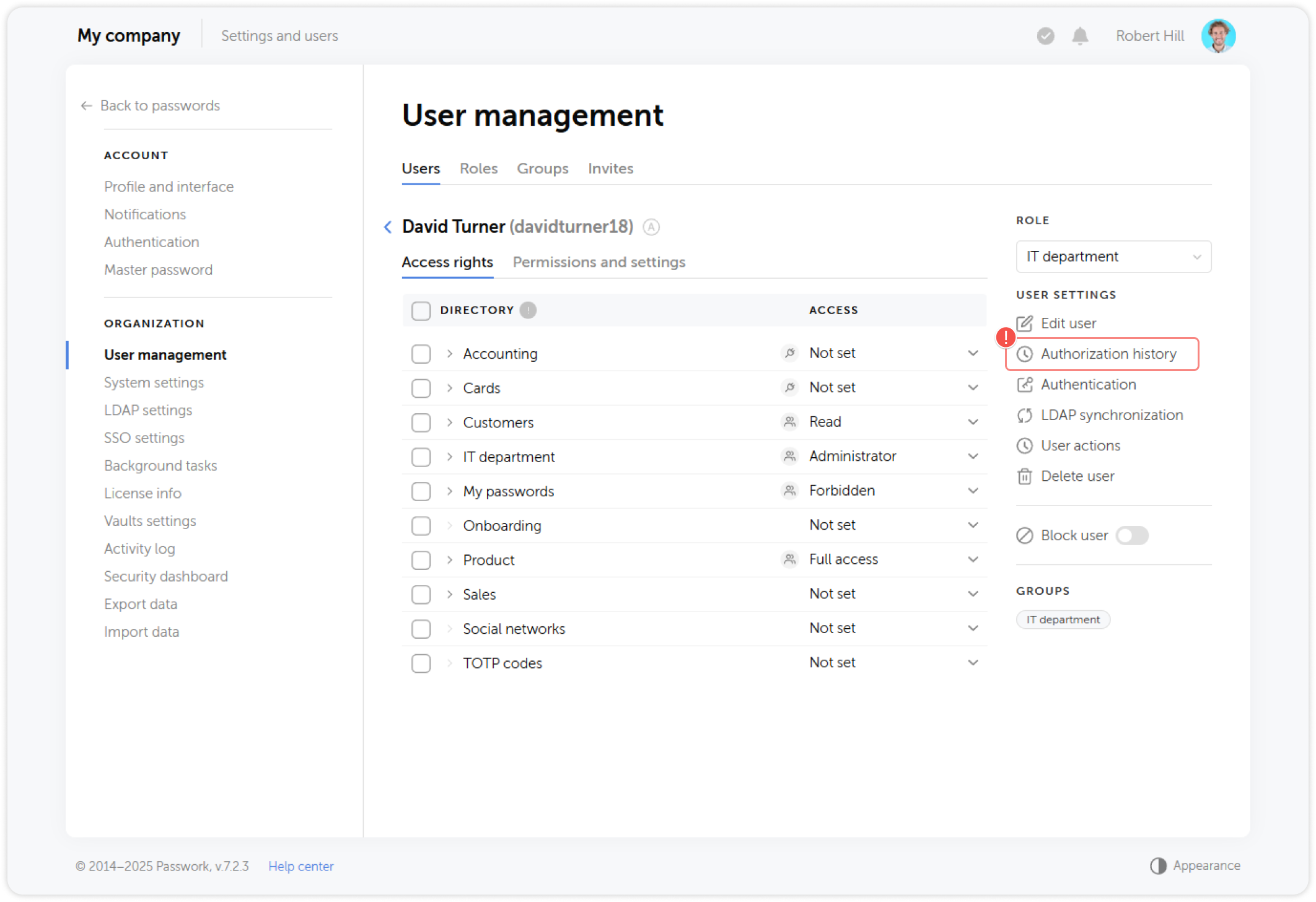
2
In the pop-up session history window you are able to terminate user's sessions.