

The average enterprise runs dozens of security controls. Firewalls, EDR platforms, SIEMs, threat intelligence feeds — yet the most common way attackers get in is still by typing a correct username and password. No exploit, no zero-day, no sophisticated malware. Just credentials that were weak, reused, or already leaked.
AI tools can now crack 85.6% of common passwords in under 10 seconds. In 2025, compromised credentials were the confirmed initial attack vector in 22% of all data breaches. Across enterprise environments, password hygiene remains inconsistent — governed by outdated policies, managed through browser-based tools, and enforced through annual security training that most employees forget by the following Monday.
This guide covers enterprise password management best practices for organizations of 100 or more employees. It addresses policy, technology, processes, and compliance — and it's built around the most significant password standard update in years: NIST SP 800-63B Rev. 4, published in August 2025. If your current policies still mandate 90-day rotations and eight-character minimums, they're already out of date.
Why enterprise password management is a critical security imperative
In 2025, 46% of enterprise environments had at least one password hash cracked — up from 25% the year before. The average global cost of a data breach reached $4.44 million. And the exposure runs deeper than breach counts suggest: 16 billion passwords leaked across various datasets in 2025 alone, with 94% appearing as duplicates — the same credentials surfacing across multiple incidents. Password reuse is an organizational control failure, not a user behavior problem.
Consumer-grade tools don't scale to enterprise requirements. Browser-based password saving creates endpoint access sprawl with no centralized governance — no audit trails, no privileged account controls, no automated offboarding, no visibility into who holds access to what. When an employee leaves or gets compromised, the blast radius is impossible to contain without centralized credential management.
The AI threat makes this more urgent. PassGAN-style tools find 51–73% more passwords than traditional cracking methods. Brute-force attacks that once took weeks now complete in seconds. Password length and uniqueness are the primary defenses — and both require organizational enforcement, not individual discipline.
What changed in the NIST SP 800-63B Rev. 4 framework (August 2025)
NIST published the fourth revision of SP 800-63B in August 2025. It's the most significant update to federal password guidance in nearly a decade, and most organizations — and most competing guides — are still citing the older Rev. 3 standards. If your password policy was written before August 2025, it needs a review. Three changes define this revision.
Minimum password length raised to 15 characters
When a password is the sole authenticator, NIST now requires a minimum of 15 characters — up from 8 in Rev. 3. Systems must support passwords of at least 64 characters and accept all ASCII printable characters, spaces, and Unicode. A 15-character random password carries approximately 98 bits of entropy, placing it well beyond the reach of current brute-force hardware.
Composition rules eliminated ("shall not" language)
Rev. 4 uses explicit "shall not" language: organizations must not impose arbitrary composition requirements such as mandatory symbols, numbers, or uppercase characters. The research behind this change is straightforward — forced complexity rules produce predictable patterns. Users respond to "must include a symbol" by appending an exclamation mark. The resulting passwords are weaker than a longer, random passphrase with no composition constraints.
Compromise-driven expiration only
Periodic forced password changes — every 60 or 90 days — are explicitly rejected. Passwords should change only when there is evidence of compromise. This is a significant operational shift: it requires continuous credential monitoring to replace the calendar-based rotation model.
| Old practice (Rev. 3) | New requirement (Rev. 4) | |
|---|---|---|
| Password length | 8 characters minimum | 15 characters minimum (sole authenticator) |
| Composition rules | Required (uppercase, symbols, numbers) | Prohibited — "shall not" impose |
| Password expiration | Every 60–90 days | Only upon evidence of compromise |
| Unicode and spaces | Often blocked | Must be accepted |
12 enterprise password management best practices
Enterprise password management requires a layered approach. No single control is sufficient — the practices below work together as a system. Each addresses a specific failure mode; skipping one creates a gap that attackers will find.
1. Implement a centralized enterprise password vault
The first structural requirement is centralized credential storage. An enterprise password vault provides role-based access control, audit-quality logs, automated rotation capabilities in case of compromise, and governance that browser-based tools simply cannot offer.

When evaluating solutions, prioritize: Active Directory and LDAP integration, SSO support, zero-knowledge architecture, compliance reporting, and the ability to enforce granular access policies at the folder or credential level.
The goal is a single authoritative source for all organizational credentials — one that can be audited, reported on, and revoked centrally. A tool like Passwork is built specifically for this use case, giving IT teams full visibility into who accesses what, with complete audit trails and RBAC built in.
2. Enforce a minimum 15-character password length (NIST 2025)
Align your password length policy with NIST SP 800-63B Rev. 4. A 15-character minimum is now the federal baseline for password-only authentication, and the reasoning is mathematical: each additional character exponentially increases the search space for brute-force attacks.
AI-powered cracking tools have made shorter passwords untenable. Length is the most cost-effective defense available — it requires no additional infrastructure, only a policy update and user communication.
correct-horse-battery-staple is both memorable and strong. Under NIST Rev. 4, there's no reason to require symbols or mixed case — and good reasons not to.3. Mandate multi-factor authentication across all systems
Multi-factor authentication (MFA) is the single most effective control against credential-based attacks. A stolen password is useless if the attacker can't pass the second factor. Workforce MFA adoption reached 70% in 2025 (Okta Secure Sign-In Trends Report 2025) — which means nearly 30% of users still lack it. That gap is where breaches happen.

Not all MFA is equal. SMS-based one-time passwords are vulnerable to SIM swapping and SS7 attacks. Phishing-resistant MFA — FIDO2/WebAuthn hardware security keys, or passkey-based authentication — provides substantially stronger protection.
Prioritize MFA for privileged accounts, remote access, and any system handling sensitive data. Extend it to all systems over time, using risk-based rollout to manage change management load.
4. Deploy single sign-on to reduce password sprawl
Single sign-on (SSO) reduces the number of discrete credentials employees must manage. Fewer passwords means less reuse, fewer weak choices, and a smaller surface area for credential-based attacks. It also centralizes authentication governance — making it straightforward to enforce strong policies and revoke access during offboarding.
SSO is not a replacement for MFA; it's a complement. Pair SSO with phishing-resistant MFA to get the full benefit: centralized authentication with strong second-factor protection. For organizations using Azure AD / Entra ID or similar identity providers, SSO integration with SAML or OAuth is typically well-supported across modern SaaS applications.
5. Prohibit password reuse and enforce history policies
78% of users reuse passwords across accounts. Password reuse is the primary enabler of credential stuffing attacks: attackers take credentials from one breach and test them systematically across other services.
Enforce a password history policy requiring at minimum 10–24 previous passwords before a credential can be reused. Changing Password1 to Password2 is not a new password — policy enforcement should account for trivial variations.
6. Eliminate arbitrary password expiration policies
Forced 60- or 90-day rotations are counterproductive. Users respond predictably: they make trivial changes (appending a number, capitalizing the first letter), write passwords on sticky notes, or cycle through a small set of memorized credentials. NIST Rev. 4 explicitly rejects this practice.
The replacement model is compromise-driven expiration: passwords change only when there is evidence of breach, triggered by continuous credential monitoring.
7. Apply stricter controls to privileged accounts
Privileged accounts — domain administrators, database administrators, root accounts, cloud infrastructure accounts — are the highest-value targets in any enterprise environment. 72% of senior executives in the US report being targeted by at least one cyberattack in the past 18 months. Privileged credentials are the primary objective in most targeted attacks.
Privileged access management (PAM) controls for these accounts should include: storage in a dedicated PAM vault with credential injection (users never see the raw password), automated rotation after each use for the most sensitive systems, full session recording, and approval workflows requiring justification before access is granted.
8. Manage non-human identities and service account passwords
This is the most underaddressed area in enterprise password management. Service accounts, API keys, RPA bot credentials, CI/CD pipeline secrets, and application-to-application authentication tokens now outnumber human identities in most enterprise environments. These credentials are typically static, long-lived, widely shared, and stored in configuration files or source code — making them prime targets.
Best practices for non-human identities (NHIs): use a secrets manager to store and rotate NHI credentials automatically; implement just-in-time provisioning for service accounts; eliminate hard-coded credentials from source code through automated scanning; audit all NHI credentials quarterly; and apply the least-privilege principle — service accounts should have access only to the specific resources they need, nothing more.
Hard-coded credentials in source code are a persistent and serious risk. Automated scanning tools integrated into CI/CD pipelines can catch these before they reach production. This is not optional in a mature security program.
Most organizations end up running two separate tools: a password manager for employees and a secrets manager for DevOps and engineering teams. Passwork covers both within a single platform.
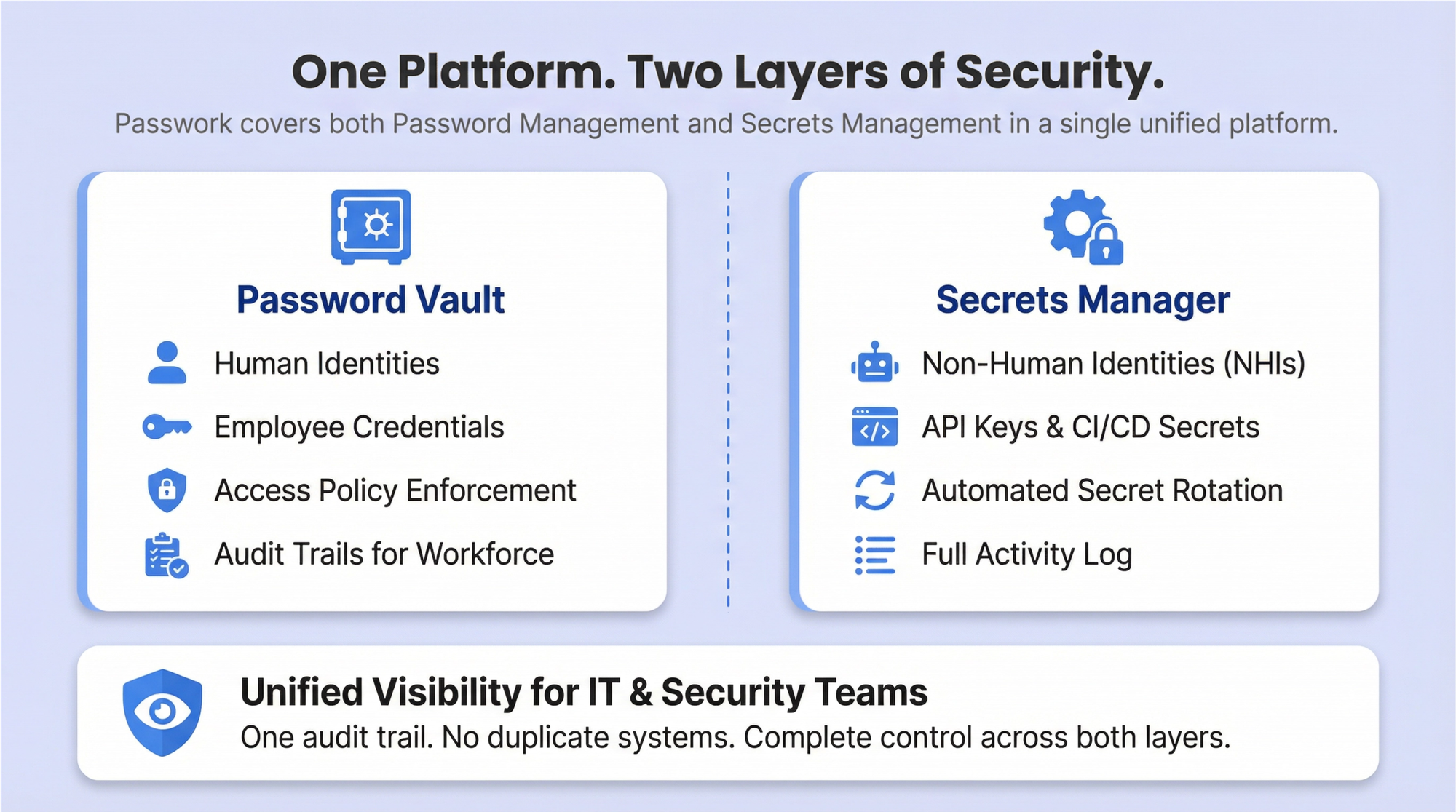
The password vault handles human identities — storing credentials, enforcing access policies, and providing audit trails for the general workforce. The secrets manager handles NHIs — API keys, service account credentials, CI/CD pipeline secrets, and certificates — with automated rotation, access control, and a full activity log. IT and security teams get unified visibility across both layers without managing two separate systems or reconciling two separate audit trails.
9. Enforce the principle of least privilege
Every user — human or non-human — should have the minimum access necessary to perform their function. Least privilege limits lateral movement when credentials are compromised: an attacker who obtains a developer's credentials shouldn't be able to reach production databases or domain controllers.
Implement role-based access control (RBAC) and review access rights on a quarterly cadence. Access accumulation over time — where users retain permissions from previous roles — is a common finding in security audits. Just-in-time access provisioning eliminates standing privileges for sensitive systems entirely, requiring users to request time-bound access that is automatically revoked when the window expires.
In Passwork, access to vaults and folders is configured per user or group — each person sees only the credentials their role requires. Administrators can fine-tune permissions at the vault, folder, or individual password level, and manage access for entire teams through groups rather than adjusting rights one account at a time. When a user changes roles, access is updated in one place — no residual permissions left behind.
10. Establish a clear password policy and communicate it
A password policy document that lives in a shared drive and gets reviewed once at onboarding is not a policy — it's a formality. Effective policies are communicated repeatedly, explained clearly, and enforced technically wherever possible.
The policy should cover: minimum length (15+ characters), passphrase encouragement, prohibited patterns (personal information, dictionary words, company name, sequential strings), MFA requirements, password manager mandate, credential sharing prohibition, and incident reporting procedures. Explain the reasoning behind each requirement.
Users who understand why a rule exists are more likely to follow it — and more likely to report anomalies when they notice them.
11. Secure the onboarding and offboarding process
New hire onboarding is a consistent vulnerability. Temporary credentials delivered via plain-text email, default passwords that users never change, and accounts provisioned with excessive access "to be adjusted later" are all common failure patterns. Temporary passwords should be delivered through a secure channel, and systems should force a change on first login.
Offboarding is equally critical and more time-sensitive. All accounts must be disabled or deleted within hours of an employee's departure — not days, not "when IT gets to it." Shared credentials that the departing employee had access to must be rotated immediately. Failure here is a documented cause of insider threat incidents, including cases where former employees retained access for months after leaving.
12. Align password practices with relevant compliance frameworks
Different industries face different regulatory requirements, and password policy is explicitly addressed — or implicitly required — across most major frameworks. The compliance mapping table in the next section provides a structured reference. At minimum, organizations should identify which frameworks apply to their environment and verify that their password policy satisfies the most stringent applicable requirement.
Compliance alignment is not just a legal obligation. Frameworks like PCI DSS v4.0, HIPAA, and ISO 27001:2022 represent accumulated industry knowledge about what controls actually reduce risk. Treating them as a floor rather than a ceiling is a reasonable starting point.
Compliance mapping: password requirements by framework
| Framework | Minimum length | MFA required | Expiration | Audit logs |
|---|---|---|---|---|
| NIST SP 800-63B Rev. 4 (2025) | 15 chars (sole authenticator) | Recommended (AAL2+) | Only on compromise | Recommended |
| PCI DSS v4.0 | 12 chars (up from 7) | Required for CDE access | Every 90 days (or risk-based) | Required |
| HIPAA | Not specified (reasonable) | Recommended | Periodic review | Required |
| ISO 27001:2022 | Not specified (risk-based) | Recommended | Risk-based | Required |
| SOC 2 Type II | Not specified (reasonable) | Recommended | Risk-based | Required |
| GDPR | Not specified (appropriate) | Recommended | Risk-based | Required |
Enterprise password management vs. privileged access management: key differences
Many organizations use "password manager" and "PAM" interchangeably. They're related but distinct, and conflating them leads to gaps in coverage.
Enterprise password management (EPM) addresses the general workforce: storing credentials, enforcing policy, enabling SSPR, and providing audit trails for all organizational accounts. Privileged access management (PAM) addresses a specific, high-risk subset: administrative accounts, service accounts, and any credential that can affect system integrity or data confidentiality at scale.
| Dimension | Enterprise password management (EPM) | Privileged access management (PAM) |
|---|---|---|
| Scope | All employees, all accounts | Privileged users, admin accounts, service accounts |
| Primary use case | Credential storage, policy enforcement, SSPR | Credential vaulting, session recording, just-in-time access |
| Credential visibility | Users know their passwords | Credentials are injected — users never see raw passwords |
| Session recording | Typically not included | Core feature |
| Rotation | User-managed or policy-driven | Automated, including after-use rotation |
| Compliance focus | General password hygiene | Regulatory audit trails, privileged activity monitoring |
Mature enterprises need both. EPM handles the 95% of accounts that belong to regular employees; PAM handles the 5% that can bring down the organization if compromised. They're complementary controls, not competing products.
Conclusion
Enterprise password management best practices in 2026 require a layered program — not a policy document. The combination of a centralized credential vault, NIST SP 800-63B Rev. 4-aligned policies, phishing-resistant MFA, continuous credential monitoring, and dedicated controls for privileged accounts and non-human identities represents the current state of practice for organizations serious about credential security.
The AI threat is real and accelerating. When 85.6% of common passwords can be cracked in under 10 seconds, the margin for weak policy is zero. The 16 billion passwords leaked in 2025 are already in attacker wordlists — and credential stuffing tools will test them against your systems automatically, at scale, without human intervention.
The organizations that treat password management as a living program — reviewed against new threat data, updated when standards change, enforced through tooling rather than trust — are materially better positioned against credential-based attacks than those relying on policies written before the AI cracking era.
Start here: Audit your current password policies against NIST SP 800-63B Rev. 4. Identify gaps in length requirements, blocklist screening, expiration policy, and privileged account controls. Prioritize the 15 practices in this guide based on your organization's risk profile and compliance requirements — and treat the result as a program, not a project.
If you're looking for infrastructure to enforce that program, Passwork is a self-hosted password manager built for exactly this environment. It gives IT teams a centralized encrypted vault, granular role-based access control, a Security Dashboard that flags weak and potentially compromised credentials, and a full activity log for auditing — all running on your own servers, under your control. The tooling won't replace the program, but it will make the program enforceable.
Transfer your remaining subscription period and enjoy 20% off your first renewal.
Frequently asked questions

What is the NIST recommended password policy for enterprises in 2025?
NIST SP 800-63B Rev. 4, published in August 2025, requires a minimum of 15 characters when a password is the sole authenticator. Organizations must not impose arbitrary composition rules (mandatory symbols, uppercase, numbers). All new or changed passwords must be checked against a blocklist of known-compromised credentials. Passwords should change only when there is evidence of compromise — not on a fixed schedule. Systems must accept Unicode characters and spaces, and must support passwords of at least 64 characters.
How often should enterprise passwords be changed?
Per NIST Rev. 4: only when there is evidence of compromise. Routine 60- or 90-day forced rotations are explicitly rejected because they produce predictable, weaker passwords without improving security. This model requires continuous credential monitoring to be operationally viable — without it, organizations have no mechanism to detect compromise and trigger targeted resets. Exception: privileged accounts and service account credentials should still rotate on a defined schedule, or after each use for the most sensitive systems.
What is the difference between an enterprise password manager and PAM?
Enterprise password management (EPM) covers all employees and all accounts — credential storage, policy enforcement, audit trails, and self-service reset. Privileged access management (PAM) covers a specific subset: administrative and service accounts, with additional controls including session recording, credential injection (users never see raw passwords), just-in-time access, and automated rotation. Both are needed in a mature security program. EPM handles the general workforce; PAM handles the accounts that can cause catastrophic damage if compromised.
How do you manage service account passwords in an enterprise?
Use a dedicated secrets manager or PAM vault for all service account credentials. Implement automated rotation on a defined schedule — or dynamically, using ephemeral credentials that are generated per-session and never reused. Scan all source code and configuration files for hard-coded credentials using automated tools integrated into the CI/CD pipeline. Apply least-privilege principles: service accounts should have access only to the specific resources they require. Audit all service account access quarterly, and decommission accounts that are no longer in use.
How does MFA complement enterprise password management?
MFA addresses the fundamental limitation of passwords: they can be stolen, guessed, or cracked without the attacker ever touching the target system. Even a strong, unique password provides no protection once it's in an attacker's hands. MFA ensures that a stolen credential is not sufficient for access — the attacker also needs the second factor, which is typically device-bound and time-limited. The combination of a strong password policy (enforced through EPM) and phishing-resistant MFA (FIDO2/WebAuthn) closes the gap that either control leaves open on its own.
What are the compliance requirements for enterprise password management?
Requirements vary by framework. PCI DSS v4.0 mandates 12-character minimums and MFA for cardholder data environment access. HIPAA requires "reasonable and appropriate" safeguards with audit controls. ISO 27001:2022 and SOC 2 Type II both require risk-based access controls and audit logs. GDPR requires "appropriate technical measures" for personal data protection. NIST SP 800-63B Rev. 4 is the most specific: 15-character minimums, mandatory blocklist screening, no composition rules, and compromise-driven expiration. See the compliance mapping table above for a structured comparison. Consult a qualified compliance professional for your specific regulatory situation.
How do you create a corporate password policy?
Start with the applicable compliance frameworks for your industry and map their requirements. Layer NIST SP 800-63B Rev. 4 guidance on top as the technical baseline. Define: minimum length (15+ characters), prohibited patterns, MFA requirements, password manager mandate, sharing prohibition, service account handling, and incident reporting procedures. Pair the policy document with technical enforcement — policy without tooling is aspirational, not operational. Communicate the policy at onboarding, in annual security training, and whenever it changes. Explain the reasoning behind each requirement; users who understand the why are more likely to comply.
 Mike Shikun
 Eirik Salmi
 Eirik Salmi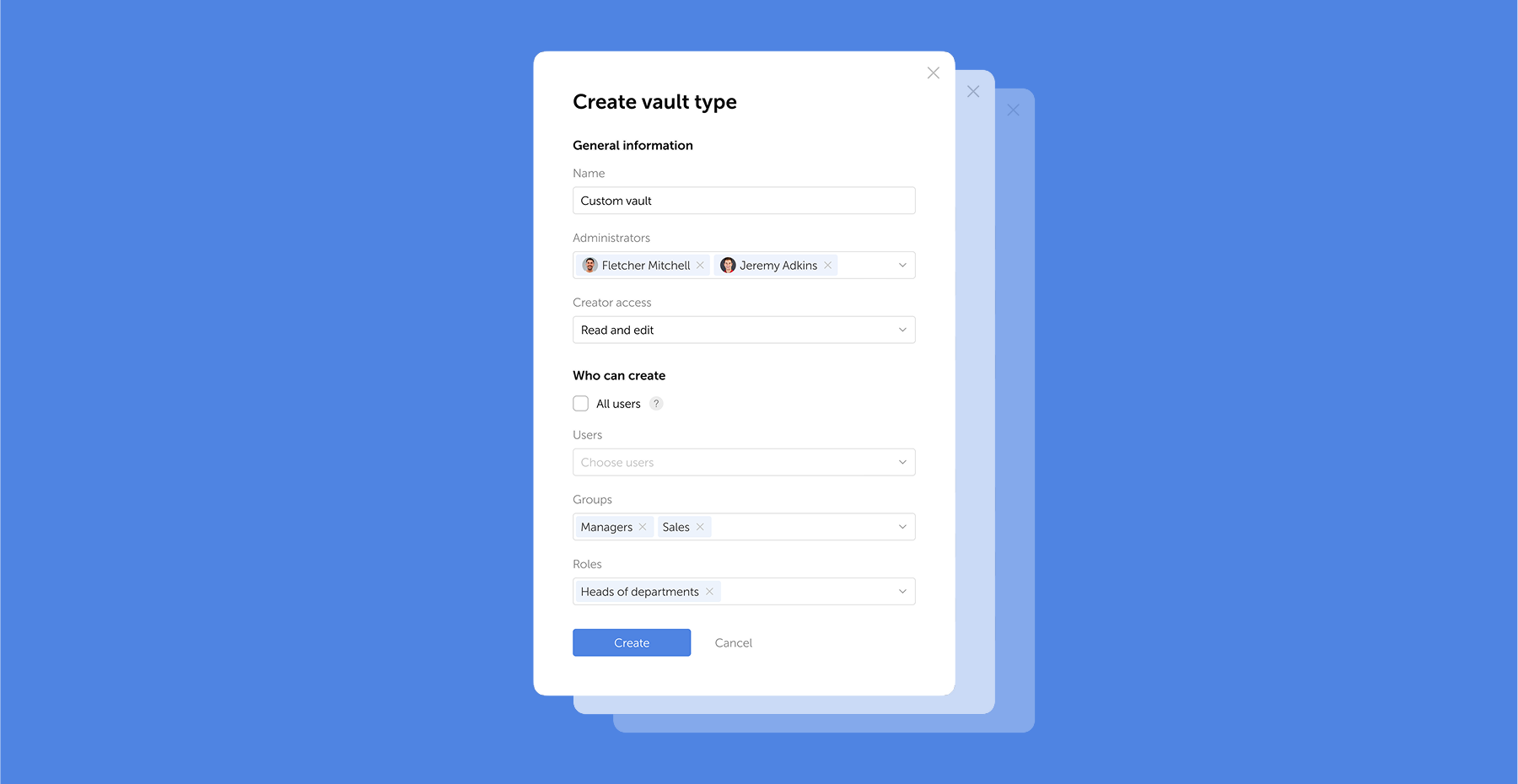
Table of contents
- Why enterprise password management is a critical security imperative
- What changed in the NIST SP 800-63B Rev. 4 framework (August 2025)
- 12 enterprise password management best practices
- Compliance mapping: password requirements by framework
- Enterprise password management vs. privileged access management: key differences
- Conclusion
- Frequently asked questions
Table of contents
- Why enterprise password management is a critical security imperative
- What changed in the NIST SP 800-63B Rev. 4 framework (August 2025)
- 12 enterprise password management best practices
- Compliance mapping: password requirements by framework
- Enterprise password management vs. privileged access management: key differences
- Conclusion
- Frequently asked questions

A self-hosted password manager for your business
Passwork provides an advantage of effective teamwork with corporate passwords in a totally safe environment
Learn more