

Password reuse is using the same password across multiple accounts. It's one of the most dangerous yet common security mistakes people make online. Despite warnings from security experts, studies show that over 60% of people admit to reusing passwords across different platforms. This seemingly harmless habit creates a domino effect: when one account is compromised, attackers gain access to every other account sharing that password.
Think of password reuse as using the same key for your house, car, office, and safe. If someone steals that key, they access everything. This vulnerability is exploited thousands of times daily through automated attacks that can test millions of stolen credentials in minutes.
Understanding what password reuse is and why it poses such a critical threat is the first step toward building stronger password security habits that protect both personal and organizational data.
The psychology of password reuse
Convenience vs. security
The average person manages 100+ online accounts, from email and banking to streaming services and shopping sites. Creating and remembering a unique password for each account feels overwhelming, so we default to familiar patterns. We choose convenience over security because the threat feels abstract — until it becomes personal.
Our brains are wired to minimize cognitive load. Remembering one strong password feels manageable; remembering 100 feels impossible. This mental shortcut, however, creates a single point of failure that attackers actively exploit. The convenience of password reuse comes with a hidden cost: exponential risk.
The myth of the "unimportant" account
Many people justify password reuse by categorizing accounts as "important" (banking, work email) versus "unimportant" (forums, newsletters, gaming sites). They use unique passwords for critical accounts but reuse passwords for everything else. This strategy fails because attackers don't distinguish between account types — they simply need one breach to start.
That forgotten forum account from 2015 becomes the entry point. Once attackers have your credentials from a low-security breach, they test them everywhere: your email, financial accounts, work systems. The "unimportant" account becomes the key that unlocks everything else.
How attackers exploit password reuse: Credential stuffing explained
The anatomy of a credential stuffing attack
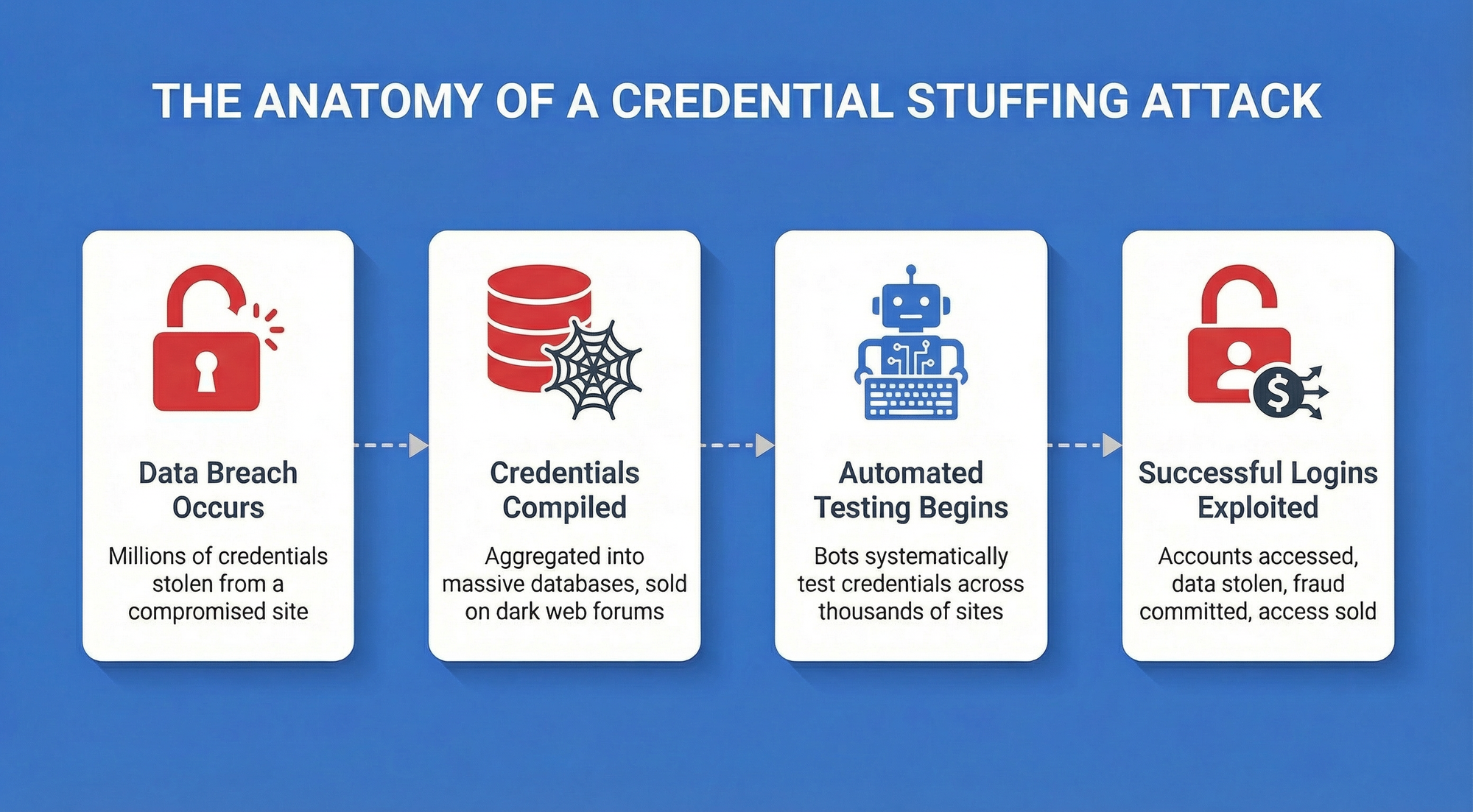
Credential stuffing is an automated cyberattack that exploits password reuse at scale. Here's how it works:
- Data breach occurs — Attackers obtain millions of username/password combinations from a compromised website or service
- Credentials are compiled — Stolen credentials are aggregated into massive databases and sold or shared on dark web forums
- Automated testing begins — Attackers use bots to systematically test these credentials across thousands of websites and services
- Successful logins are exploited — When credentials work, attackers gain access to accounts, steal data, make fraudulent purchases, or sell access to others
Unlike brute-force attacks that guess passwords, credential stuffing uses real credentials that people have already chosen. Success rates range from 0.1% to 2% — which sounds low until you realize attackers test billions of credentials. Even a 0.5% success rate means 5 million compromised accounts from 1 billion attempts.
According to the 2025 Verizon Data Breach Investigations Report, stolen credentials remain the most common attack vector, involved in 88% of basic web application breaches.
The report emphasizes that password reuse transforms individual breaches into widespread security crises, with stolen credentials used as the initial access vector in 22% of all breaches analyzed.
How to break the habit: Best practices for eliminating password reuse
Password reuse is one of the most common and dangerous security habits. The fix isn't complicated, but it does require a deliberate shift in how you manage credentials. The following practices give a clear, actionable path to eliminating reuse entirely, without adding friction to your daily workflow.
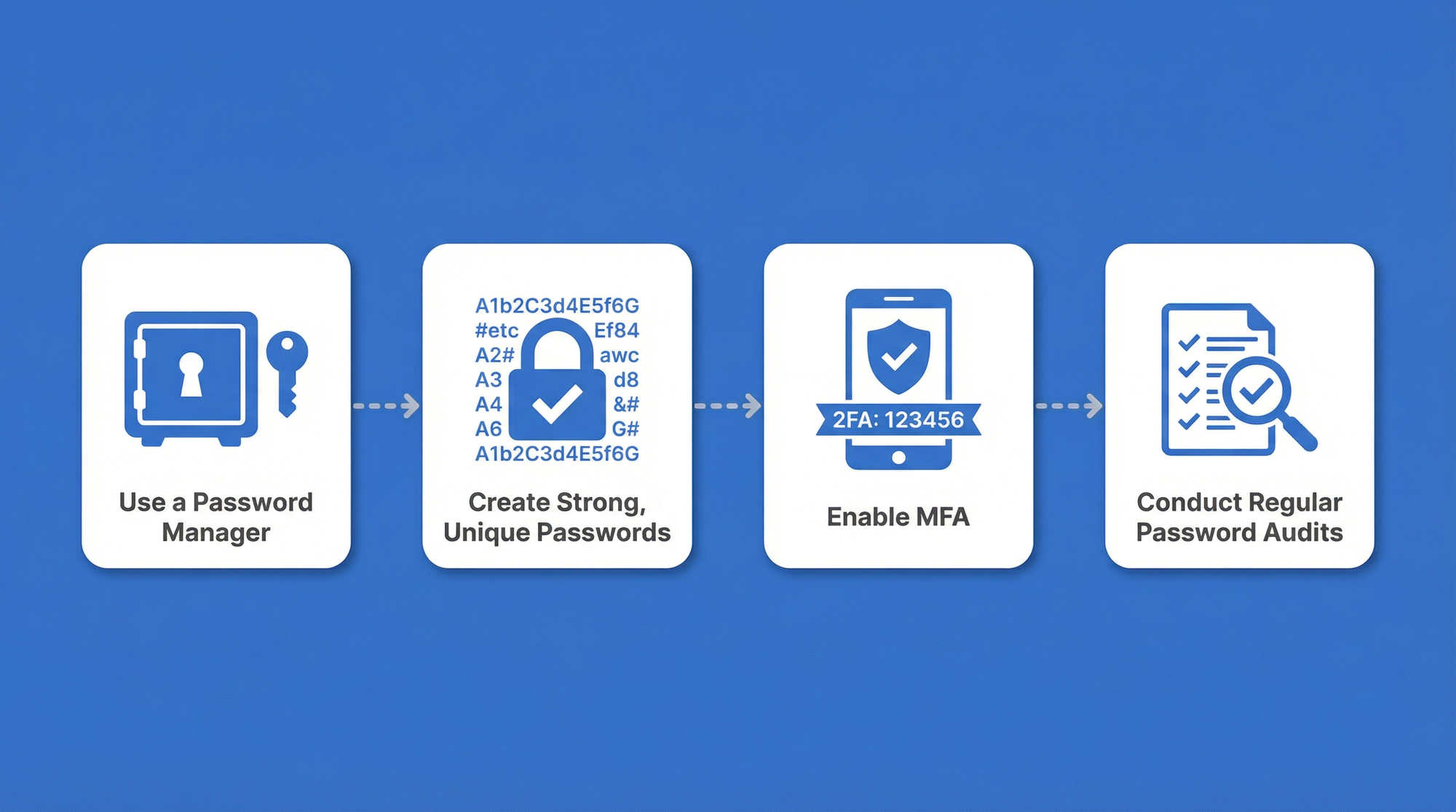
1. Use a secure password manager
A password manager is the single most effective tool for eliminating password reuse. It generates, stores, and automatically fills unique passwords for every account, removing the memory burden that drives password reuse.
Modern password managers like Passwork use military-grade encryption to protect your credentials and require only one master password to access your vault. This transforms password management from an impossible task into a simple, secure system.
2. Create strong, unique passwords for every account
Every account should have its own password — no exceptions. Strong passwords should be:
- At least 15 characters long — NIST's updated guidelines raised the minimum from 8 to 15 characters, reflecting the reality that longer passwords exponentially increase cracking difficulty.
- Randomly generated — Avoid patterns, dictionary words, or personal information.
- Unique — Never reused across accounts, even with slight variations.
Passphrases as an alternative
A passphrase — a sequence of four or more random, unrelated words — is another strong option, especially where passwords need to be memorized. correct-horse-battery-staple is significantly harder to crack than P@ssw0rd123 and far easier to recall. The key word is random: phrases drawn from song lyrics or common expressions don't qualify.
For machine-generated credentials and service accounts, random passwords remain the stronger choice. For human-facing logins where memorability matters, passphrases offer a practical balance between security and usability.
Password managers handle both — generating and storing either format automatically, so every credential meets security standards without requiring you to create or remember them manually.
3. Enable Multi-Factor Authentication (MFA)
Multi-factor authentication adds a second verification step beyond your password, typically a code sent to your phone or generated by an authenticator app. Even if attackers obtain your password through a breach, MFA blocks unauthorized access.
Enable MFA on every account that offers it, prioritizing email, banking, work systems, and social media. This single step dramatically reduces your vulnerability to credential stuffing attacks.
4. Conduct regular password audits
Password hygiene requires ongoing maintenance. Conduct quarterly audits to identify and replace:
- Reused passwords — Find accounts sharing the same credentials
- Weak passwords — Identify passwords that don't meet current security standards
- Compromised passwords — Check if your credentials have appeared in known data breaches
Passwork includes built-in audit tools that automatically flag these issues and guide you through fixes.
How Passwork helps you eliminate password reuse
Passwork is designed specifically to solve the password reuse problem for individuals and organizations.
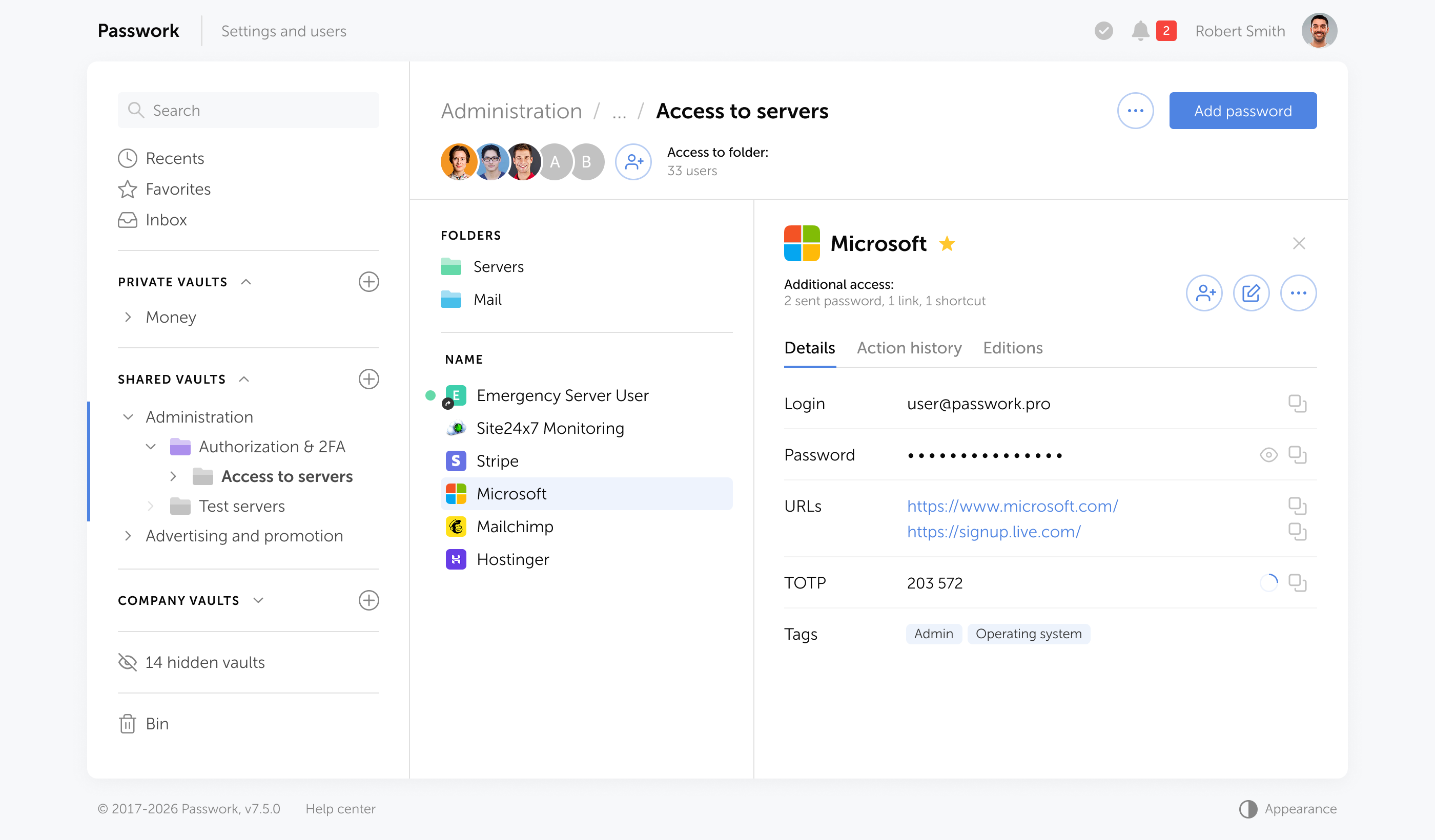
Here's how:
- Password generator — Create cryptographically strong, unique passwords instantly with customizable length and character requirements.
- Password audit feature — Passwork automatically scans your vault to identify weak or compromised passwords. The security dashboard shows exactly which credentials need attention, prioritizing fixes by threats.
- Secure sharing — Share credentials with team members without exposing passwords through insecure channels like email or messaging apps.
- Role-based access control — Organizations can enforce password policies and monitor compliance across teams — ensuring password reuse doesn't become an organizational vulnerability.
By centralizing password management and automating security best practices, Passwork transforms password reuse from an overwhelming problem into a solved challenge. The combination of generation, storage, auditing, and monitoring creates a comprehensive system that protects both individual users and entire organizations from credential-based attacks.
Frequently Asked Questions

Why is password reuse considered more dangerous than using weak passwords?
Password reuse creates a domino effect. When one service gets breached, attackers automatically test those stolen credentials across thousands of other websites through credential stuffing attacks. Even if you use a strong password like "mK9#pL2@vN4$xR7," reusing it across multiple accounts means one breach compromises everything. A weak but unique password only affects one account. Password reuse transforms individual breaches into widespread security crises — which is why stolen credentials are involved in 88% of basic web application breaches according to the 2025 Verizon Data Breach Investigations Report.
What is credential stuffing and how does it work?
Credential stuffing is an automated attack that exploits password reuse at scale. Attackers obtain millions of username/password combinations from breached websites, compile them into massive databases, then use bots to systematically test these credentials across thousands of services. Success rates range from 0.1% to 2% — which means 5 million compromised accounts from 1 billion attempts at just 0.5% success. Unlike brute-force attacks that guess passwords, credential stuffing uses real credentials people have already chosen, making it significantly more effective.
Can I safely reuse passwords for "unimportant" accounts?
No. The distinction between "important" and "unimportant" accounts is meaningless to attackers. That forgotten forum account from 2015 becomes the entry point. Once attackers have your credentials from any breach, they test them everywhere — your email, financial accounts, work systems. Low-security sites often have weaker breach protection, making them easier targets. Attackers don't care which door they enter; they just need one breach to access everything else sharing that password.
How does a password manager solve the password reuse problem?
Password managers eliminate the memory burden that drives password reuse. They generate cryptographically strong, unique passwords for every account, store them in an encrypted vault, and automatically fill them when needed. You only remember one master password to access your vault. Modern password managers like Passwork use military-grade encryption and include audit tools that automatically identify reused, weak, or compromised passwords — transforming password management from an impossible task into a simple, secure system.
Does Multi-Factor Authentication (MFA) protect me if I reuse passwords?
MFA adds significant protection but doesn't eliminate the risk. Even if attackers obtain your password through a breach, MFA blocks unauthorized access by requiring a second verification step. However, not all accounts offer MFA, and sophisticated attackers have developed MFA bypass techniques. MFA should complement unique passwords, not replace them. The strongest security combines unique passwords for every account with MFA enabled wherever available — creating multiple layers of defense.
How often should I audit my passwords for reuse?
Conduct password audits quarterly to identify and fix security issues. Regular audits help you find reused passwords, weak credentials that don't meet current security standards, and passwords that have appeared in known data breaches. Passwork's built-in audit tools automate this process, scanning your vault and flagging issues with prioritization by risk level. This ongoing maintenance ensures password hygiene doesn't degrade over time as you create new accounts or as new breaches occur.
Conclusion
Password reuse is a critical security vulnerability that attackers exploit daily through credential stuffing attacks. Every reused password is a master key that attackers can use to unlock multiple accounts, turning a single breach into a cascading security crisis.
The solution combines three components: unique passwords for every account, a password manager for secure storage and generation, and multi-factor authentication as an additional security layer. Start with a password audit to identify reused credentials, replace them systematically, and enable MFA everywhere. These steps require minutes to implement but provide lasting protection.
 Eirik Salmi
 Eirik Salmi
 Eirik Salmi
Table of contents
Table of contents

Self-hosted password manager for business
Passwork provides an advantage of effective teamwork with corporate passwords in a totally safe environment. Double encryption and zero-knowledge architecture ensure your passwords never leave your infrastructure.
Learn more