

When an employee leaves, the standard playbook looks like this: HR closes the ticket, IT disables the Active Directory account, the laptop goes back to the shelf. Done. But in 2026, that's not enough. Outside the SSO perimeter live AI agents running on locally stored API keys, service accounts with no owner, shared passwords that no IdP will ever revoke, and compliance windows measured in hours.
This guide gives IT administrators and security teams a structured, actionable approach to access revocation that covers all of it.
Key takeaways
- Disabling an SSO account is not the same as revoking access. API keys, shared passwords, and locally stored tokens survive IdP disable entirely.
- Most offboarding checklists miss AI agent credentials entirely. MCP-connected tools store API keys outside the SSO perimeter and require explicit revocation steps.
- Only 20% of organizations have formal processes for revoking API keys when an employee leaves. OWASP ranks improper NHI offboarding as the single highest risk in its Non-Human Identities Top 10 (2025).
- Compliance frameworks are specific and demanding. FedRAMP PS-4 sets a 4-hour window; SOC 2 CC6.1 and ISO 27001 Annex A 6.5 treat same-day revocation as the minimum standard; NIS2 Article 21 and GDPR Article 32 expect the same from EU organizations.
- Shared passwords must be rotated, not just access-removed. If the employee knew the password, revoking vault membership alone does not close the vulnerability.
- Pre-departure discovery is what makes zero-hour execution reliable. Without mapping every vault, API key, service account, and AI tool credential before the last day, offboarding is reactive by design.
- Manual, ticket-based processes cannot meet modern revocation timelines. HRIS-to-IAM automation via SCIM is the only architecture that eliminates the latency window consistently.
The hidden risks of delayed access revocation
Delayed access revocation has a predictable outcome: a former employee retains working credentials while your team assumes the account is closed. The threat window opens the moment departure is confirmed, and the consequences run from data exfiltration to regulatory penalties.
Compliance timelines are tightening
The urgency is now codified across major compliance frameworks. ISO 27001:2022 Annex A 6.5 (Responsibilities after termination or change of employment) requires prompt removal of access rights. NIS2 Article 21 mandates appropriate access control measures as part of an organization's baseline security hygiene. GDPR Article 32 requires technical and organisational measures to protect personal data — and an active account belonging to a former employee is a direct exposure under that obligation.
"Information security responsibilities and duties that remain valid after termination or change of employment should be defined, enforced and communicated to relevant personnel and other interested parties" — ISO/IEC 27001:2022, Annex A, Control 6.5
For organizations with US federal contracts or customers, FedRAMP and StateRAMP have tightened PS-4 implementation expectations to a 4-hour revocation window, according to compliance guidance published by Paramify. SOC 2 Trust Services Criteria CC6.1 sets similar expectations around documented logical access controls, with auditors increasingly treating same-day revocation as the minimum acceptable standard.
Across all of these frameworks, the operational implication is the same: manual, ticket-based offboarding processes cannot meet these timelines reliably. A process that depends on an IT administrator noticing a Slack message from HR will fail.
Data exfiltration and insider threats
The attack surface is specific: CRM platforms containing customer data, code repositories with proprietary logic, cloud storage buckets, and CI/CD pipeline credentials.
Cyberhaven's research found a 720% surge in data exfiltration activity in the 24 hours before a layoff — most of it to personal cloud storage, removable media, and generative AI tools. A former employee who retains access after that window does not need to be malicious to cause damage; a misconfigured script running under their still-active token is enough.
Verizon's 2026 Data Breach Investigations Report (DBIR) identifies credential abuse as responsible for 13% of breaches — a figure that concentrates heavily around access that was never properly revoked. The risk is not hypothetical. A developer who retains a valid personal access token to a GitHub repository can clone the entire codebase weeks after their last day.
| Risk category | What triggers it | Business impact |
|---|---|---|
| Data exfiltration | Former employee retains access to CRM, cloud storage, or code repositories after departure | Customer data, proprietary code, or internal documents leave the organization — often to personal cloud storage or removable media |
| Credential abuse via stale tokens | Personal access tokens, API keys, or service account credentials are never revoked | Automated scripts and integrations continue to authenticate under the former employee's identity, making malicious or accidental actions indistinguishable from legitimate ones |
| Pre-departure bulk exfiltration | Departure decision is known before IT receives a revocation request | Employees copy files, export contacts, or move data in the hours before leaving |
| Compliance violation | Revocation happens outside the mandated window | Audit findings, regulatory penalties, or failed certifications — FedRAMP PS-4 sets a 4-hour window; SOC 2 auditors treat same-day revocation as the minimum acceptable standard |
| Privilege escalation | An orphaned admin account is compromised by a third party | Attacker inherits full administrative permissions across connected systems without triggering any access anomaly alerts |
| Audit trail gap | No documented timestamp proving when access was revoked | During a SOC 2 or ISO 27001 audit, undocumented revocation is treated as non-revocation — the burden of proof falls on the organization |
| Shared credential exposure | Credentials shared with a departing employee are not rotated post-offboarding | Former employee retains implicit access to any system where the password was shared and not changed |
| Shadow IT credential leak | Departing employee used SaaS tools or integrations unknown to IT | IT cannot revoke access it does not know exists — accounts on unmanaged tools remain active indefinitely |
| Vendor or contractor account not closed | Third-party access is managed separately from internal offboarding workflows | External accounts fall outside standard HR-to-IT handoff processes and are routinely missed in manual offboarding checklists |
2026 offboarding blind spots: AI agents and NHIs
Standard offboarding checklists (disable the SSO account, revoke VPN, return the laptop) were designed for a simpler threat model. Two categories of access now routinely survive those steps entirely.
The AI agent access problem
Developers in 2026 connect AI coding assistants and automation tools to external services via the Model Context Protocol (MCP). These integrations authenticate using API keys that the developer generates manually and stores locally: in .env files, shell configuration files, IDE settings, or the AI tool's own credential store on the developer's machine.
When you disable that developer's Okta or Entra ID account, none of those locally stored keys are touched. The SSO layer never knew they existed. If the developer's laptop is not wiped promptly — or if they used a personal machine for work — those keys remain valid and functional. The API key for your production cloud environment, your Stripe account, or your internal data pipeline does not expire because the employee's SSO session ended.
The practical fix requires two steps that most offboarding checklists skip entirely: auditing which API keys the departing employee generated (across GitHub, AWS IAM, cloud platforms, and internal systems), and rotating or revoking every one of them before the employee's last day, not after device retrieval.
What is Model Context Protocol (MCP)?
Model Context Protocol (MCP) — An open-source standard for connecting AI applications to external systems and data sources. MCP enables AI assistants like Claude or ChatGPT to seamlessly integrate with the systems where data lives, including content repositories, databases, and tools.
What are common use cases for MCP?
MCP Use Cases — MCP enables AI applications to connect with file systems, databases, APIs, business tools, and content repositories. Common applications include accessing company documents, querying databases, executing system functions, integrating with third-party services, and building context-aware AI assistants that can interact with real-world data and systems in real-time.
Orphaned non-human identities (NHIs)
OWASP's Non-Human Identities Top 10 (2025) places Improper Offboarding at position NHI1:2025 — the single highest-ranked risk in the entire framework. The definition is precise: inadequate deactivation or removal of non-human identities such as service accounts, API keys, OAuth tokens, and certificates when the human who created or managed them leaves the organization.
The Cloud Security Alliance reports, a year apart, show the problem is not improving. In its 2024 State of Non-Human Identity Security report, CSA found that only 20% of organizations have formal processes for offboarding and revoking API keys. The 2026 follow-up, State of Non-Human Identity and AI Security, found governance gaps had widened as AI workloads accelerated identity creation:
- Fewer than 25% of organizations have documented, formally adopted policies for creating or removing AI identities
- More than 16% do not track the creation of new AI-related identities at all, leaving a growing subset of tokens and service accounts outside any formal inventory
- Only 12% of organizations report high confidence in their ability to prevent attacks via NHIs
When a senior engineer leaves, the service accounts they created, the tokens they registered, and the certificates they provisioned continue operating indefinitely.
The risk compounds because NHIs are routinely over-privileged. An engineer who needed broad access to debug a production issue three years ago may have created a service account with admin-level permissions. That account is now ownerless and invisible to standard user access reviews. Legacy IAM tools were not built to handle this — they track people, not the credentials people create.
Addressing NHI offboarding requires a dedicated discovery step before the employee leaves: identify every service account, token, and certificate associated with that person, assign a new owner, and rotate credentials where the departing employee had sole knowledge of the secret.
What are Non-Human Identities (NHIs)?
Non-Human Identities (NHIs) — digital identities assigned to machines, applications, services, scripts, and automated processes to authenticate and access systems, data, and resources. Examples include API keys, service accounts, certificates, and tokens used by software to communicate machine-to-machine without human intervention. NHIs are critical for automation and system integration but present significant security risks if not properly managed and monitored.
What is an API Key?
API Key — a unique alphanumeric string that serves as a credential for authenticating requests to an API. It identifies the client making the request and controls access to specific API resources. Example: A weather service might require an API key to track usage and enforce rate limits. API keys are typically less secure than OAuth tokens and should be kept confidential.
What is an OAuth Token?
OAuth Token — a secure credential issued by an authorization server that grants temporary access to protected resources on behalf of a user without sharing passwords. OAuth tokens typically have expiration times and limited scopes (permissions). Example: When you log into a website using your Google account, Google provides an OAuth token that allows the website to access specific information about you, like your email, without ever seeing your Google password.
How to handle shared passwords during offboarding
Shared credentials are the category most likely to be missed in a standard offboarding process, and the most likely to be exploited afterward.
The danger of shared credentials
Shared passwords cannot be disabled via centralized SSO. When four people on a team share a login for a vendor portal, a network device management interface, or a legacy application, disabling one person's SSO account does nothing to that shared credential. The departed employee knows the password. They always will, unless it is changed.
The problem scales with team size and tenure. A long-serving employee may have access to dozens of shared credentials accumulated over years — credentials that are not documented anywhere, stored in a spreadsheet on a shared drive, or known only to the people who use them daily.
Enterprise password management for shared vault control
This is where a dedicated enterprise password manager becomes operationally essential, not optional. When shared credentials live in a structured vault with role-based access control, offboarding becomes a defined procedure rather than a guessing game.
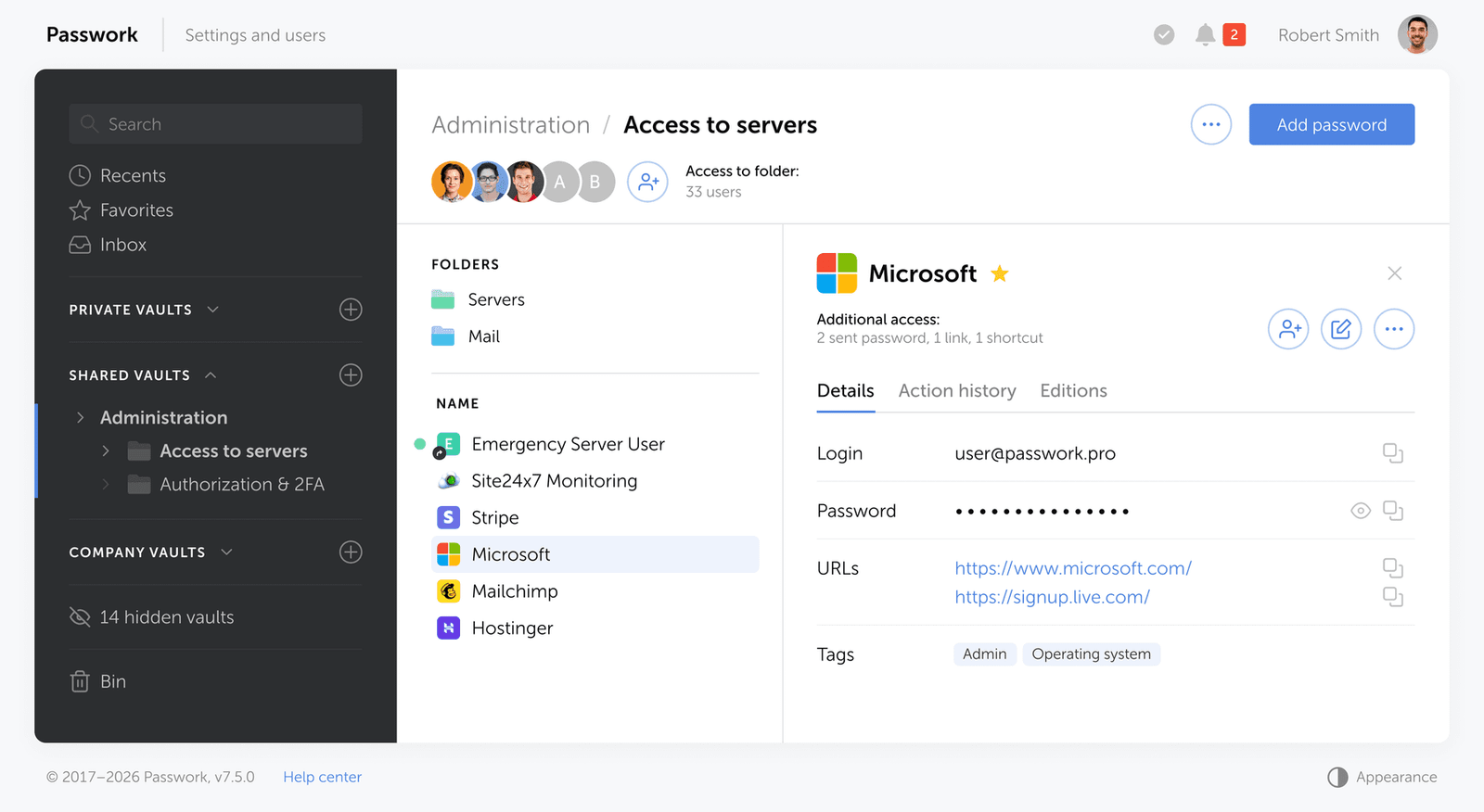
Passwork covers the full scope of offboarding credential work in a single platform:
- Shared vault membership — each vault has explicit members. Removing an offboarded employee revokes access instantly, with no dependency on them forgetting or choosing not to reuse the password.
- Secrets management — API keys, tokens, database credentials, and certificates sit alongside human credentials in the same vault hierarchy, under the same RBAC model. No separate secrets manager required.
- Service account control — service accounts are stored and managed centrally in Passwork. Each account has an assigned owner. When that owner is offboarded, the account surfaces immediately in the access review rather than silently becoming an orphaned identity with no one responsible for it.
- Full audit log — every credential the departing employee accessed is recorded, giving the security team a clear list of what needs to be rotated.
- REST API — plug offboarding workflows directly into your HR or ITSM systems. Trigger vault access revocation automatically when a termination ticket is created, without manual intervention.
- Rotation tracking — removing vault access prevents future access. The audit trail confirms which credentials were rotated and when, closing the compliance gap.
The rotation step itself remains the critical one. Removing vault access prevents future access. Rotating the credentials closes the window for credentials the employee already knows.
The 2026 secure access revocation checklist

The following four-phase framework — the Secure Offboarding Execution Model (SOEM) — gives IT administrators a structured sequence for access revocation that covers the full scope of modern credential risk.
Phase 1: Pre-departure discovery
Start before the employee's last day. The goal is to eliminate surprises at zero-hour.
- Audit shadow IT: use SaaS discovery tools or browser extension data to identify applications the employee accessed that are not in your official inventory.
- Map NHIs: query AWS IAM, GitHub, GitLab, Azure AD, and any internal developer platforms for service accounts, personal access tokens, and API keys associated with the employee's identity.
- Identify shared vault membership: pull a report from your password manager showing every vault and folder the employee has access to.
- Flag credentials requiring rotation: any shared password or service account credential the employee had access to should be queued for rotation, not just access removal.
- Assign NHI ownership: for every service account or token the employee owns, designate a new owner before departure.
Phase 2: Zero-hour trigger (immediate actions)
Execute these steps at the exact moment the termination takes effect — ideally triggered automatically by your Human Resources Information System (HRIS).
- Disable the employee's account in your identity provider (Okta, Microsoft Entra ID, Google Workspace). This terminates active SSO sessions across all federated applications.
- Revoke active sessions explicitly: SSO disable does not always kill in-flight sessions. Force session termination in your IdP and in high-value applications (Microsoft 365, Google Workspace, Salesforce, GitHub) separately.
- Revoke VPN certificates and network access credentials.
- Disable physical access: badge deactivation, if applicable.
- Notify the security team and the employee's manager simultaneously.
For FedRAMP-regulated environments, this entire phase must complete within 4 hours of the termination event per PS-4 implementation guidance. EU organizations operating under NIS2 or handling personal data under GDPR Article 32 have no fixed deadline, but regulators expect same-day execution — and any active access after termination is difficult to defend in an audit.
Phase 3: Deep clean (within 24 hours)
The zero-hour steps cut off active access. Phase 3 deals with everything that outlasts a disabled account.
- Rotate all shared passwords the employee had access to, working from the vault membership report generated in Phase 1.
- Revoke every API key, personal access token, and OAuth token associated with the employee — including those stored locally on their device or in AI tool configurations. Check GitHub, GitLab, AWS IAM, GCP service accounts, Azure app registrations, and any internal developer portals.
- Transfer ownership of service accounts and CI/CD pipeline credentials to a designated team member.
- Check for MCP-connected AI tools: identify which AI assistants the employee used and whether those tools stored credentials locally. Revoke the underlying API keys regardless of device status.
- Audit cloud storage: check for any shared drives, S3 buckets, or storage containers where the employee had direct access outside of SSO federation.
- Remove the employee from distribution lists, Slack workspaces, and any external collaboration tools (Notion, Confluence, Jira, Figma) that authenticate independently.
Phase 4: Device retrieval and wipe
Device handling determines whether locally stored credentials (including AI agent API keys) are permanently neutralized.
For corporate-owned devices: retrieve the device on or before the last day. Perform a full remote wipe before retrieval if there is any risk of the employee retaining physical possession. Do not rely on the employee returning the device before the wipe is initiated.
For BYOD (Bring Your Own Device) environments: the risk profile is higher. You cannot wipe a personal device, which means locally stored credentials on that device remain accessible indefinitely. This makes Phase 3 (revoking every API key and token) non-negotiable for BYOD offboarding. MDM (Mobile Device Management)-enrolled BYOD devices allow selective wipe of corporate profiles — removing corporate email, apps, and cached credentials without touching personal data. Execute this at zero-hour.
Document device status in the offboarding record. If a device is not returned within a defined window, escalate to legal and treat all credentials that may have been stored on it as compromised.
Access revocation priority matrix
| Access type | Examples | Revocation priority |
|---|---|---|
| Identity provider account | Okta, Entra ID, Google Workspace | Critical — immediate |
| Active sessions | Microsoft 365, Salesforce, GitHub | Critical — immediate |
| VPN and network credentials | VPN certificates, network access | Critical — immediate |
| Physical access | Badge, key fob | Critical — immediate |
| Shared passwords | Vault credentials, legacy app logins | High — within 24 hours |
| API keys and personal access tokens | GitHub PATs, AWS IAM keys, GCP service accounts | High — within 24 hours |
| OAuth tokens | Third-party app authorizations | High — within 24 hours |
| Service accounts | CI/CD pipelines, automation credentials | High — within 24 hours |
| AI tool credentials | MCP-connected assistants, locally stored API keys | High — within 24 hours |
| Cloud storage access | S3 buckets, shared drives | Medium — within 24 hours |
| Collaboration tools | Notion, Confluence, Figma, Slack | Medium — within 24 hours |
| Corporate device | Laptop, mobile | Critical — retrieve and wipe |
| BYOD corporate profile | MDM-managed work profile | High — selective wipe at zero-hour |
Automating the offboarding workflow
HRIS to IAM integration
Manual offboarding processes have a structural flaw: they depend on a human noticing that another human has left and then taking action. That dependency introduces latency — and latency is the vulnerability.
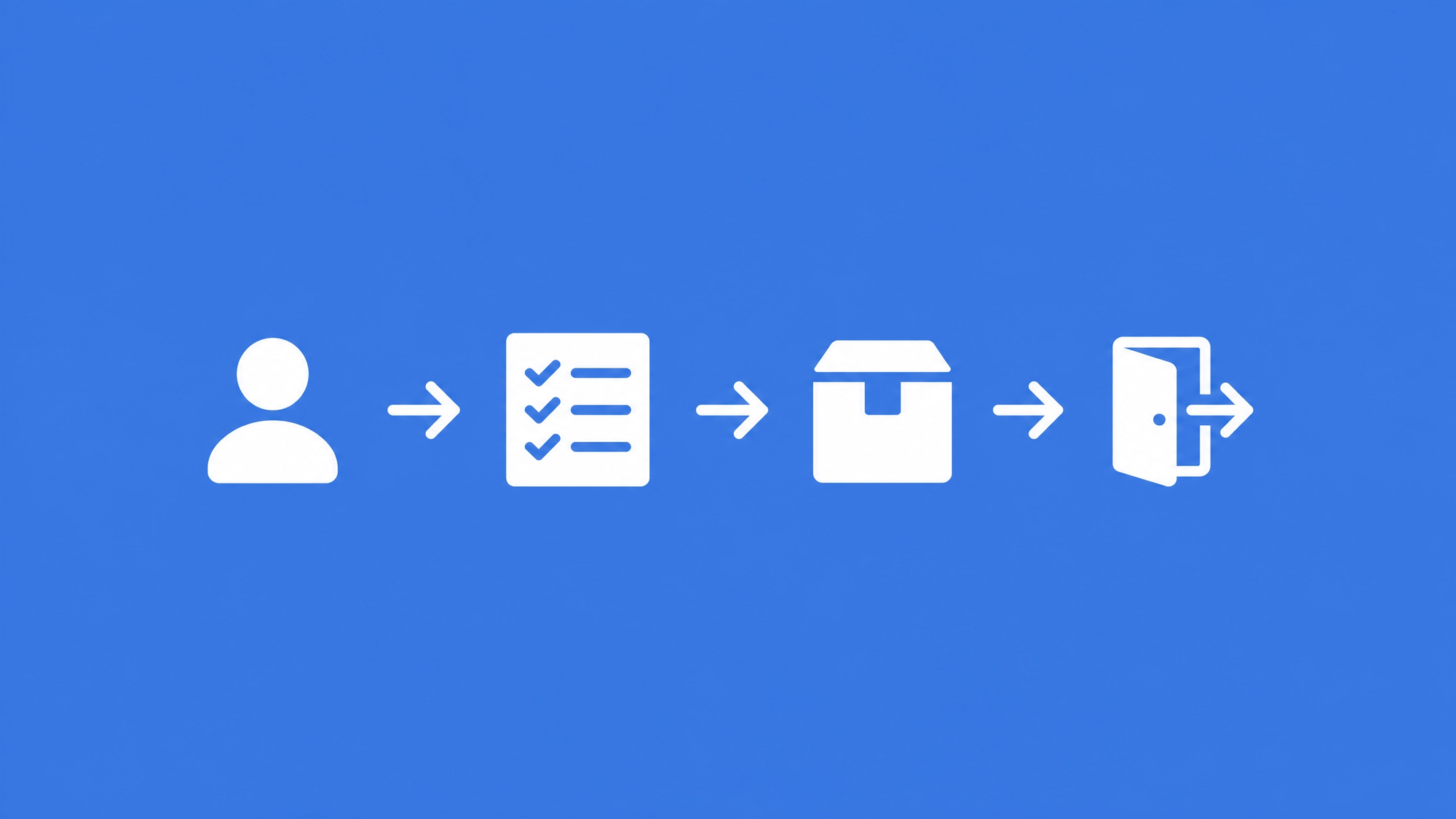
The only reliable way to meet tight revocation windows is automation. When your HRIS (Workday, BambooHR, SAP SuccessFactors) triggers a termination event, that event should propagate automatically to your IAM platform via SCIM provisioning or a direct API integration. The IAM platform then executes account disable, session revocation, and downstream deprovisioning without waiting for a ticket to be opened.
The integration pattern is straightforward: HRIS termination event → SCIM deprovisioning call to IdP → IdP disables account and broadcasts to federated apps → automated webhook or API call to password manager to flag the user for vault access removal.
This architecture reduces the zero-hour phase from a multi-step manual checklist to a single trigger. The IT administrator's role shifts from executor to verifier — confirming that the automated steps completed successfully and handling the edge cases (NHIs, AI agent keys, BYOD devices) that automation cannot yet reach.
For teams building this integration, Passwork's REST API and CLI tools support automated user deprovisioning as part of a broader IAM workflow, allowing vault access removal to be included in the same automated sequence as IdP account disable. Passwork is available both as a self-hosted solution and in the cloud.
Conclusion
The shift from "disable the AD account" to "revoke the full credential footprint" is not incremental — it reflects a fundamentally different threat model. AI agents, NHIs, and shared credentials have created a category of access that lives entirely outside the SSO perimeter. Standard checklists do not reach it.
The teams that handle this well share one characteristic: they do the discovery work before the last day. They know which vaults the employee had access to, which API keys they generated, and which service accounts they owned. Zero-hour execution is fast because the inventory already exists.
Start with the audit. Mapping access before departure is the only way to ensure nothing is left orphaned after the fact.
Frequently asked questions about employee offboarding and access revocation

What is the biggest security risk when offboarding an employee?
The biggest risk is access that survives the standard SSO disable. This includes locally stored API keys used by AI tools and automation scripts, shared passwords that cannot be centrally revoked, and orphaned service accounts the employee created. Disabling an IdP account closes one door; these credentials represent separate, often undocumented entry points that require explicit revocation.
How quickly should access be revoked when an employee leaves?
For FedRAMP and StateRAMP environments, PS-4 implementation guidance points to a 4-hour window from the termination event. For organizations under SOC 2 or ISO 27001, same-day revocation is the current audit standard. EU organizations operating under NIS2 (Article 21) or GDPR (Article 32) have no fixed deadline, but regulators expect same-day execution — active access after termination is difficult to defend in an audit. In practice, zero-hour revocation — triggered automatically at the moment of termination — is the only approach that eliminates the risk window entirely.
How do you handle shared passwords when an employee is terminated?
Shared passwords must be rotated, not just access-removed. If the employee knew the password, they still know it after their vault access is revoked. The rotation step is what closes the vulnerability. An enterprise password manager with structured vault membership makes this process auditable: you can see exactly which shared credentials the employee had access to and rotate them systematically without disrupting the rest of the team.
What is the AI agent offboarding problem?
AI coding assistants and automation tools connected via MCP store API keys locally on the developer's machine — in .env files, shell profiles, or the tool's own credential store. These keys are not managed by SSO. Disabling the employee's IdP account does not revoke them. Until those specific API keys are identified and revoked (and the device is wiped), the credentials remain valid. This is a gap in virtually every standard offboarding checklist written before 2025.
Does disabling an SSO account revoke all application access?
No. SSO disable terminates federated sessions for applications that authenticate through the IdP. It does not affect: applications that authenticate independently (legacy tools, vendor portals), locally stored API keys and tokens, active sessions that were established before the disable and have not yet expired, and shared credentials the employee knew by memory. Each of these categories requires a separate revocation step.
What should an IT offboarding checklist include in 2026?
A complete 2026 IT offboarding checklist must cover: IdP/SSO account disable and active session termination, VPN and physical access revocation, shared password rotation via a password manager, API key and personal access token revocation across all developer platforms, NHI ownership transfer, AI tool credential audit, cloud storage access removal, SaaS application deprovisioning, and device wipe or selective MDM wipe for BYOD. The pre-departure discovery phase — mapping all of this before the last day — is what makes zero-hour execution reliable.
 Alex Muntyan
 Alex Muntyan
 Alex Muntyan
Table of contents
- Key takeaways
- The hidden risks of delayed access revocation
- 2026 offboarding blind spots: AI agents and NHIs
- How to handle shared passwords during offboarding
- The 2026 secure access revocation checklist
- Automating the offboarding workflow
- Conclusion
- Frequently asked questions about employee offboarding and access revocation
Table of contents
- Key takeaways
- The hidden risks of delayed access revocation
- 2026 offboarding blind spots: AI agents and NHIs
- How to handle shared passwords during offboarding
- The 2026 secure access revocation checklist
- Automating the offboarding workflow
- Conclusion
- Frequently asked questions about employee offboarding and access revocation

Self-hosted password manager for business
Passwork provides an advantage of effective teamwork with corporate passwords in a totally safe environment. Double encryption and zero-knowledge architecture ensure your passwords never leave your infrastructure.
Learn more