

VaultJacking is a phishing technique that targets the Google Password Manager vault by capturing the PIN that unlocks it. Demonstrated by PhishU on May 20, 2026, the attack shows how a single six-digit secret, captured during an adversary-in-the-middle (AiTM) phishing session, can give an attacker access to every synced password and passkey a victim has stored in Google Password Manager.
For businesses, the stakes are higher than they appear. A single employee's browser vault can hold SSO credentials, cloud console access, finance platform logins, and code repository keys: all in one place and exposed by one captured PIN. It is an organizational risk that sits outside most existing incident-response playbooks, and outside the visibility of most IT and security teams.
Key takeaways
VaultJacking matters because browser password managers concentrate passwords, passkeys, and recovery flows into a single high-value target. Before reading further, here is what you need to know.
- VaultJacking targets the vault sync layer. The attack does not break WebAuthn cryptography. It abuses the device-enrollment flow that governs who can read the synced vault.
- The Google Password Manager PIN is a vault-access secret. Google uses the PIN to protect encrypted credential data. Treat it accordingly, not as a throwaway code.
- One captured PIN can expose the entire vault. PhishU's demonstration shows that a single PIN entry can allow an attacker to decrypt every synced password and passkey on operator-controlled infrastructure.
- Enterprise risk scales with governance gaps. Personal/work profile mixing, unmanaged Chrome profiles, and privileged credentials stored in browser vaults all increase the blast radius.
- Incident response must go beyond a password reset. A suspected VaultJacking event requires reviewing devices, sessions, passkeys, vault contents, and downstream logins, not just changing one password.
What is VaultJacking?
VaultJacking is a phishing technique that targets the Google Password Manager vault access and recovery experience. Instead of stealing one site credential, the attacker captures the Google Password Manager PIN during an AiTM phishing session and uses it to enroll an attacker-controlled device into the victim's Google security domain, gaining access to the entire synced credential vault. The term and the end-to-end demonstration originate from PhishU's published research.
Traditional credential phishing targets one account at a time. VaultJacking is a different class of attack: the attacker bypasses individual credentials entirely and goes straight for the repository that holds all of them.
PhishU's research describes the attack as fully consistent with standard AiTM phishing. The AiTM proxy captures the PIN alongside session cookies. A background worker then adds an attacker-owned passkey to the victim's Google account for persistence, joins the security domain from attacker infrastructure using the captured PIN, and decrypts the entire vault. The operator sees every synced credential in a single view.
Phishing vs VaultJacking
Phishing
VaultJacking
Browser Syncjacking, a separate technique PhishU references, reaches the same Google sync layer via a malicious browser extension. VaultJacking requires neither a device foothold nor an extension.
What is the Google Password Manager PIN?
The Google Password Manager PIN is a separate secret from your Google account password and your device screen lock. Google's documentation describes it as a way to protect encrypted Google Password Manager data, use passkeys on a new device, and verify identity.
Users frequently confuse three different secrets, and that confusion is part of what makes VaultJacking effective:
| Secret | What it is | Why the confusion matters |
|---|---|---|
| Google account password | The credential used to sign in to a Google account | Users may enter this when prompted for a PIN, not realizing the difference |
| Device screen lock | A local PIN, passcode, biometric, or pattern that unlocks the device | Passkeys often use device unlock, but this is not the same as the Google Password Manager PIN |
| Google Password Manager PIN | A PIN that protects encrypted Google Password Manager data, used in vault access and device enrollment flows | VaultJacking specifically targets this secret |
You will see the Google Password Manager PIN prompt when creating your first passkey on a new device, when accessing encrypted saved credentials in certain recovery contexts, or when a new device joins your Google security domain. That last scenario is exactly what VaultJacking exploits.
The structural reason this works, according to PhishU's analysis of the Chromium source (chrome/browser/webauthn/enclave_manager.cc and components/trusted_vault/), is that Google's security domain join flow requires two checks: a Google account sign-in and a successful PIN entry. There is no cross-device approval prompt, no push notification to existing devices, no "approve from another device" confirmation.
Apple's iCloud Keychain requires existing devices to approve new ones. Google's model does not. Google made a deliberate UX trade-off: a PIN with a server-side retry cap is easier to recover from than a push-to-approve model when a user has lost all their devices. VaultJacking is the consequence of that trade-off.
How the VaultJacking attack chain works
The following describes the attack conceptually for defensive purposes. No offensive implementation details are included.
- Lure. The victim receives a phishing link and lands on a page that imitates a legitimate Google sign-in or account workflow. Treat any unexpected sign-in flow arriving via email, chat, or ad link with suspicion.
- Trust transfer. The AiTM proxy renders a PIN prompt styled to match Google's own interface: same font, same six-cell input, same copy. User education must cover password-manager PIN prompts, not only passwords and OTP codes.
- PIN capture. The victim enters the PIN into the phishing flow. The PIN is a vault-access secret, equivalent in sensitivity to a master password.
- Attacker device enrollment. The attacker uses the captured PIN to join the victim's Google security domain from attacker-controlled infrastructure. An attacker-owned passkey is also registered for persistence. Review signed-in devices and registered passkeys immediately after any suspected phishing contact.
- Vault decryption. The Security Domain Secret is released by Google's cloud authenticator, and the attacker's device decrypts every synced password and passkey. The vault may contain credentials for email, SSO, cloud consoles, financial platforms, and code repositories.
- Downstream compromise. Saved third-party credentials are used against other services. Rotate high-value credentials and monitor third-party logins.
PhishU tested this end to end against live Google Password Manager accounts, including replay of captured third-party passkeys regardless of whether the original credential was hardware-backed. Treat this as a demonstrated technique. There is no public evidence of widespread active exploitation at the time of writing, but the technique requires no specialized access or device foothold.
Does VaultJacking mean passkeys are broken?
No. VaultJacking does not break passkey cryptography. Passkeys are based on origin-bound public-key authentication as defined in the W3C WebAuthn specification: the private key never leaves the device, and the authentication ceremony is bound to the legitimate site origin. A phishing page cannot replay a WebAuthn assertion against the real site because the origin check fails. That protection holds.
What VaultJacking demonstrates is that passkeys do not exist in isolation. They exist inside a vault, which syncs across devices, which relies on a recovery mechanism, which is governed by a PIN. The attacker bypasses the cryptographic ceremony entirely by targeting the vault management layer instead.
Google describes passkeys as a way to sign in with a fingerprint, face scan, or screen lock — simpler and safer than passwords. That description is accurate at the per-site authentication layer. The issue VaultJacking surfaces is one level up: what governs access to the store that holds those passkeys.
| Layer | Normal protection | VaultJacking relevance |
|---|---|---|
| WebAuthn authentication | Origin-bound public-key cryptography prevents credential replay on phishing sites | The attack does not need to steal a reusable passkey credential |
| Google Password Manager vault | Encrypted storage with PIN-protected recovery | The attacker targets the PIN and device-enrollment flow around the vault |
| User interface | Users trust browser and Google prompts | Phishing abuses that trust by imitating legitimate PIN prompts |
| Enterprise governance | Admins may or may not control browser profile use and saved credentials | Poor governance increases blast radius after vault-level compromise |
Why one PIN can create a large blast radius
A password-manager vault is a concentrated store of access. One captured PIN exposes every credential the victim has ever saved in Google Password Manager.
Recorded Future's 2025 Identity Threat Landscape Report found that the average compromised device yielded 87 stolen credentials, and that 276 million of the credentials indexed in 2025 included active session cookies — meaning attackers could bypass MFA entirely for those accounts.
Verizon's 2026 DBIR puts the downstream effect in context: credential abuse appears at some point in 39% of all confirmed breaches, across more than 22,000 incidents in 145 countries. Attackers rarely stop at the first door a stolen credential opens. They move laterally, escalate privileges, and work through every saved login until they hit something valuable.
| Vault content type | Potential downstream risk |
|---|---|
| Email and SSO credentials | Account recovery abuse, lateral movement, identity takeover |
| Cloud console credentials | Infrastructure access, privilege escalation, data exposure |
| Code repository credentials | Source-code theft, CI/CD pipeline compromise, secret exposure |
| Finance and payroll credentials | Fraud, invoice manipulation, payment diversion |
| Personal accounts mixed with work profiles | Unmanaged exposure path into business systems |
| Saved passkeys | Risk depends on synchronization state, recovery controls, and device enrollment policy |
Who is most at risk?
Risk concentrates where three conditions overlap: browser vault data is the primary credential store, work and personal credentials share a profile, and privileged credentials have ended up in a consumer-grade system.
- The credential mixing problem. Employees save work credentials in personal Chrome profiles. Admins have no visibility or control over vault contents or synced devices. This means corporate passwords live outside the security perimeter, backed up to Google's servers, and accessible from any device the employee has ever logged into.
- Privileged users are the highest-value target. Admin passwords stored in Google Password Manager represent the most dangerous concentration of risk. One vault compromise exposes the keys to identity platforms, cloud infrastructure, finance systems, and security tooling. A single compromised admin account becomes a pivot point for lateral movement across the entire organization.
- Security training doesn't cover this attack surface. Security awareness programs teach users to recognize phishing emails and protect OTP codes. They don't teach users to recognize password-manager PIN prompts as sensitive targets. Users see a PIN request and comply — they don't see it as a security event that should trigger skepticism.
- Policy gaps leave credentials in the wrong place. Most organizations have no policy separating browser vaults from enterprise credential management. Shared credentials, admin passwords, and break-glass accounts may be stored wherever employees find it convenient. No audit trail exists to show where these credentials live or who has accessed them.
- Device and session review processes are too slow. Suspicious device enrollment or vault access may go unnoticed for weeks.
The last point matters more than it might appear. PhishU notes that Google sends a single "new sign-in on Windows" email when a new device joins the security domain — the same notification sent for any new Chrome login. No push notification fires on existing devices. In an AiTM engagement where the attacker has also captured the victim's inbox session, that email can be suppressed before the user sees it.
What to do if a Google Password Manager PIN may have been phished
Do not treat a suspected VaultJacking event as a single-password incident. Treat it as possible vault exposure until proven otherwise.
The following triage sequence is for security teams and individuals. Google Workspace event names should be verified against current Google Admin documentation before building automated detection.
| Priority | Action | Why it matters |
|---|---|---|
| 1 | Disconnect from the suspected phishing page; preserve the URL, timestamp, and screenshots if safe to do so | Evidence helps determine scope and warn other users |
| 2 | Review Google account security activity, signed-in devices, and recently added passkeys at myaccount.google.com | Vault or device enrollment may have created attacker persistence |
| 3 | Sign out suspicious sessions and revoke unknown devices | Reduces attacker access if the account or vault was reached |
| 4 | Change the Google account password if account-level compromise is suspected | Prevents continued account-level access; necessary but not sufficient alone |
| 5 | Rotate high-value credentials saved in the vault | Prioritize SSO, email, cloud consoles, financial platforms, admin accounts, VPNs, code repositories, and any password-manager accounts |
| 6 | Check third-party services for unusual login activity | Attackers may use saved credentials outside Google immediately after vault access |
| 7 | For organizations: open an incident-response case and review device, identity, and browser telemetry | A single affected user can create organizational exposure if they hold privileged credentials |
| 8 | Review browser-vault policy and privileged credential storage practices | Prevents repeat incidents and reduces future blast radius |
Steps 5 and 7 are where most incident responses fall short. Rotating the Google account password without rotating the downstream credentials it protects is like changing the lock on a safe after the contents have already been photographed.

Passwork gives you visibility into every credential, who accessed it, and when. Role-based access means shared credentials stay in one place with a complete audit trail — not scattered across personal browser profiles. Explore how it works
Stopping the breach: step-by-step technical response
When a VaultJacking event is suspected, the first 60 minutes determine how far the damage spreads. These steps are for security engineers and IT administrators. Execute them in order — later steps depend on evidence preserved in earlier ones.
- Force sign-out of all active sessions. Navigate to
myaccount.google.com/security→ "Manage all devices" → revoke every session you cannot physically account for. Do not delegate this to the affected user — do it from an admin console where possible. Session revocation cuts off an attacker who has vault access but has not yet finished extracting credentials. - Audit registered passkeys before revoking anything else. Go to
myaccount.google.com/security→ "Passkeys and security keys." Screenshot the full list first, then revoke every entry the user cannot identify by device name and registration date. An attacker-registered passkey survives a password reset and re-establishes persistence. PhishU's research confirms that the background worker registers an operator-owned passkey as part of the standard VaultJacking flow — persistence is built in by design. - Pull the Google Workspace audit log. In
admin.google.com→ Reports → Audit → Login, filter for the affected user's account within the 24-hour window around the reported phishing event. Look for anylogin_typeevent combined with a source IP outside your organization's known ranges. A new device enrollment from an unrecognized IP within minutes of a phishing click timestamp is a strong indicator of vault compromise. Verify current Google Workspace event field names against Google Admin SDK documentation before building automated queries. - Configure a SIEM alert for future detection. Create a high-priority correlation rule: new Google account device enrollment event + source IP not in corporate IP allowlist + time delta under 10 minutes from a known phishing click. Most organizations currently have no detection for vault-layer events — this rule closes that gap. F5 Labs' threat bulletin format recommends building SIEM detection rules tied to specific behavioral indicators rather than relying on email notifications alone.
- Rotate credentials in strict priority order. Do not rotate in bulk without logging each action — you need the audit trail for the incident report and for downstream notification decisions.
- SSO and identity provider accounts
- Cloud console root and admin credentials
- Code repository tokens and CI/CD pipeline secrets
- Finance and payroll platform logins
- VPN and remote access credentials
- Any break-glass or shared service accounts stored in the vault
- Check downstream third-party services. Review login events from the affected account on all third-party services for the 48-hour window after the phishing event. Attackers typically test saved credentials within hours of vault access. Verizon's 2026 DBIR found credential abuse appears in 39% of confirmed breaches — lateral movement through saved logins is the expected next step, not an edge case.
- Step 7. Preserve forensic evidence before full remediation. Screenshot the device list, export the audit log, record the phishing URL and timestamp, and document which credentials were in the vault at the time of the event. Revocation destroys attacker persistence — but it also destroys some evidence. Preserve first, remediate second.
Passwork gives your security team a full audit log of every credential access event — who opened what, when, and from which device. When an incident happens, you have the evidence trail ready. See how it works
How individuals can reduce VaultJacking risk
The practical advice here is short. Most of it comes down to treating the Google Password Manager PIN the same way you would treat a master password — because functionally, it is one.
- Do not enter the Google Password Manager PIN into any page you reached by clicking a link in email, chat, or an ad. Navigate to Google account settings directly by typing
myaccount.google.cominto the address bar. - Review your signed-in devices and registered passkeys at
myaccount.google.comperiodically. An unfamiliar device or a passkey you do not recognize is worth investigating — not ignoring. PhishU's research shows that attacker-registered passkeys are added silently, with no notification to existing devices and no push prompt. - Keep personal and work browser profiles separate. If a personal profile is compromised, work credentials should not be in the blast radius. Okta's 2025 Secure Sign-in Trends Report found phishing-resistant authenticator adoption grew from 8.6% to 14.0% in one year — but adoption at the authentication layer does not protect a vault that is governed by a PIN.
- Avoid saving highly sensitive admin or privileged credentials in a consumer browser vault. Those credentials need auditability and access controls that browser vaults do not provide. Continue using passkeys — they remain safer than reusable passwords at the per-site layer. The issue is not passkeys. The issue is what governs the store that holds them.
Building the controls that prevent the next one: policy and governance checklist
Okta's 2025 Secure Sign-in Trends Report found that phishing-resistant authenticator adoption grew from 8.6% to 14.0% of users in one year — a 63% increase. That growth is real progress. The governance gap is that organizations are adopting passkeys faster than they are building policies to manage the vaults that store them.
The following steps are proportional to the sensitivity of credentials involved. Not every organization needs every control. Every organization that stores privileged credentials in browser vaults needs a policy that addresses that specifically.
- Audit which privileged credentials currently live in browser vaults. Use your MDM or endpoint tooling to identify Chrome profile sync status on all managed devices. If you cannot answer "which admin accounts are synced to personal Google profiles," that is the first gap to close — before writing any policy.
- Write a policy that names specific credential categories. Prohibit storage of break-glass accounts, admin credentials, shared service accounts, cloud-root credentials, and CI/CD secrets in any consumer browser vault. A policy that says "sensitive data" without naming categories produces inconsistent compliance. Name the categories. Set an enforcement date.
- Migrate covered credentials before the enforcement date. A policy without a migration path produces shadow credential stores. Move all credentials covered by Step 2 into an enterprise password manager with role-based access control and a full audit log before the policy takes effect. Passwork supports self-hosted deployment with AES-256 encryption, AD/LDAP integration, and complete audit logging — built specifically for this separation between privileged corporate credentials and personal browser convenience.
- Enforce separate managed browser profiles for work use. Prevent personal and work vault mixing through MDM policy and user education. When a personal profile is compromised, work credentials should not be in scope. This is a configuration change, not just a recommendation.
- Update phishing awareness training to cover vault prompts. Security awareness programs teach users to recognize phishing emails and protect OTP codes. They do not teach users that a password-manager PIN prompt carries the same risk as a master password. Add vault prompts, recovery flows, and PIN requests to your training curriculum explicitly. Users who understand what the PIN unlocks are significantly harder to VaultJack.
- Build a vault-exposure runbook into your incident response plan. The runbook must cover: session revocation, device enrollment audit, passkey review, downstream credential rotation, and third-party account monitoring — as a single coordinated response. Walk through detection, containment, and rotation. Identify which steps your team cannot currently execute.
- Configure detection for new device enrollments on privileged accounts. Set your CASB or identity platform to alert on new Google account device enrollments from unmanaged or unrecognized devices for all users with privileged access.
- Review browser profile governance quarterly. Employees change roles, devices, and credential habits faster than annual reviews capture. A quarterly check on which managed devices have Chrome sync enabled and what profile type is active costs less than one vault-exposure incident response.
Why an enterprise password manager is safer than a browser vault for work credentials
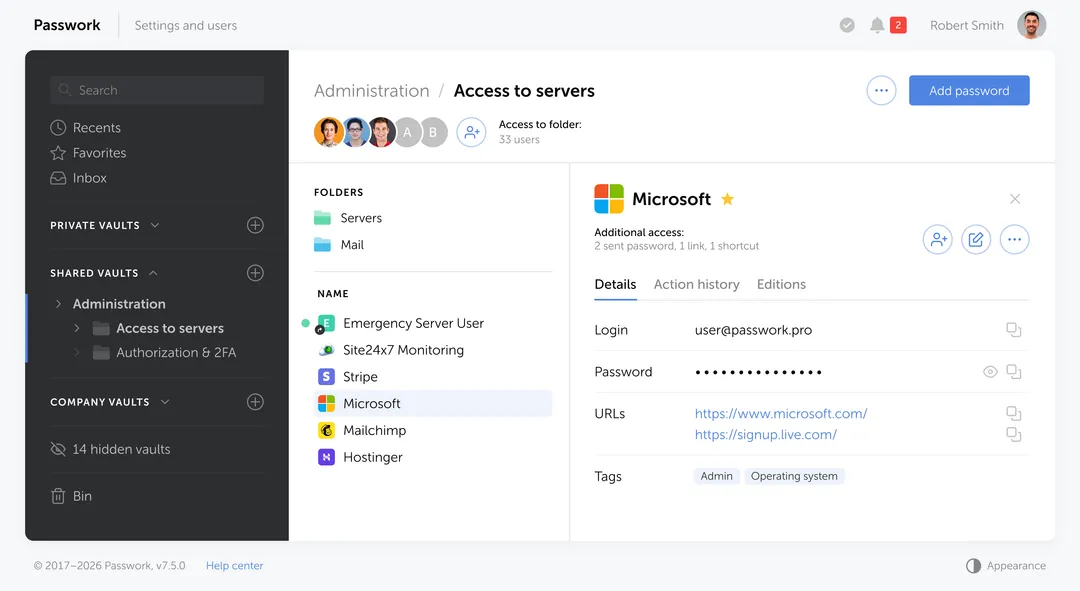
A browser password manager solves a personal convenience problem: autofill, device sync, effortless storage. For an individual user, that is a reasonable choice. For a corporate environment, that same simplicity becomes a structural vulnerability.
Passwork is the enterprise alternative to personal browser vaults. The Passwork browser extension works exactly like a built-in browser password manager — it autofills logins on websites, offers to save new credentials — but stores them in a protected corporate vault instead of a personal browser profile.
Passwork supports self-hosted deployment, AES-256 encryption, Active Directory and LDAP integration, SSO authorization, role-based access control, full audit logging, SIEM integration, and REST API and CLI tools for DevOps workflows.
| Criterion | Browser vault | Passwork |
|---|---|---|
| Data storage | Cloud provider's servers | Company's own infrastructure |
| Encryption | Provider-managed; keys held by provider | AES-256; encryption keys held by company |
| Autofill | Yes | Yes, via browser extension — identical user experience |
| Access control | None — all users see all credentials they can access | Role-based: employees see only their assigned vaults and folders |
| Shared team credentials | Passed manually via chat, email, notes | Stored in shared vaults with granular access control |
| Audit log | None | Complete: who accessed what, when, and what changed |
| Security team visibility | None — personal profile outside company control | Full visibility: all vaults, permissions, and access events |
| Infrastructure integration | None | Active Directory, LDAP, SSO, SIEM, REST API, CLI |
| VaultJacking protection | Vulnerable: a single PIN exposes the entire vault | Vault isolated from browser profile and personal account |
| Regulatory compliance | Unverified | ISO 27001, GDPR, NIS2, SOC 2 certified |
The difference is architectural. A browser vault prioritizes individual convenience. An enterprise password manager prioritizes organizational control and visibility. When privileged credentials end up in a browser vault, you have chosen the wrong tool for the job — not because the tool is bad, but because it was designed for a different problem.
Conclusion: What to do about VaultJacking

The threat VaultJacking describes is specific: a phishing technique that turns one captured PIN into vault-wide credential exposure. The response should be equally specific — not panic about passkeys, and not dismissal of browser vault risk, but a clear-eyed policy that separates personal credential convenience from privileged credential governance.
Start with the audit. Find out which privileged credentials currently live in browser vaults.Which admin accounts are synced to personal devices? Which break-glass credentials are stored in Google Password Manager? That answer will tell you how much work there is to do.
From there, the path is straightforward: prohibit privileged credentials in browser vaults, move them to an enterprise password manager with audit trails and access controls, and extend your security awareness training to cover vault prompts and recovery flows.
VaultJacking is not a reason to abandon browser password managers. It is a reason to use them for what they were designed for — personal credentials — and to build a separate, auditable system for everything else.
Passwork is a self-hosted enterprise password and secrets manager built for privileged credential governance. It provides role-based access, full audit logs, and complete separation from consumer browser vaults. See how it fits into your infrastructure
Frequently Asked Questions

What is VaultJacking?
VaultJacking is a phishing technique that targets the Google Password Manager vault by capturing the user's Google Password Manager PIN during an adversary-in-the-middle phishing session. The captured PIN is used to enroll an attacker-controlled device into the victim's Google security domain, decrypting every synced password and passkey stored in the vault. The technique was demonstrated end to end by PhishU in May 2026.
Is VaultJacking a Google vulnerability?
Based on published reporting, VaultJacking is a demonstrated phishing and workflow-abuse technique, not a classified vulnerability in Google's systems. It exploits the design of Google's device-enrollment flow — specifically the absence of cross-device approval for new security domain joins — which Google chose deliberately as a UX trade-off for lost-device recovery. Whether Google classifies this as a vulnerability requiring a fix is a separate question that has not been publicly answered at the time of writing.
Does VaultJacking break passkeys?
No. Passkeys are based on origin-bound public-key cryptography as defined in the W3C WebAuthn specification. A phishing page cannot replay a WebAuthn assertion against the real site because the origin binding fails. VaultJacking targets the vault and recovery layer that stores passkeys — not the cryptographic authentication ceremony itself. Passkeys remain phishing-resistant at the per-site login layer.
What is the Google Password Manager PIN?
The Google Password Manager PIN is a secret that protects encrypted Google Password Manager data. According to Google's documentation, it is created when a user saves their first passkey on a computer, iPhone, or iPad, and it is used to access passkeys on new devices, verify identity, and ensure that not even Google can read the encrypted vault contents. It is distinct from the Google account password and from the device screen lock.
Can one PIN expose all my saved passwords?
PhishU's demonstration shows that a captured six-digit Google Password Manager PIN can allow an attacker to decrypt the entire synced vault — every saved password and every synced passkey — from attacker-controlled infrastructure. The PIN releases the Security Domain Secret, which decrypts the vault in a single operation. If you entered the PIN on a page you did not navigate to directly, treat it as possible full vault exposure.
What should I do if I entered the PIN on a suspicious page?
Review your signed-in devices and registered passkeys at myaccount.google.com immediately. Revoke any unfamiliar devices or sessions. Change your Google account password. Rotate high-value credentials saved in the vault — prioritize SSO, email, cloud consoles, financial platforms, and admin accounts. Check third-party services for unusual login activity. If you are in an organization, open an incident-response case rather than treating this as a single-account issue.
Should companies ban Google Password Manager?
A blanket ban is not the right policy for most organizations. A risk-based approach works better: restrict privileged and shared credential storage to an enterprise password manager with audit controls, enforce separate managed browser profiles for work use, and extend phishing awareness training to cover password-manager prompts and recovery flows. Google Password Manager is appropriate for personal credentials; it is not designed for break-glass accounts or shared admin access.
Are hardware security keys enough to stop this?
Hardware security keys strengthen Google account sign-in assurance, but they do not automatically govern browser-vault synchronization, recovery flows, or the credentials stored inside the vault. VaultJacking targets the vault management layer, not the account sign-in step. A hardware key on the Google account reduces the risk of account takeover but does not prevent a user from being tricked into entering their Google Password Manager PIN on a phishing page.
 Alex Muntyan
 Alex Muntyan
 Alex Muntyan
Table of contents
- Key takeaways
- What is VaultJacking?
- Phishing vs VaultJacking
- What is the Google Password Manager PIN?
- How the VaultJacking attack chain works
- Does VaultJacking mean passkeys are broken?
- Why one PIN can create a large blast radius
- Who is most at risk?
- What to do if a Google Password Manager PIN may have been phished
- Stopping the breach: step-by-step technical response
- How individuals can reduce VaultJacking risk
- Building the controls that prevent the next one: policy and governance checklist
- Why an enterprise password manager is safer than a browser vault for work credentials
- Conclusion: What to do about VaultJacking
- Frequently Asked Questions
Table of contents
- Key takeaways
- What is VaultJacking?
- Phishing vs VaultJacking
- What is the Google Password Manager PIN?
- How the VaultJacking attack chain works
- Does VaultJacking mean passkeys are broken?
- Why one PIN can create a large blast radius
- Who is most at risk?
- What to do if a Google Password Manager PIN may have been phished
- Stopping the breach: step-by-step technical response
- How individuals can reduce VaultJacking risk
- Building the controls that prevent the next one: policy and governance checklist
- Why an enterprise password manager is safer than a browser vault for work credentials
- Conclusion: What to do about VaultJacking
- Frequently Asked Questions

Self-hosted password manager for business
Passwork provides an advantage of effective teamwork with corporate passwords in a totally safe environment. Double encryption and zero-knowledge architecture ensure your passwords never leave your infrastructure.
Learn more