
Passwork encrypts every vault with its own independent key. Bitwarden encrypts an entire organization with one shared key. That single design choice decides how far a stolen credential can reach: a per-vault key exposes one vault, while a single shared organization key may compromise every corporate item the company owns.
This difference determines the blast radius after a compromise, how account recovery works, and whether one team's incident can spread into another team's data. Both approaches are documented, legitimate zero-knowledge designs. They just carry different operational consequences, and that's what this comparison covers.
You'll feel this difference concretely during an offboarding, during an acquisition where two teams' vaults suddenly need separate handling, or in a post-incident review where you have to state exactly what an attacker could reach with one stolen key. Naming that up front makes the rest of this comparison easier to apply to your own environment, whichever password manager you run today.
At a glance
- Encryption boundary. Passwork generates an independent key for every vault. Bitwarden generates one Organization Symmetric Key for the entire organization.
- Blast radius. A leaked Passwork vault key exposes that vault alone. A leaked Bitwarden organization key exposes every corporate cipher key, because all of them are wrapped by the same parent key.
- Collections vs. vaults. Bitwarden collections restrict who sees which items, but add no cryptographic boundary. The organization key still decrypts every collection. A Passwork vault is both an access-control unit and a separate key boundary.
- Vault types. Passwork defines Company and Personal vaults, plus an unlimited number of custom vault types with their own admin sets, and every instance still gets its own key regardless of type. Bitwarden has no equivalent typed-vault model.
- Recovery. Passwork's recovery process issues a new key and restores access only to vaults already shared with another account. Bitwarden's recovery relies on a single organization RSA key pair, so one admin can unlock any enrolled member, which is convenient but concentrates risk in that one key pair.
How Passwork encrypts vaults
Passwork runs on a zero-knowledge architecture: the server never holds enough information to decrypt vault data, and the master password never leaves the user's device. Every cryptographic key is generated client-side, so the server stores only ciphertext and public keys (security overview, cryptography overview).
Two layers of encryption
Passwork runs two layers of encryption. Server-side encryption (AES-256) protects everything at rest and is always active. Client-side encryption protects sensitive fields before they ever leave the device.
The key hierarchy: From master password to vault key
What matters most for this comparison is the key hierarchy. A master password derives a master key through PBKDF2. That master key decrypts a private RSA key. The private RSA key then decrypts a vault key: a symmetric AES-256 key generated on the client specifically for one vault.
Every vault gets its own vault key, generated independently the moment the vault is created. Each user with access holds a separate encrypted copy of that key, wrapped with their own public RSA key, and only the matching private key can unwrap it. Compromising one vault's key does not expose the key of any other vault.
Isolation below the vault: Records and attachments
The isolation continues below the vault. Each record gets its own record key, encrypted with the vault key, and each file attachment gets its own attachment key, encrypted with the record key. A leaked record key exposes one record, not the whole vault. A leaked attachment key exposes one file. The vault key sits in the middle of that chain, separating one vault's records from every other vault's records, which is the layer this comparison focuses on.
Sharing without exposing the key
Sharing follows the same pattern. Granting a colleague access means the current holder decrypts the vault key with their own private key and re-encrypts it with the recipient's public key. The server only ever handles ciphertext (sharing mechanics). Access levels such as View, Edit, Full access, and Administrator are enforced by the application, not by the cryptography: everyone with access to a vault holds the same underlying key, and permissions govern what the interface lets each person do with it.
Passwork documentation
For the full technical detail behind this architecture, see the security overview (server-side encryption, infrastructure security, deployment options) and the cryptography overview (client-side encryption, key generation, zero-knowledge model).
How Bitwarden encrypts organization data
Bitwarden encrypts all organization-owned vault data with one shared key: a CSPRNG-derived Organization Symmetric Key generated once for the entire organization. According to Bitwarden's own security whitepaper, this single key decrypts every corporate vault item. The unprotected key itself is never stored on Bitwarden's servers.
One organization key, many cipher keys
Individual items still get their own key. Each cipher (Bitwarden's term for a stored item) has a unique 64-byte Cipher Key. That Cipher Key is wrapped by either a personal User Symmetric Key or, for anything the organization owns, the single Organization Symmetric Key. Unwrapping that one organization key exposes every corporate cipher key at once, because they all trace back to the same parent key.
Collections control access, not encryption
Collections, Bitwarden's grouping mechanism, sit on top of this without changing the cryptography. A collection controls which members and groups can see which items, but adds no separate collection-level key. A single organization key decrypts the contents of every collection belonging to that org, a point confirmed both by Bitwarden's own server documentation. Removing someone from a collection revokes access through membership, not through a cryptographic boundary tied to that specific collection.
Account recovery relies on the same shared key
Account recovery follows the same single-key pattern. When a member enrolls in Bitwarden's account recovery feature, their personal User Symmetric Key gets wrapped with the organization's RSA public key, forming what Bitwarden calls the Account Recovery Key. To recover a locked-out member, the organization's private RSA key unwraps that Account Recovery Key and yields the member's personal encryption key. A single admin holding the Manage account recovery permission can do this for any enrolled member.
Bitwarden documentation
For the full technical detail, see the Bitwarden security whitepaper (key derivation, encryption scheme, cipher-level keys), the Bitwarden server encryption docs (collections and organization-level encryption), and the account recovery documentation (recovery key flow and admin permissions).
Vault policies vs collections
Passwork distinguishes vaults by type, not only by owner. The documentation defines two basic vault types: Company vaults, shared storage with configurable access rights for a team, and Personal vaults, storage created by and initially belonging to a single user.
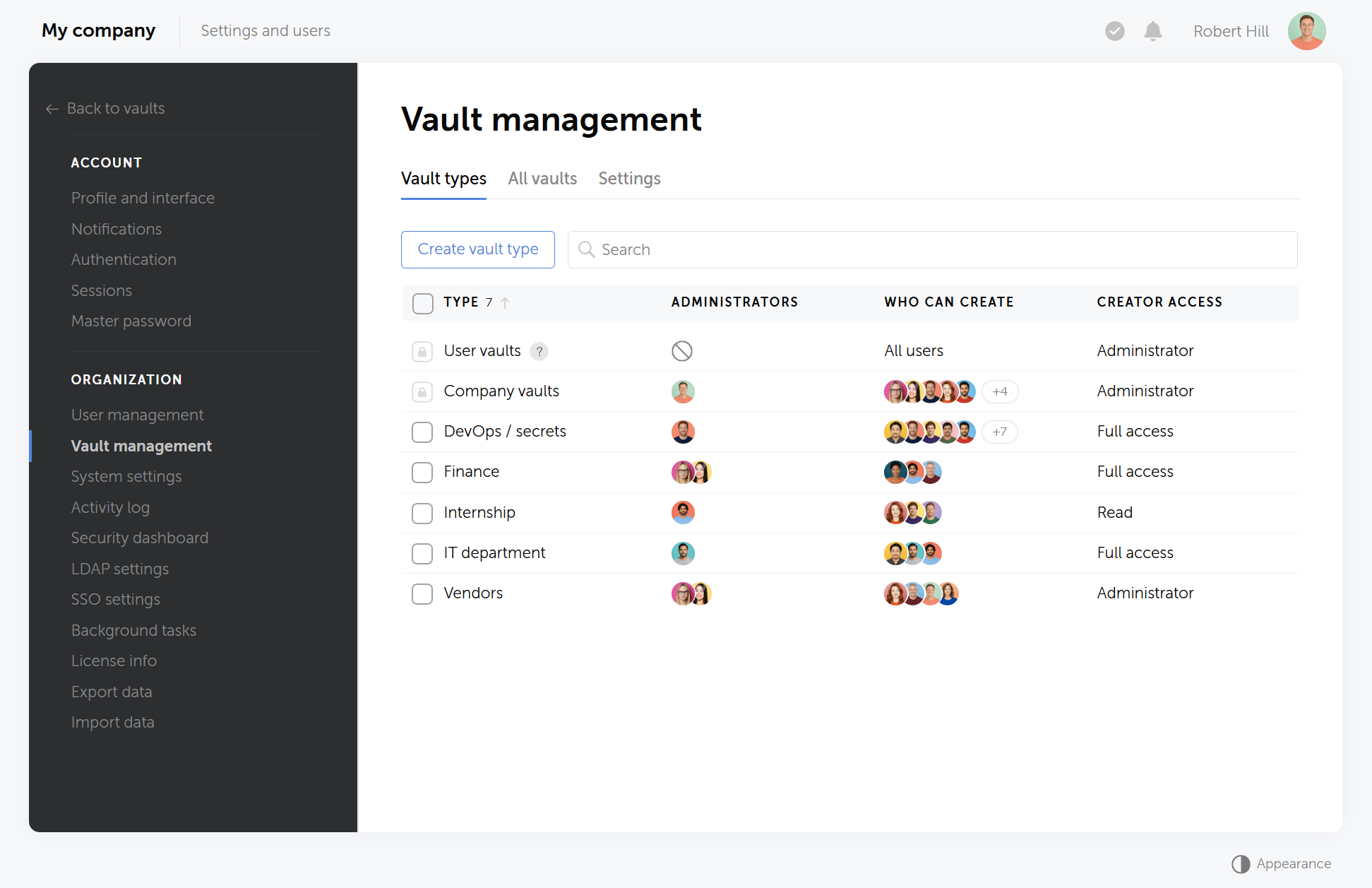
Both types get identical per-vault key treatment, so a Personal vault is as cryptographically isolated from a Company vault as any two Company vaults are from each other.
Personal vaults can become shared vaults
A Personal vault isn't locked to one person permanently. Its owner can share it with colleagues, and at that point it functions as a shared vault, with access governed the same way as any other shared vault in Passwork.
Custom vault types and mandatory admin assignment
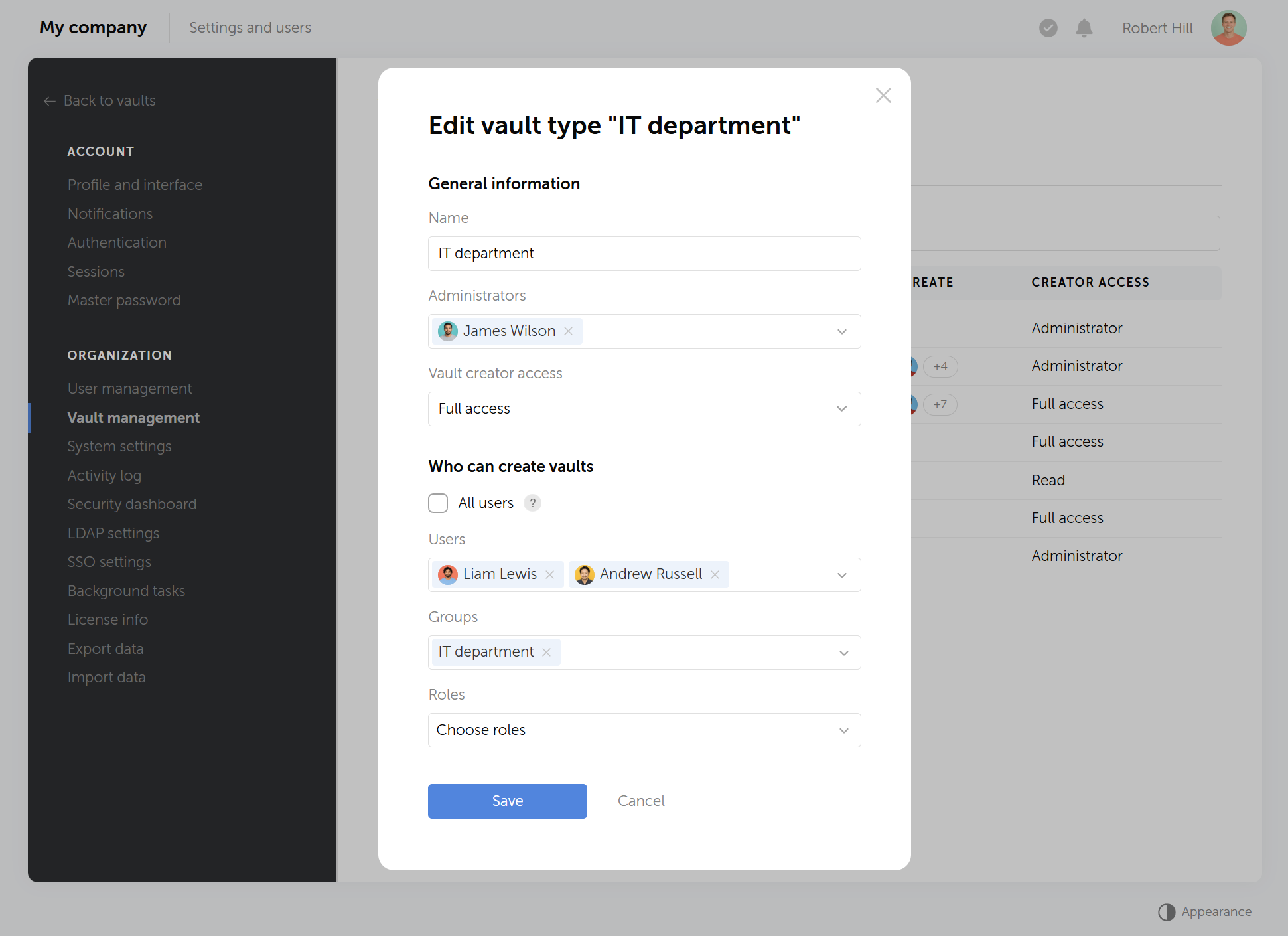
Passwork also lets administrators define an unlimited number of custom vault types, each with its own set of designated administrators and its own access rules. That gives an organization a way to enforce, say, one admin group for finance vaults and a different one for engineering vaults, without relying on ad hoc permission assignments after the fact.
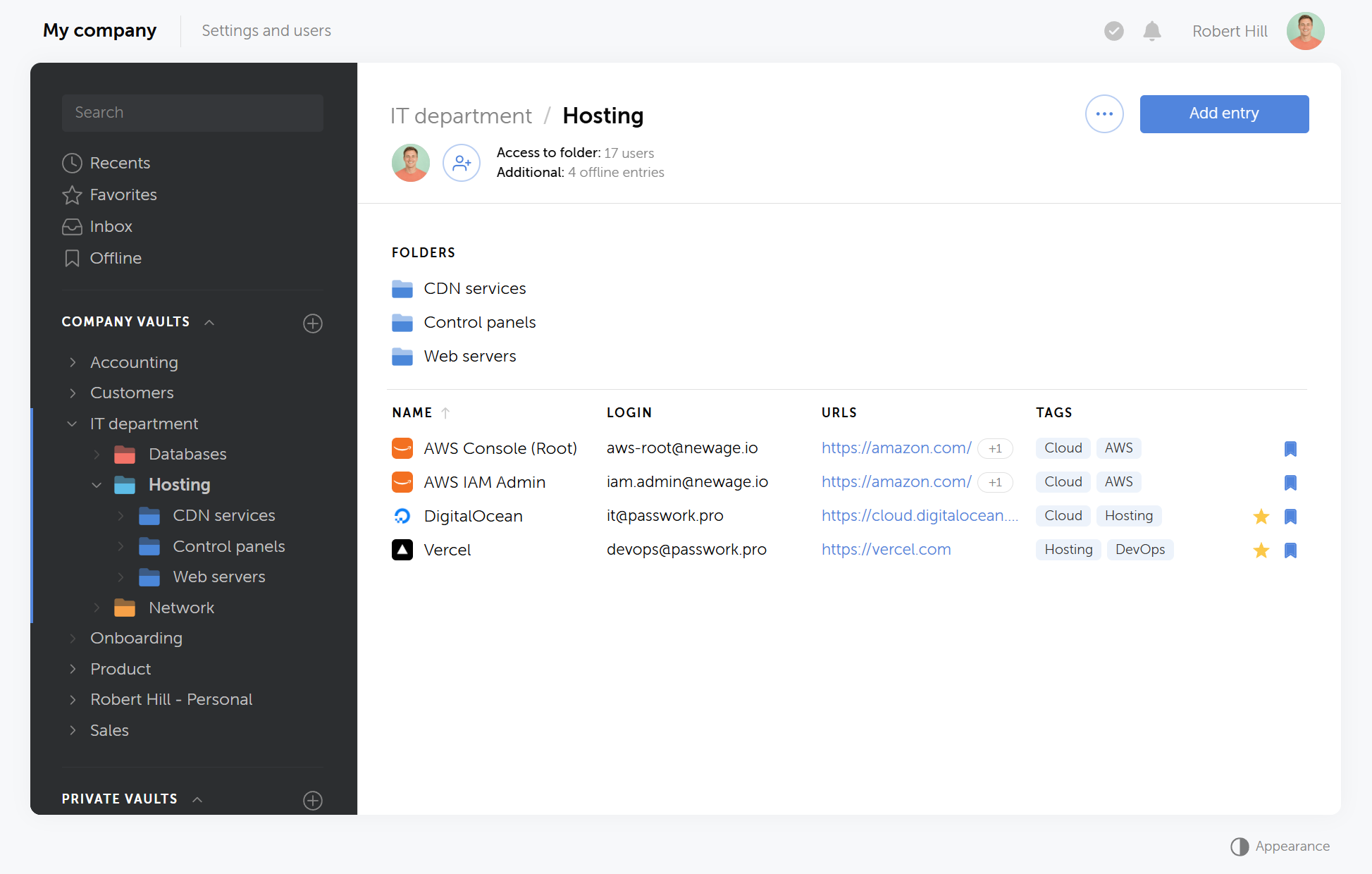
Administrators can also disable Personal vault creation altogether, forcing all data into Company or custom vault types where the admin assignment is mandatory.
Related reading
For a closer look at how vault types and admin policies work in Passwork, see Passwork's vault policies explained.
How this compares to Bitwarden collections and Enterprise Policies
Bitwarden has no equivalent typed-vault abstraction. Its closest analogue, collections, group items inside an organization but don't isolate them cryptographically: as covered earlier, a single Organization Symmetric Key decrypts every collection's contents, and removing a member from a collection revokes access through membership, not through a separate key boundary. Collections also carry no concept of a dedicated administrator set the way Passwork's Company and custom vault types do.
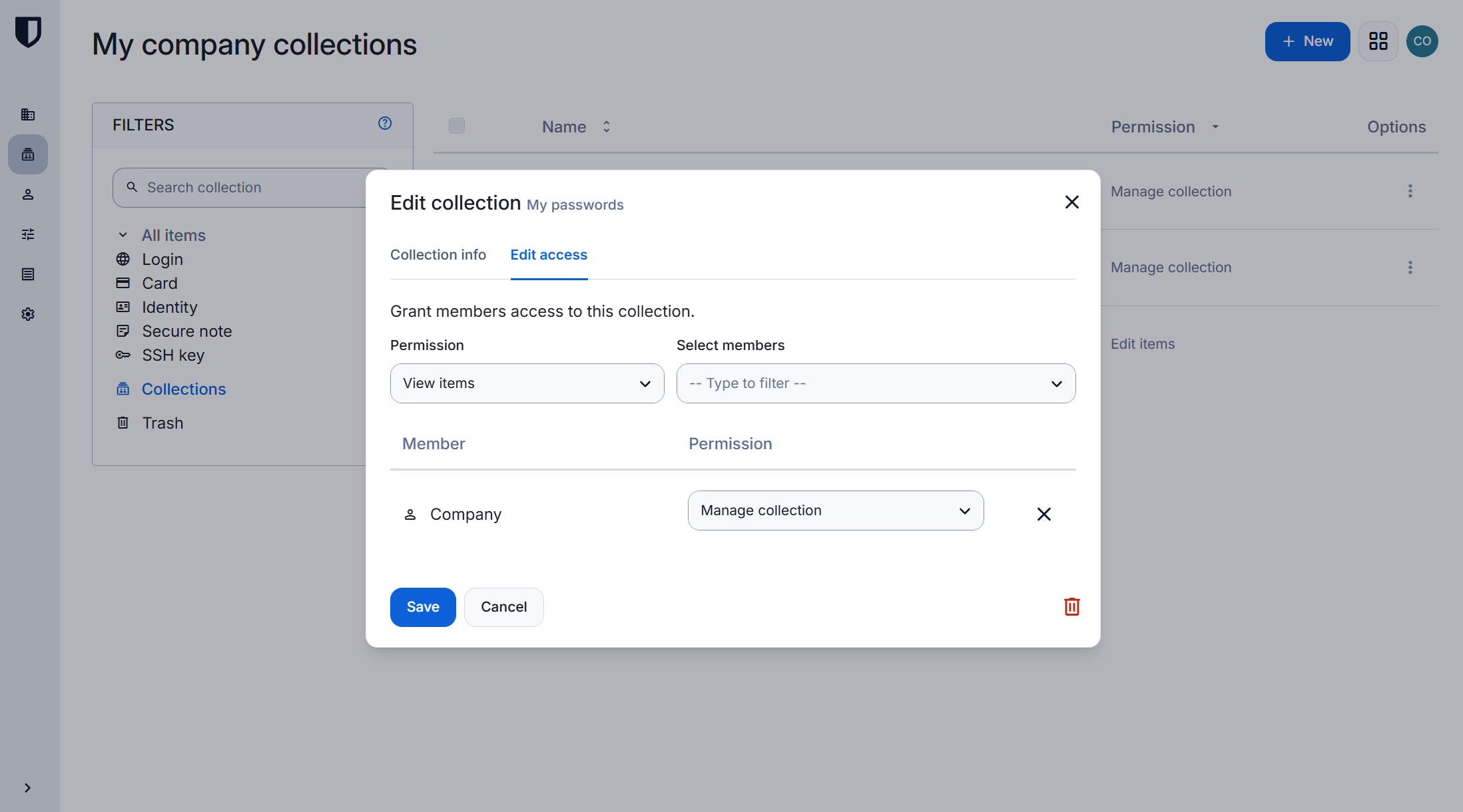
Bitwarden's Enterprise Policies work at a different layer entirely. Policies like Single organization, Centralize organization ownership, Master password requirements, Require two-step login, and Account recovery administration apply organization-wide, not per collection or vault type (Bitwarden policies documentation). An administrator applying a master-password-strength policy, for example, sets a rule for the whole organization. There's no per-collection or per-vault-type equivalent to scope that rule more narrowly.
The practical difference
Passwork's vault policies give an administrator a structural way to separate individual data from team data, assign accountable admins per type, and keep every instance of either type on its own key. Bitwarden's collections organize access within a single shared key, and its policies configure behavior across an organization that already shares that key, regardless of which collection or data type a given policy targets.
What this means in practice
The key architecture behind each product produces four concrete operational differences: blast radius after a compromise, how cleanly teams can be isolated, how recovery works, and how an audit answers "what could this credential decrypt."
Blast radius of a single compromised secret
In Passwork, a leaked vault key, a leaked private RSA key, or a compromised master password limits an attacker to one vault or to that one user's shared vaults, not the whole organization. In Bitwarden, because every corporate cipher key traces back to one Organization Symmetric Key, compromising that key exposes every vault item the organization owns.
Multi-team isolation
An organization running several teams in Passwork can give each team its own vault, each on its own key, so an incident in one team's vault has no cryptographic path into another team's vault. In Bitwarden, teams are typically separated with collections inside the same organization, which is access control layered on top of one shared organization key.
Recovery model
Passwork's recovery process doesn't restore the original master key. It establishes a new one, and a user keeps access only to vaults where access was already shared with another account beforehand. Bitwarden's account recovery relies on a single organization RSA key pair, so one admin with the right permission can recover any enrolled member without that member having pre-shared anything (account recovery documentation). That's operationally convenient. It also means the organization's recovery RSA private key is a single point of exposure for every enrolled member's vault.
Audit and compliance scoping
When an auditor asks "what could this credential decrypt," Passwork's per-vault model gives a short, specific answer: one vault, or a named list of vaults this user had access to. In Bitwarden's single-organization-key model, the honest answer to the same question is "everything the organization owns," because there's no cryptographic subdivision below the organization level to point to. Neither answer is wrong, but they document very differently in an audit evidence package.
Comparison table
The table below summarizes where the two architectures diverge, from the root key down to sharing and recovery.
| Aspect | Passwork | Bitwarden |
|---|---|---|
| Crypto boundary for shared data | Each vault | The whole organization |
| Root key for corporate data | Per-vault vault key | One Organization Symmetric Key |
| Isolation granularity | One key per vault | One key for the entire org |
| Collections / folders | Access control on top of a per-vault crypto boundary | Access control only, not a crypto boundary |
| Vault-type distinction | Company vs Custom vs Personal vaults, each with its own key | No typed-vault abstraction; org-wide collections and policies |
| Recovery root | Per-user / per-vault; old key can't be restored, access must be pre-shared | Single org RSA key pair; one admin can recover any enrolled user |
| Blast radius of one recovery secret | One vault or one user's keys | The entire organization |
| Sharing model | Re-wrap the vault key per recipient's public key; server sees only ciphertext | Org key shared through membership; one key for all members |
Getting practical about it
The question isn't which vendor's cryptography is better in the abstract. It's whether your data actually needs single-key or per-vault isolation. Teams handling regulatory-scoped secrets, a specific client's infrastructure, or a compliance boundary that has to stay separate get a direct benefit from per-vault keys. Teams where everyone already shares full mutual trust get less benefit from the extra isolation.
Both architectures qualify as zero-knowledge. The difference is what a single stolen key can reach afterward: one vault, or the whole organization. That's the number to check against your own risk model before your next security review.

Want to see per-vault key isolation on your own data before deciding? Try Passwork free and test how vault types, admin assignment, and key boundaries hold up against your own security review.
Frequently asked questions
Does Bitwarden use a separate encryption key per vault?
No. Bitwarden encrypts all organization-owned vault data with one Organization Symmetric Key. Individual items get their own Cipher Key, but that Cipher Key is itself wrapped by the same organization key, not by a per-vault key.
Can one compromised key decrypt all vaults in Passwork?
No. Each Passwork vault has its own independently generated vault key. Compromising one vault's key exposes that vault only, not any other vault in the organization.
What is the difference between a Bitwarden collection and a Passwork vault?
A Bitwarden collection is an access-control grouping inside an organization that already shares one encryption key. It adds no cryptographic boundary of its own. A Passwork vault is both an access-control unit and a cryptographic boundary, because it carries its own vault key.
Does Passwork have organization-wide policies like Bitwarden's Enterprise Policies?
The publicly documented distinction on the Passwork side is vault types, company, custom, shared and personal, rather than an org-wide policy engine.
How does Bitwarden's account recovery work cryptographically?
An enrolled member's personal encryption key is wrapped with the organization's RSA public key. To recover the member, the organization's private RSA key unwraps that copy, and an admin with the Manage account recovery permission can do this for any enrolled member.
Are Passwork's Company and Personal vaults encrypted differently?
No. Both vault types go through the same per-vault key hierarchy. The type affects how the vault is used and who it's meant for, not the cryptography protecting it.
What happens cryptographically when Bitwarden removes a user from a collection?
The organization key itself doesn't change. Removing someone from a collection revokes their access through organization or collection membership, not by rotating the encryption key that protects the collection's contents.
 Passwork Team
 Alex Muntyan
 Passwork Team
Table of contents
Table of contents

Self-hosted password manager for business
Passwork provides an advantage of effective teamwork with corporate passwords in a totally safe environment. Double encryption and zero-knowledge architecture ensure your passwords never leave your infrastructure.
Learn more