

A new term starts, and the helpdesk queue fills with reset requests before the first lecture begins. A staff member can't log into the learning management system. A department shares one login for a research tool, and nobody remembers who set the password or who else has a copy of it.
That's what breaks password security for educational institutions: credentials scattered across dozens of systems and shared without oversight. A single school or university might run separate logins for student records, learning platforms, research tools, and finance, HR, and safeguarding databases — each with its own password habits.
Password chaos spreads past the IT helpdesk into the rest of the organization. Staff lose hours chasing access instead of teaching or research. Unmanaged credentials widen the paths attackers use to get in. Weak access records turn a routine audit into a compliance finding. Access management is how institutions close all three gaps at once.
Key takeaways
- Password chaos consumes staff time through resets, lockouts, and manual provisioning, and it can delay access to teaching, research, and administrative systems.
- Reused, shared, or poorly managed credentials keep compounding damage across the attack chain even when they aren't the first thing attackers exploit.
- GDPR sets a risk-based security bar for any institution handling EU residents' data. NIS2 adds stricter rules for schools and universities that qualify as essential or important entities — check your institution's status under the directive's entity-type and size thresholds.
- Access management connects identity, authentication, permissions, recovery, and audit evidence into one operating model instead of isolated password rules.
Password chaos is an access-continuity problem
Password chaos accumulates because nothing revisits an access decision once it's made. A login gets shared for one project and stays shared after the project ends. A staff member gets added to a system, changes roles, and keeps the old access because no one is assigned to check. Multiply that by every system added over a decade, and no one can say with confidence who has access to what.
That gap surfaces hardest during offboarding. Removing a leaving staff member's access should be a routine IT task. Instead it becomes a search across dozens of disconnected systems, because the record of who has access to what was never centralized in the first place.
| What password chaos looks like | Institutional consequence |
|---|---|
| A shared departmental login with no named owner | No one can say who used the account or revoke access when a role changes |
| Passwords stored in spreadsheets, browsers, or chat threads | No audit trail, no consistent recovery path, easy target for malware |
| Identity systems that don't talk to each other | Staff and students end up with mismatched access across platforms |
| Manual, ticket-based resets and provisioning | IT time goes to repetitive tasks instead of higher-value work |
How password chaos slows education work
Password chaos shows up first as lost time. Resets, unlocks, and manual account changes turn into a recurring queue that pulls IT staff away from teaching-support and security work.
| Password problem | Work interruption | Access-management response |
|---|---|---|
| High-volume reset requests | Help desk backlog, delayed onboarding | Self-service or delegated reset with safeguards |
| Fragmented logins across platforms | Repeated authentication friction, lost time | Single sign-on (SSO) for the platforms that support it |
| Unowned shared accounts | No accountability, unreliable offboarding | Named ownership and role-based permissions |
Fragmented access interrupts critical workflows
Essential systems in education include learning-management platforms, student-information systems, research environments, email, HR, finance, library systems, and safeguarding records. Losing access to any of these can delay grading, block a research deadline, or leave a safeguarding record temporarily unreachable. How severe that becomes depends on the system's business impact and the quality of its recovery arrangements.
Shared credentials obscure responsibility
Shared logins erase accountability. When several people use one login for a shared tool, the institution loses the ability to say who did what. That matters day to day, when troubleshooting an unexpected change. It matters more when a role changes and someone needs to lose access without breaking the account for everyone else still using it.
Why password chaos raises the risk of a security incident
Password chaos widens the paths attackers use to get in. Reused passwords, unmanaged shared accounts, and weak offboarding make credential-based attacks easier to pull off and harder to contain.
Verizon's 2026 Data Breach Investigations Report found vulnerability exploitation leading initial access in 31% of breaches, ahead of credential abuse for the first time. But credential abuse still showed up somewhere in the attack chain of 39% of the breaches Verizon analyzed. A stolen or reused password didn't have to be the opening move to matter. It just had to be sitting there, reusable, once an attacker got in through some other door.
The UK's National Cyber Security Centre explains why that reuse keeps happening: password overload encourages insecure coping behavior such as reuse, predictable formulas, and unsafe storage. Telling staff to "choose a stronger password" doesn't fix a system where twelve departments each keep their own spreadsheet of shared logins. ENISA's 2025 Threat Landscape reports that phishing remained the primary method for initial intrusion and an effective technique for credential theft and session hijacking — exactly the kind of theft that unmanaged, reused credentials make easier to pull off.
How a stolen credential turns into a breach
A single reused password rarely stays contained to one account. Attackers move from the first compromised login to broader access in a predictable sequence. Each step depends on the last one going unnoticed.
The attack chain usually looks like this:
- An attacker sends a phishing message that mimics a familiar login page, or exploits an unpatched system directly.
- If phishing works, a user hands over real credentials without realizing it.
- The attacker tests those credentials against other systems, a technique that works far more often when passwords are reused.
- If the compromised account has broad, shared, or persistent access, the attacker can move further before anyone notices.
A stolen credential does more damage when it grants wide or shared access, because the institution loses both containment and the ability to trace what happened. NCSC's introduction to identity and access management makes this point directly: weak IAM controls let an attacker who obtains one credential appear as a legitimate user across multiple systems.
Fredrik Blomqvist, Uppsala University's Chief Security Officer, made the same point from inside a university's own security function in March 2026: phishing remains the most common attack type the institution sees, and the human factor, not the technology stack, is still its greatest cybersecurity risk.
Third-party access extends credential risk
External vendors add another layer of exposure, because education institutions routinely outsource student-information systems, learning platforms, and payment processing. Verizon's 2026 DBIR found third-party involvement in breaches reached 48% of all breaches, up 60% year over year. Among those third-party organizations, only 23% had fully remediated missing or improper MFA on their cloud accounts. Third-party access can extend credential risk beyond the institution's own systems, so vendor connections need the same level of identity and access review as internal accounts.
Ransomware makes recovery and revocation more urgent
Once an attacker is inside, the speed of containment determines how much damage a single stolen credential can do. Sophos surveyed 441 education institutions that had experienced a ransomware attack in the prior year and found that 29% of lower-education respondents and 58% of higher-education respondents reported an attack that resulted in data encryption. That figure describes what happens after an attacker gets in among institutions already hit, a containment-speed measure rather than a cause-of-breach statement. It's a reason to treat fast credential revocation as a tested step in incident response.
Why the lack of access management raises GDPR and NIS2 compliance risk
Schools, colleges, and universities that handle personal data or operate qualifying critical systems fall under GDPR, NIS2, or both.
- GDPR applies a risk-based security standard within defined material and territorial limits.
- NIS2 applies to essential and important entities that meet the Directive's entity-type, size, or special-route criteria, as implemented under national law.
GDPR sets a risk-based standard
GDPR (General Data Protection Regulation) is the EU's core data-protection law. It applies to processing of personal data within its material and territorial scope. This includes processing in the context of an organization established in the EU, as well as certain processing by organizations outside the EU that offer goods or services to people in the EU or monitor their behavior there.
GDPR's Article 5(1)(f) requires protection against unauthorized or unlawful processing and against accidental loss or damage. Article 32 goes further: it calls for measures appropriate to risk, including, as appropriate, confidentiality, integrity, availability, resilience, the ability to restore access after an incident, and regular testing.
For a registrar's office holding student records, that risk-based language translates into practical controls: who can view a record, how access is logged, and how quickly access can be restored if a system goes down.
NIS2 coverage depends on scope
NIS2 (the EU's second Network and Information Security Directive) creates cybersecurity obligations for organizations classified as essential and important entities that fall within the Directive's scope. That assessment begins with the Directive's own entity-type, size, and special-route rules, then depends on how the relevant member state has transposed and applied them. Education is not listed as a standalone sector in Annex I or Annex II, but a school, college, or university may still be in scope through a listed entity type, public-administration status, or another applicable route.
For an entity in scope, Article 21 requires risk-management measures that are appropriate and proportionate. Recital 79 states that those measures should address human-resources security and include appropriate access-control policies.
For an entity that becomes aware of a significant incident, Article 23 sets an early-warning stage within 24 hours, an incident-notification stage within 72 hours, and a final report no later than one month after notification. Ongoing incidents follow a separate progress-report path.
| Framework | What it covers | Scope caveat |
|---|---|---|
| GDPR | Security of personal data, proportionate to risk | Applies within GDPR's material and territorial scope |
| NIS2 | Cyber-risk management for essential and important entities | For education, NIS2 applicability depends on national transposition, critical research, and in-scope services. |
Meeting Article 23's 24-hour clock requires knowing who had access to the compromised system and when that access last changed. Where departments manage passwords independently — a spreadsheet in one office, a password forwarded over chat in another — that information typically isn't recorded anywhere. Auditors asking for evidence that access decisions are proportionate, documented, and reviewable will find the same gap.
Coverage of the education sector depends on national implementation. In the Netherlands, for instance, universities fall under NIS2 largely because of the intellectual property generated through research — the government considers that knowledge a national asset. We recommend confirming your institution's specific status with legal or compliance specialists rather than assuming it either way.
Access management closes the productivity, risk, and compliance gaps
Access management is what eliminates the three problems described above: wasted staff time, wider breach exposure, and thin compliance evidence. It works by controlling identity, authentication, and permissions as one connected process across every system an institution runs, instead of leaving each application to enforce its own password rules.
A business password manager is the practical layer that makes this possible.
- Centralized, permissioned credential storage replaces the shared spreadsheet and the sticky note.
- Named ownership and role-based access remove the guesswork over who can reach what.
- Self-service or delegated recovery cuts the reset queue down to the accounts that genuinely need IT's help.
- Audit logs and periodic access reviews produce the documented, reviewable evidence GDPR and NIS2 both ask for.
How password managers help education manage access at scale
NIST's current password guidance recommends multi-factor authentication (MFA), treats passkeys as a viable alternative to passwords, and recommends password managers, secure credential vaults that generate and store unique passwords, for accounts that still use one. That covers the baseline: unique credentials, generated and stored securely, instead of reused or written down.
Enterprise-grade password managers extend further. Role-based permissions assign ownership at the vault level, audit logs and access reviews produce the evidence trail auditors ask for, and directory integration ties account lifecycle to HR and IT systems instead of a manual checklist. Passwork's guide to team password management covers how these pieces work together in practice.
Recovery benefits too. When a device goes missing or a credential is suspected compromised, an administrator can suspend that person's vault access and rotate the affected credentials without disrupting other users still relying on the same shared entry. A managed system reduces the search-and-recovery work a shared credential otherwise creates, and lets administrators act through a documented process rather than tracking a login across chat threads and onboarding documents.
Two priorities specific to education
Joiner, mover, and leaver processes deserve particular attention in education, because student, temporary-staff, contractor, and term-time changes create frequent account changes on a predictable calendar. Automating provisioning and deprovisioning around those known cycles removes the manual step where access most often gets left behind.
Shared accounts should stay a controlled exception: granted deliberately, owned by name, and reviewed on a schedule. Passwork's guide to secure password sharing covers how a shared departmental tool can still have named owners and role-based access inside a secure vault with audit logging, rather than one login circulated by chat message with no record of who has it.
A five-step starting plan for education IT leaders
This five-step sequence fits around a term calendar, so IT teams can start now without waiting for a system-wide pause. Treat it as a starting point, not a complete rollout plan.
- Identify the systems where lost or unauthorized access would do the most damage. Rank student records, safeguarding data, research systems, and finance ahead of lower-stakes tools.
- Inventory shared, privileged, and unowned accounts, and assign a named owner to each. This step alone usually surfaces accounts nobody remembers creating.
- Measure your current baseline before changing policy. Track reset volume, lockouts, and onboarding or offboarding delays, so you can tell whether a change actually helped. This is also where a configuration audit earns its keep: Verizon's 2026 DBIR found that in its assessed-device sample, 97% of devices failed the check for allowed login attempts before lockout, and 90% failed the check requiring passwords of at least 15 characters. That gap between documented policy and enforced configuration is worth testing directly.
- Prioritize MFA and secure credential handling for high-risk users first. Administrators, IT staff, and anyone with access to financial or safeguarding systems should move before the general student population.
- Pilot in one department before scaling. Run the new process in a single team, review the controls, operational friction, and outcomes observed, then extend it. Institutions without round-the-clock security staffing aren't limited to solving this alone: Poland's higher-education sector, for example, is organizing shared regional monitoring capacity specifically for universities that can't build 24/7 coverage in-house.
NIST's guidance to combine MFA, consider passkeys where they fit, and use a password manager for accounts that still need one applies directly to step four. For students, the calculus changes: age, accessibility needs, and device availability affect which controls make sense for which group. A control that works for finance staff may be the wrong fit for a twelve-year-old logging into a reading app.
Getting from password chaos to a managed system
Password chaos rarely announces itself as a crisis. It builds up one shared login and one manual reset at a time, until an institution can't say with confidence who has access to what. Fixing it means treating password security for educational institutions as an operating model: own each account, track it, and review it on a schedule as an ongoing practice.
For teams ready to centralize shared credentials and connect access to existing identity systems, Passwork provides controlled vaults, role-based permissions, directory synchronization, and audit records. These capabilities can support parts of a broader access-governance program. Their adequacy depends on the institution's systems, configuration, risk assessment, and wider compliance controls.
Frequently asked questions
Does a password manager solve password chaos on its own?
No. A password manager handles unique credential generation, secure storage, and controlled sharing, which fixes the reused-password problem. Access continuity also needs identity ownership, MFA, role-based permissions, lifecycle automation tied to enrollment and staffing cycles, documented recovery procedures, and audit logging, working together as one connected system.
How can schools and universities reduce password-reset workload without weakening security?
Reduce the number of passwords staff and students manage through appropriate SSO, add secure self-service or delegated recovery with clear safeguards, and automate lifecycle changes tied to enrollment and staffing cycles instead of handling each account manually. Measure reset causes first, so any policy change addresses the actual bottleneck.
Does GDPR require a specific password policy?
No. GDPR's Article 32 requires security measures appropriate to the risk created by processing personal data, not a fixed technical standard. Institutions choose their own password, MFA, recovery, and audit controls based on the data they hold, the systems involved, and their own risk assessment, rather than following a universal checklist.
Does NIS2 apply to every educational institution?
No. NIS2 does not automatically apply to every educational institution. Coverage depends on the Directive's entity-type, size, and special-route rules, as well as national implementation and any relevant public-administration or criticality designation. Confirm scope with qualified legal or compliance counsel rather than assuming coverage either way.
Does NIS2 compliance conflict with academic freedom or research openness?
It can. Broad server or network monitoring required for compliance can sit uneasily with a research culture built on openness, and the choice of monitoring vendor can raise separate data-sovereignty questions. Institutions in scope generally scope monitoring to risk and data sensitivity rather than applying it uniformly, and involve research leadership in that design, not just IT and legal.
Which accounts should get stronger authentication first?
Start with administrators, IT staff, finance, and any account with access to safeguarding or research data. These carry the most damage potential if compromised, and they're a smaller group than the full student body, which makes MFA rollout faster to complete.
What does access management actually fix that a password policy alone doesn't?
A password policy sets rules for individual credentials. Access management governs who holds an account, what it reaches, how access is restored after a lockout or compromise, and whether the institution can prove any of that during an audit — the parts of password chaos a policy document alone can't enforce.
 Alex Muntyan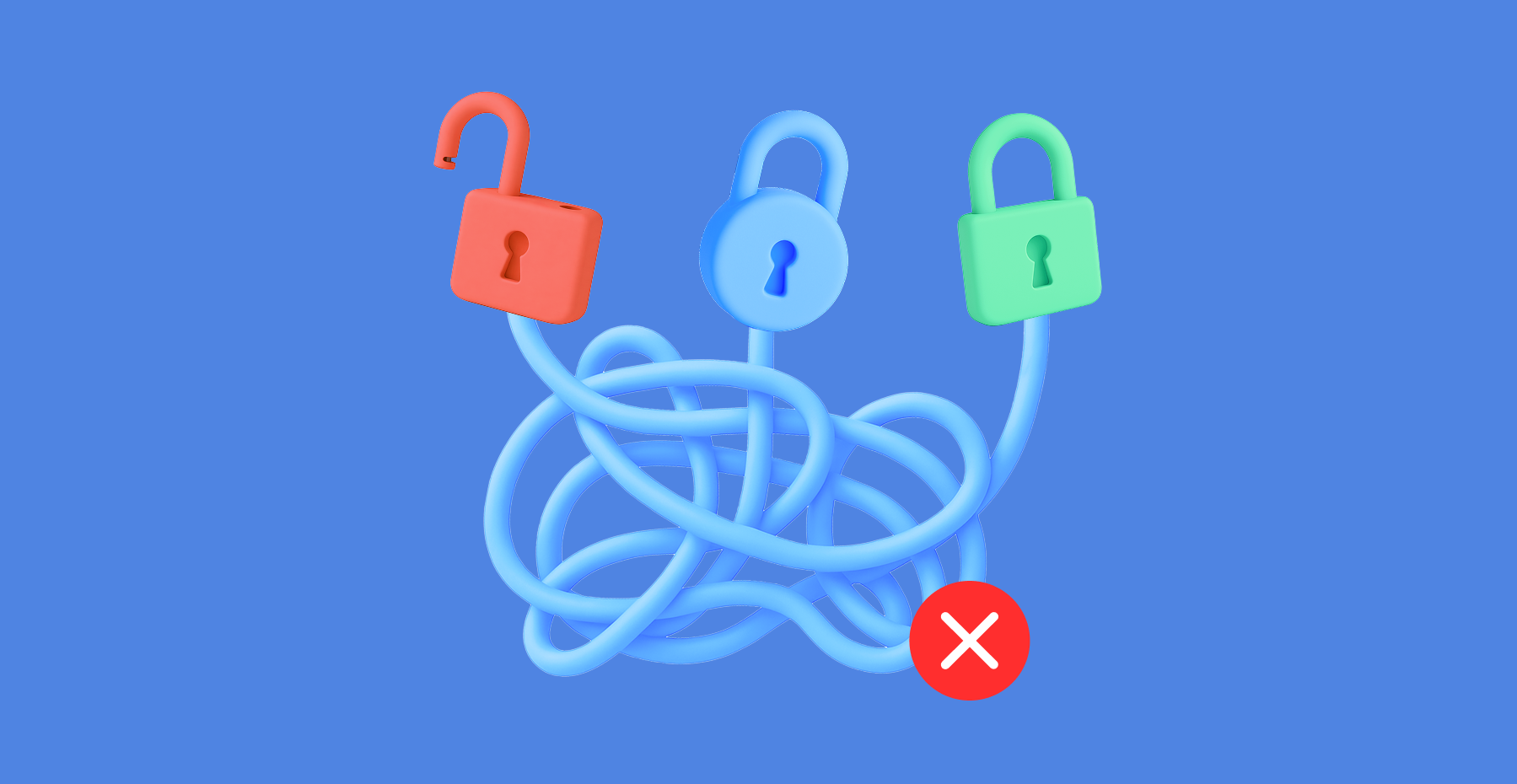
 Passwork Team
 Passwork Team
Table of contents
- Key takeaways
- Password chaos is an access-continuity problem
- Why password chaos raises the risk of a security incident
- Why the lack of access management raises GDPR and NIS2 compliance risk
- Access management closes the productivity, risk, and compliance gaps
- A five-step starting plan for education IT leaders
- Getting from password chaos to a managed system
- Frequently asked questions
Table of contents
- Key takeaways
- Password chaos is an access-continuity problem
- Why password chaos raises the risk of a security incident
- Why the lack of access management raises GDPR and NIS2 compliance risk
- Access management closes the productivity, risk, and compliance gaps
- A five-step starting plan for education IT leaders
- Getting from password chaos to a managed system
- Frequently asked questions

Self-hosted password manager for business
Passwork provides an advantage of effective teamwork with corporate passwords in a totally safe environment. Double encryption and zero-knowledge architecture ensure your passwords never leave your infrastructure.
Learn more